Most Frequent Cancellation Reasons
alameen ERP provides detailed reports on the movement of malfunctions and cancellation reasons in maintenance workshops, including the "Most Frequent Cancellation Reasons" report.
Report Purpose
The "Most Frequent Cancellation Reasons" report gives a statement of the movement of the cancellation reasons of maintenance orders defined in the Cancellation Reason Card. In some orders, the customer asks to be called before the maintenance to be told the details of the malfunctions and the cost of repairing the device, and the customer may refuse to have the device repaired for various reasons, such as high maintenance fees or an unsuitable spare parts price. In some cases, the reason for the cancellation may come from the maintenance workshop itself, for example when the spare parts are not available or the device cannot be repaired. In all these cases, you can use the defined cancellation reasons before cancelling the maintenance order.
You can request the report to show the movement of the cancellation reasons by order type "Internal - Outside - All", or the most frequent cancellation reasons for a particular material, and you can show a report of the movement of one cancellation reason only by setting it in the "Reason" field of the material window.
You can set the period for which you want the statement of the cancellation reasons movement: the program provides a list of ready-made periods (this week until today, previous week, previous quarter...), and you can also set the date range of the period yourself by entering its start and end in the "From - To" date fields of the report preview window.
The report shows the names of the cancellation reasons and how often they occur in maintenance orders, from the most frequent reason to the least frequent, and you can run many operations (grouping, filtering, summaries...) in the preview interface.
Reaching the Report
You can reach the Most Frequent Cancellation Reasons report from the main ribbon - Systems tab - Workshops group - the drop-down list of the Reports button.
Once requested, the report window appears as follows:
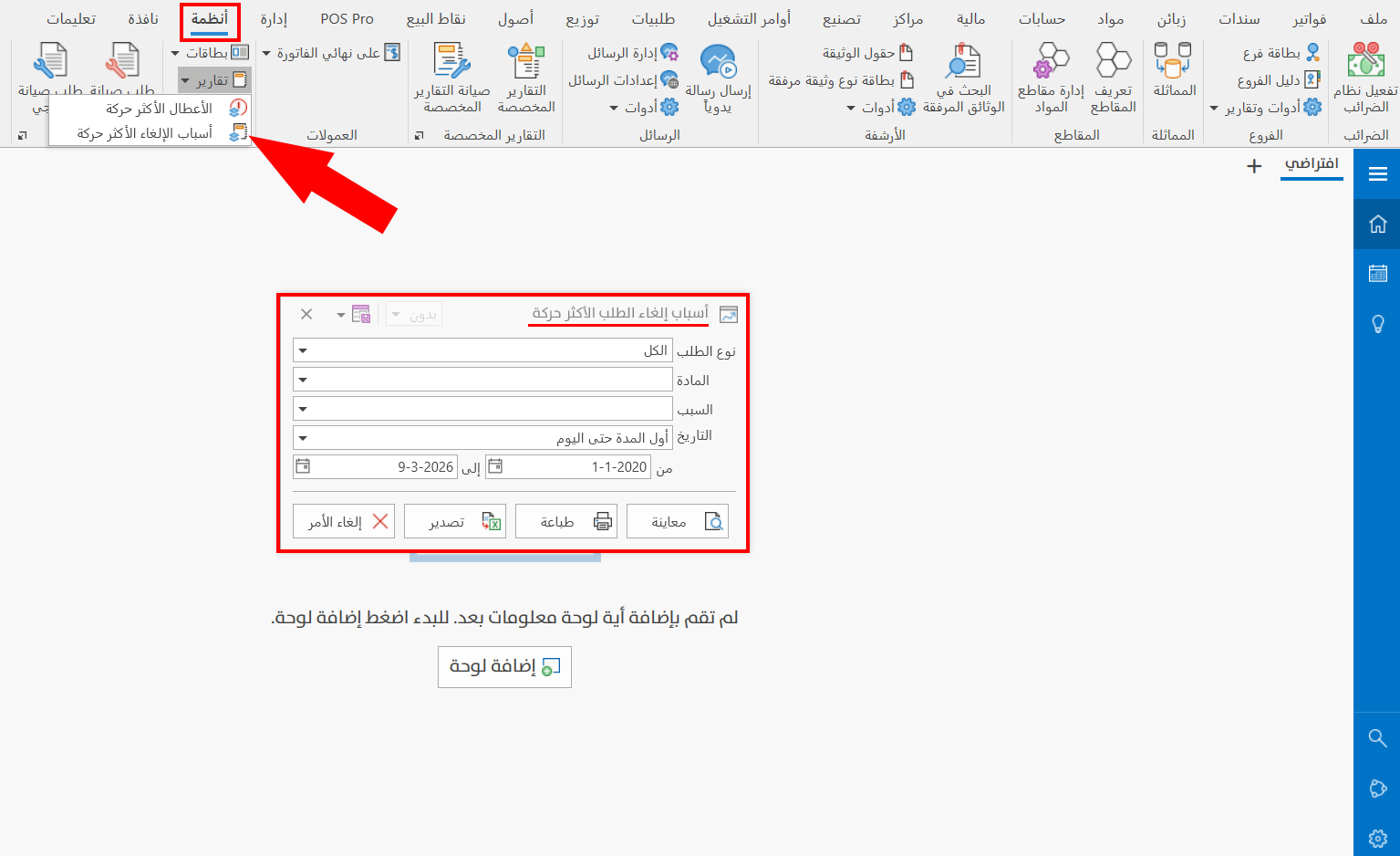
The report window contains various fields and options that help you view the details you need.
Report Window
The window lets you set the criteria and data you want the report to show. The window includes several main fields, such as the order type, the material, and the reason, and you can customize the period from which the report is drawn.
For more details, go to Report Window.
Report Window Operations
You can perform many operations on the report data, such as previewing and exporting.
Please see Report Window Operations.