POS Offers List
alameen ERP provides a set of reports you can use to follow the movement and orders in the POS, including the "POS Offers List" report.
Report Purpose
The "POS Offers List" report shows the offers defined in the POS and the details of each offer separately: whether the offer is active, its type (Price-off, Grant materials), the offer form (Mixed, Common), the offer start quantity and the quantity granted (when its type is Grant materials), and the discount value and percentage on the quantities (when the offer type is Price-off).
You can request the report for a particular date, or for a period you set yourself, and you can also request it by offer type (Grant materials, Price-off) or by whether the offer is active.
If you are a user with the permission, you can add a new offer to the POS with the "POS Special Offer" card, which you can reach from the main ribbon of alameen ERP - POS tab - Offers and Discounts group.
Reaching the Report
You can reach the POS Offers List report from the main ribbon - POS tab - POS Reports group - the drop-down list of the POS Reports button.
Once requested, the report window appears as follows:
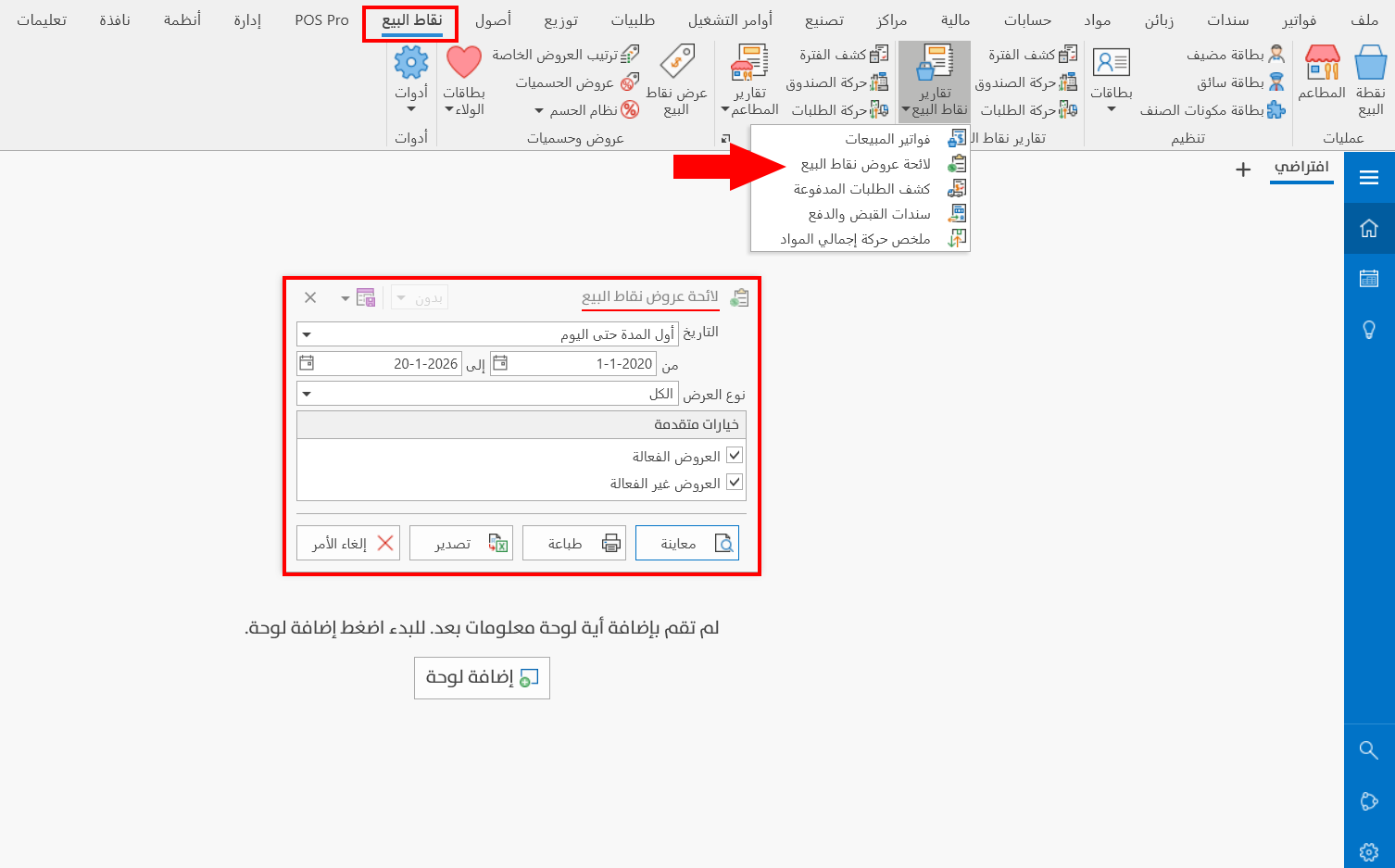
The report window contains various fields and options that help you view the details of the POS offers.
Report Window
The window lets you set the criteria and data you want the report to show. It includes several sections, such as the Date and Offer Type fields, and the advanced options that help you show the active or inactive offers.
For more details, go to Report Window.
Report Window Operations
You can perform many operations on the report data, such as previewing and exporting.
For more details, go to Operations in Reports.