Negative Serial Numbers
alameen ERP contains reports for following the movement of serial numbers and their profits, including the "Negative Serial Numbers" report.
Report Purpose
The "Negative Serial Numbers" report finds the serial numbers whose output invoices were recorded before their input invoices, or shows the serial numbers that have no input invoices recorded.
You can request the report for a particular serial number, or show the negative serial numbers of a material or of the materials of a group, over a period you choose from the list of ready-made periods that drops down from the "Date" field of the report window, or set yourself by entering it in the "From" and "To" date fields.
The report shows the serial numbers you did not enter in input invoices
Reaching the Report
You can reach the Negative Serial Numbers report from the main ribbon - Materials tab - Reports group - the drop-down list of the Serial Number Reports button.
Once requested, the report window appears as follows:
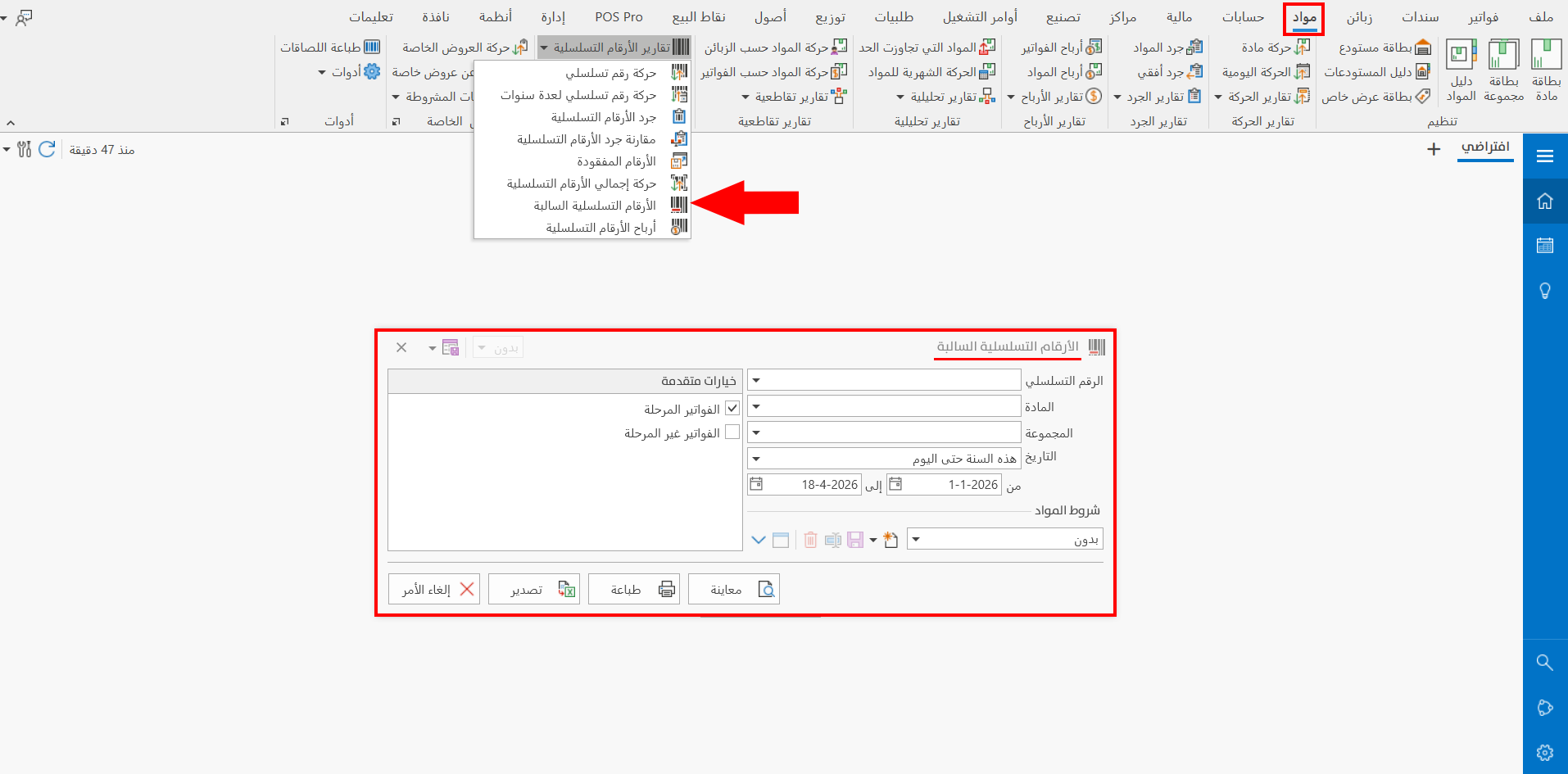
The report window contains various fields and options that help you view the details you need.
Report Window
The window lets you set the criteria and data you want the report to show. It includes several main sections, such as the filter fields, the materials terms, and the sources the report is drawn from.
For more details, go to Report Window.
Report Window Operations
You can perform many operations on the report data, such as previewing and exporting.
Please see Report Window Operations.