Material Movement over Several Years
alameen ERP provides detailed reports on the movement of materials to help you follow up profits and inventory precisely, including the "Material Movement over Several Years" report.
Report Purpose
The "Material Movement over Several Years" report gives a detailed study of the movement of a particular material during the previous years and the current year: the report shows the quantity of outputs and inputs and the balance of the material at each movement, as well as the maximum, minimum, and average purchase price of the material over the set years.
The report shows detailed information about the invoices in which the material moved: the invoice date, and the quantity and value of the material sold in it.
You can use the report to find the movement of a material in a warehouse, or the quantity of this material a particular customer ordered over certain years.
To reach the movement of a material over several years, you must link the files of the previous years you need to the file of the current year; the report does not respond until the files are linked.
Note that you cannot link a file whose dates overlap with the current file.
You can link the files of the previous years from the "Connection Parameters of Previous Years Files" window, which opens after you request the program options window - Link tab - Link Files button.
Reaching the Report
You can reach the Material Movement over Several Years report from the main ribbon - Materials tab - Movement Reports group - the drop-down list of the Movement Reports button.
Once requested, the report window appears as follows:
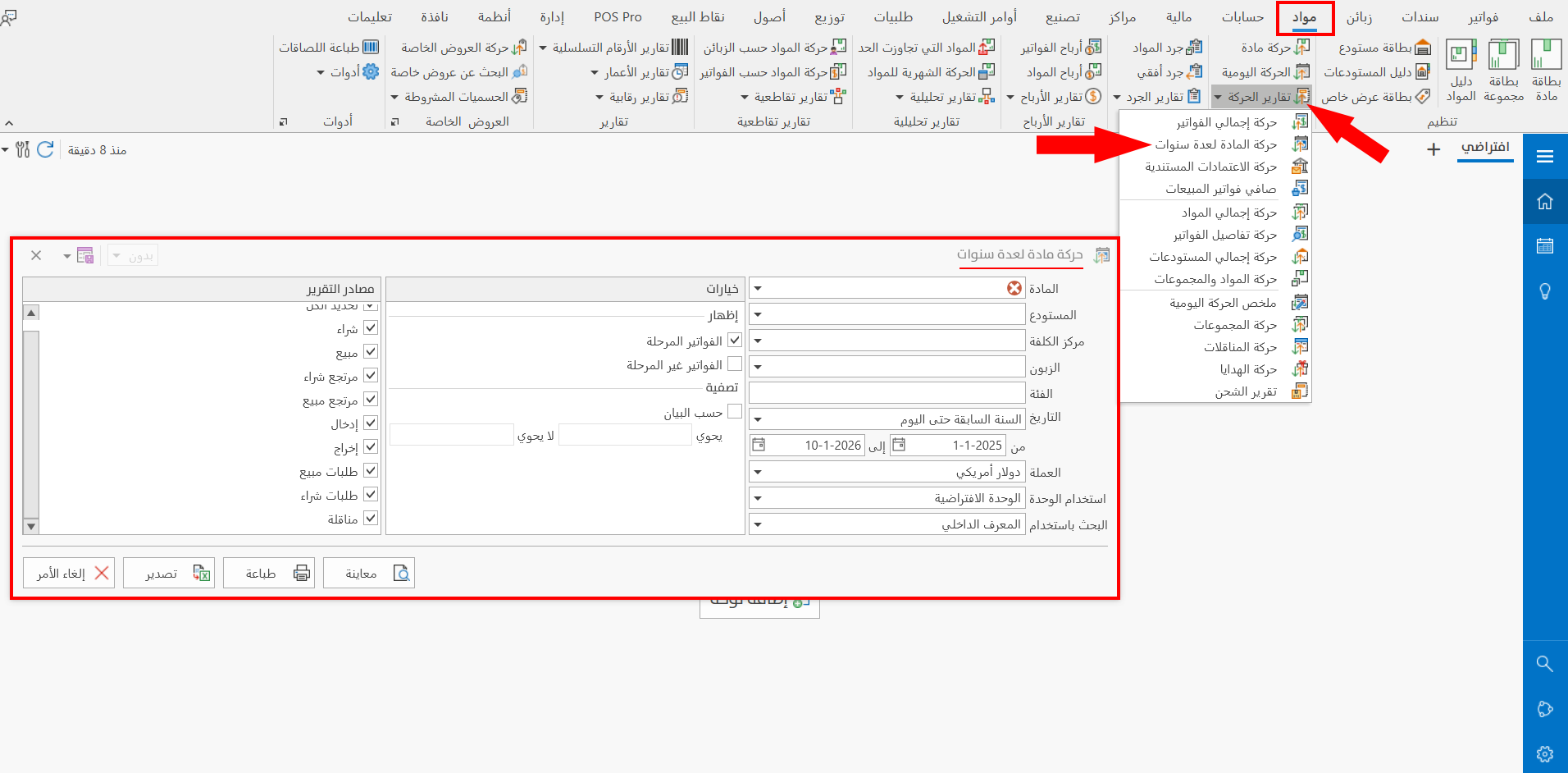
The report window contains various fields and options that help you view the details of the movement of the material over several years and the balance at each movement.
Report Window
The window lets you set the criteria and data you want the report to show. It includes several main sections, such as the filter fields (the Material field is mandatory), the various options, and the sources the report is drawn from.
For more details, go to Report Window.
Report Window Operations
You can perform many operations on the report data, such as previewing and exporting.
Please see Report Window Operations.