Verifying Cost Entries Generation
alameen ERP provides accounts and entries control reports to give a comprehensive and accurate view of your company's financial performance, including the "Verifying Cost Entries Generation" report.
Report Purpose
The "Verifying Cost Entries Generation" report shows the invoices in which the cost of the materials is incorrect: when you add a sales invoice with a unit price that does not match the real cost, or an invoice without a price, you can show it with this report.
The report shows the type and number of the invoice, the final value of the invoice and its real cost, the client name, the cost center, and the branch in which the invoice was added (if you use the branches system). You can add more invoice fields (payment type, warehouse, down payment...) with the field list in the report preview interface, and you can view the invoice in the report preview interface by right-clicking the invoice row and choosing "Show Invoice" from the menu that opens.
You can request the report in its default form: it shows all the invoices whose cost is incorrect from the beginning-of-period date until today. You can also set the period for which you want to show the invoices, by choosing it from the drop-down list of the date field, or setting it yourself in the "From" and "To" date fields.
Reaching the Report
You can reach the Verifying Cost Entries Generation report from the main ribbon - Materials tab - Reports group - the drop-down list of the Control Reports button.
Once requested, the report window appears as follows:
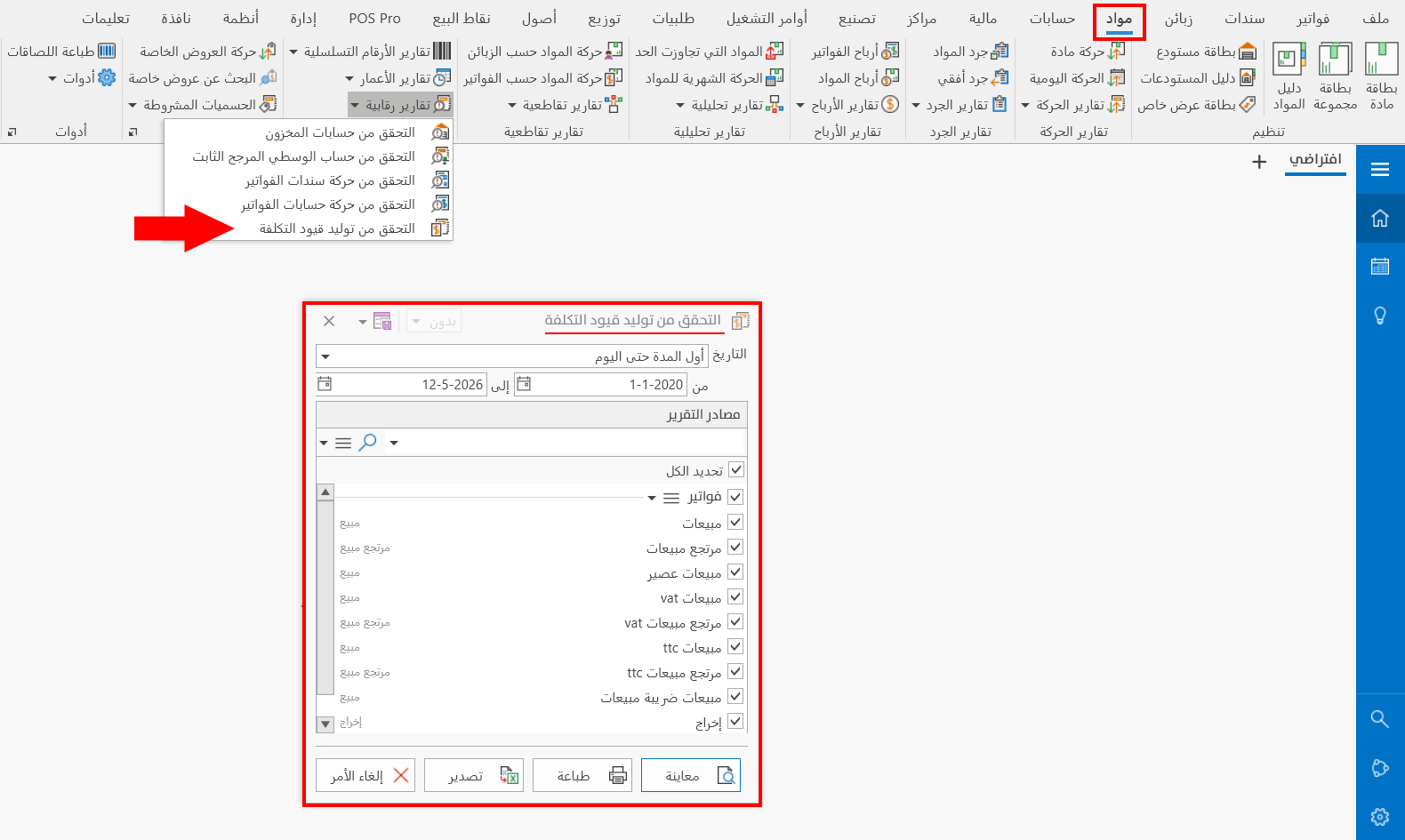
The report window contains various fields and options that help you view the details you need.
Report Window
The window lets you set the criteria and data you want the report to show. It includes several main sections, such as the date fields and the sources the report is drawn from.
For more details, go to Report Window.
Report Window Operations
You can perform many operations on the report data, such as previewing and exporting.
Please see Report Window Operations.