Materials Segments Analysis - Sales
alameen ERP includes a set of analytical materials reports that show the data in different charts, including the "Materials Segments Analysis - Sales" report.
Report Purpose
The "Materials Segments Analysis - Stock" report shows the sales of the materials segments in a particular group, in a dashboard that includes several charts, so you can follow the sales visually.
In the "Group" field of the report window, enter the group of materials whose segment sales you want to analyze; it is a mandatory field, and you cannot preview the report without setting the group.
The report shows a table of the materials that have segments and their movements in sales invoices: the table shows the quantities and sales of the material, with a chart of the monthly trend of the sales and the percentage of each month. It also provides a chart for each of the defined materials segments, a chart of the sales by segment, and a chart of the sales by date.
The report shows lists of the top materials by value, the top materials by quantity, and the top customers. The number of these materials (top, bottom) follows the number you enter in the "Top/Bottom Count" field of the report window. For example, when you enter "5" and preview the report, the following lists appear: top 5 materials by value, top 5 materials by quantity, and top 5 customers.
Reaching the Report
You can reach the Materials Segments Analysis - Sales report from the main ribbon - Materials tab - Analytical Reports group - the drop-down list of the Analytical Reports button.
Once requested, the report window appears as follows:
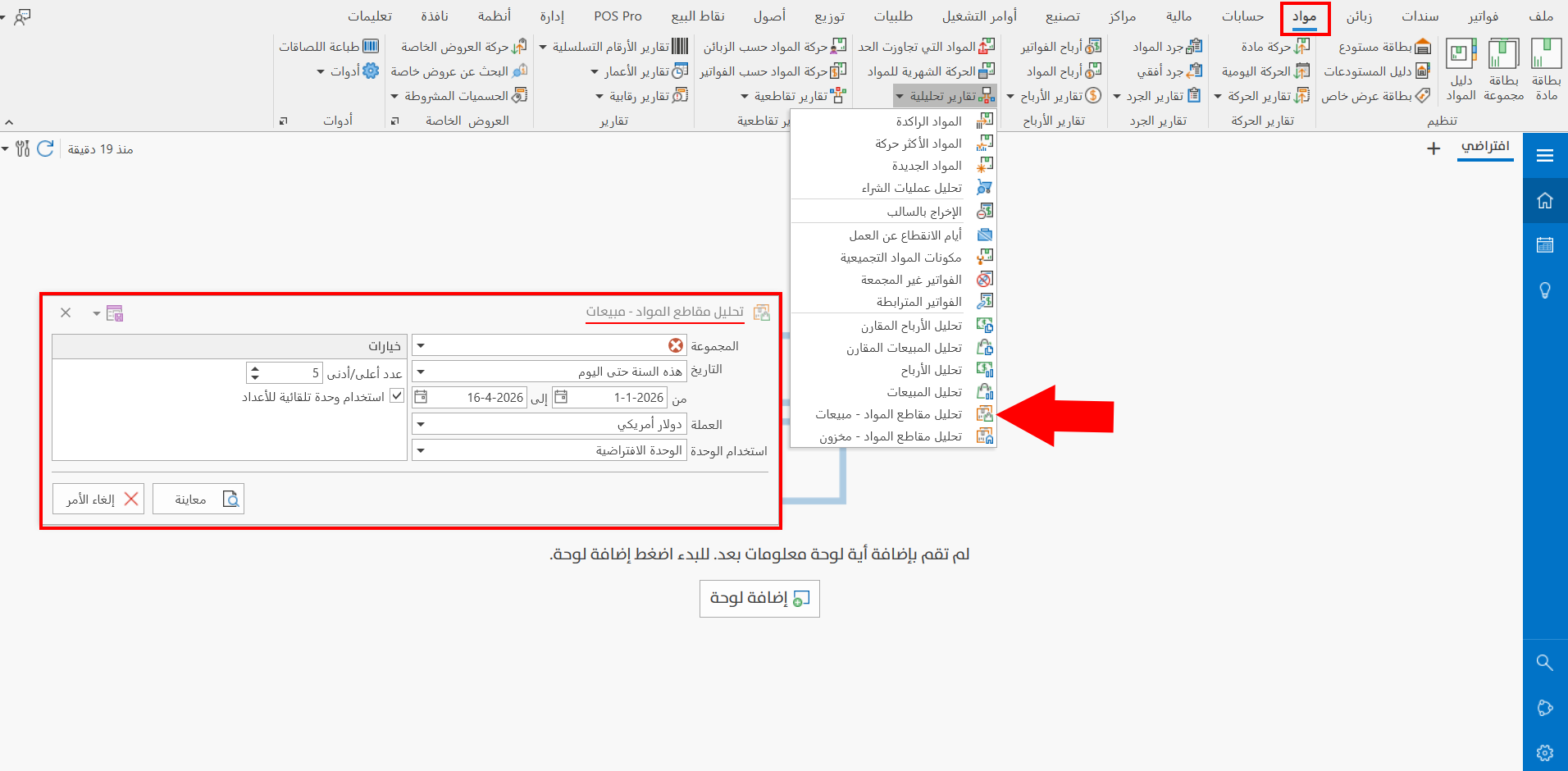
The report window contains various fields and options that help you view the details you need.
Report Window
The window lets you set the group of materials whose segment sales you want to show in the report, and choose the period and currency, as well as some options, including setting the top/bottom count.
Report Window Operations
You can preview the report with the "Preview" button, or close the report window with the "Cancel" button.