New Materials
alameen ERP provides detailed reports on the movement of materials to help you follow up profits and inventory precisely, including the "New Materials" report.
Report Purpose
The New Materials report finds the materials you recently added with the material card: you can set the period during which new material cards were added, to preview, print, or export them.
The report window provides a set of options you can use to reach the new materials quickly. The available options include: today, yesterday, this week until today, this month until today.
Reaching the Report
You can reach the New Materials report from the main ribbon - Materials tab - group
Analytical Reports - the "Analytical Reports" drop-down menu.
Once requested, the report window appears as follows:
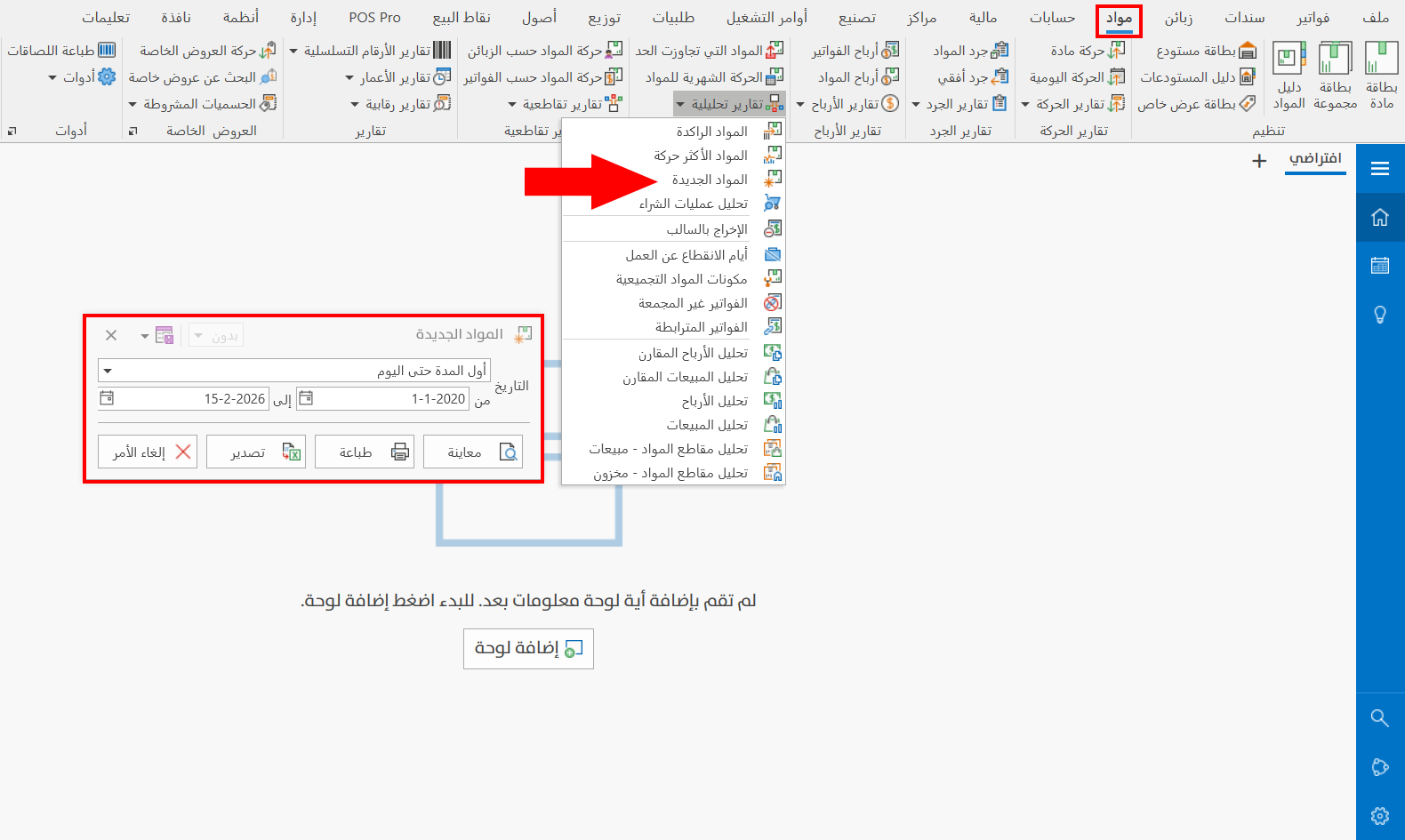
The report window contains various fields and options that help you view the details you need.
Report Window
The window lets you set the period in which you defined the new materials, to show them in the report, with the ready-made period options (beginning of period until today, previous month, previous year...), or by entering the start and end of the period you need in the date fields.
Report Window Operations
You can perform many operations on the report data, such as previewing and exporting.
Please see Report Window Operations.