Assembled Materials Components
alameen ERP provides a set of analytical reports that cover the movement of materials, warehouses, and accounts, including the "Assembled Material Components" report.
Report Purpose
The "Assembled Materials Components" report shows all the materials defined as assembled materials with the material card: it shows the assembled materials and their component materials, which are the materials you added in the material card - Assembled Material tab.
The materials are shown in detail in the preview interface: the report lists the name of the assembled material and its total value, and when you expand the row of the assembled material, all its component materials drop down, with the data you add in the assembled material components table, such as the quantity, unit, price, and total value of each component material, and whether the material is required or not and flexible or not.
The report preview interface lets you add more material fields (group name, Source, Quality...) to the report fields with the field list next to the lists at the bottom of the preview interface.
Reaching the Report
You can reach the Assembled Materials Components report from the main ribbon - Materials tab - Analytical Reports group - the drop-down list of the Analytical Reports button.
Once requested, the report window appears as follows:
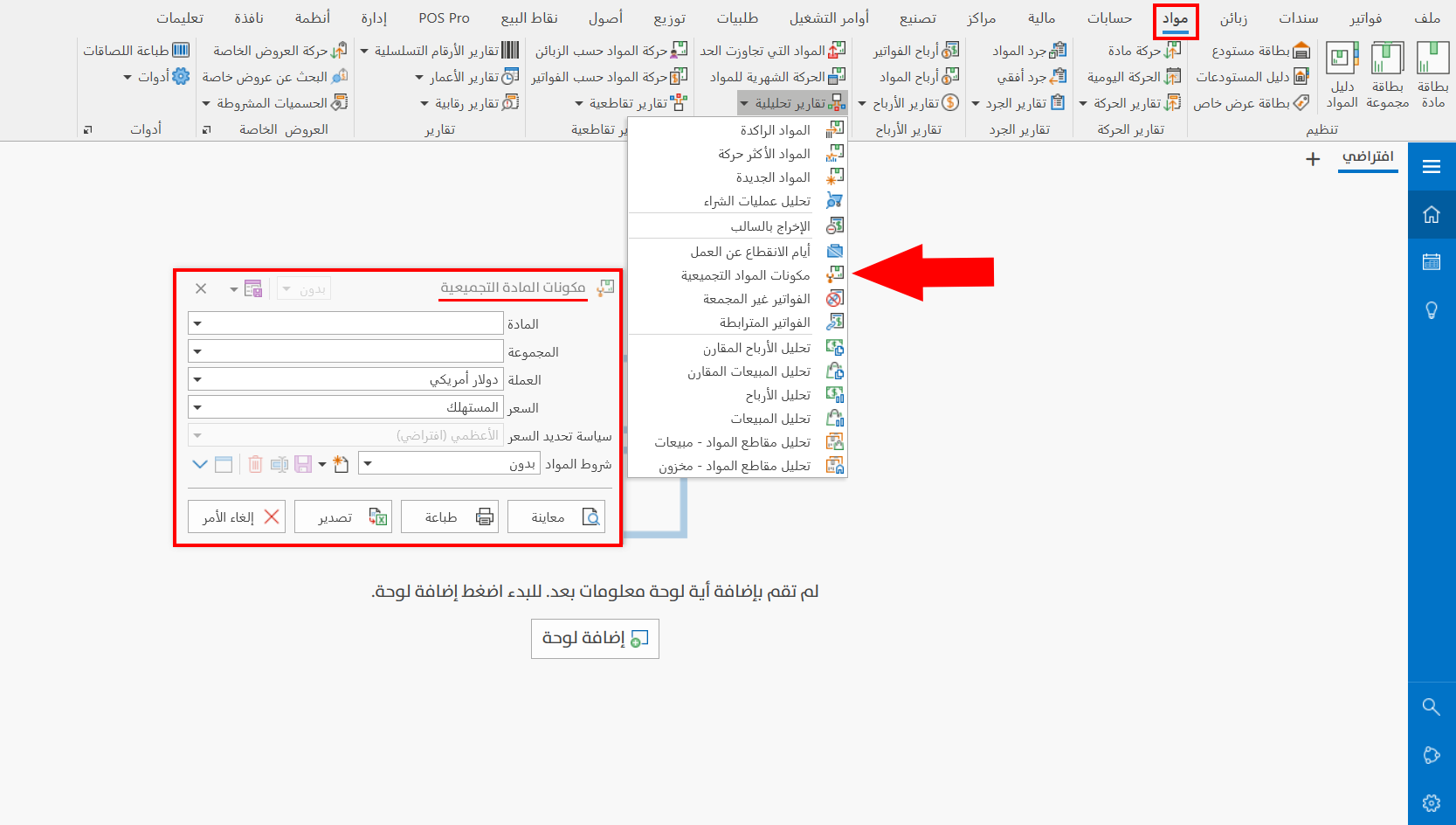
The report window contains various fields and options that help you view the details you need.
Report Window
The window lets you set the criteria and data you want the report to show. It includes several main sections, such as the filter fields (material, group, currency, and the pricing policy by which you want to show the report), as well as the materials terms.
For more details, go to Report Window.
Report Window Operations
You can perform many operations on the report data, such as previewing and exporting.
For more details, go to Operations in Reports.