Materials Validity
alameen ERP provides detailed reports on materials to help you follow up profits and inventory precisely, including the "Materials Inventory" report.
Report Purpose
The "Materials Validity" report gives a statement of the expiry dates of the materials whose expiry date you entered in the different invoices forms.
You can enter the expiry date of the material in the invoice by adding the "Expiry Date" field to the invoice table from the invoices forms window, for the invoice form you need - Table Fields tab, so the field is included in the invoice and you can add the date when you issue the invoice.
The report window lets you choose how the expiry is calculated: you can choose "Bill date" to show the invoices added in the program up to a particular date, choose "Expiration date range" to set the start and end of the range of the expiry dates of the materials, or choose "Within days range" to enter a range of the number of days until the materials expire.
The report shows the names of the materials and their units, the total value, the remaining quantity, the expiry date of the materials, and the number of days since the material expired. You can add more material fields to the report in the preview interface with the field list available there.
Reaching the Report
You can reach the Materials Validity report from the main ribbon - Materials tab - Ages Reports.
Once requested, the report window appears as follows:
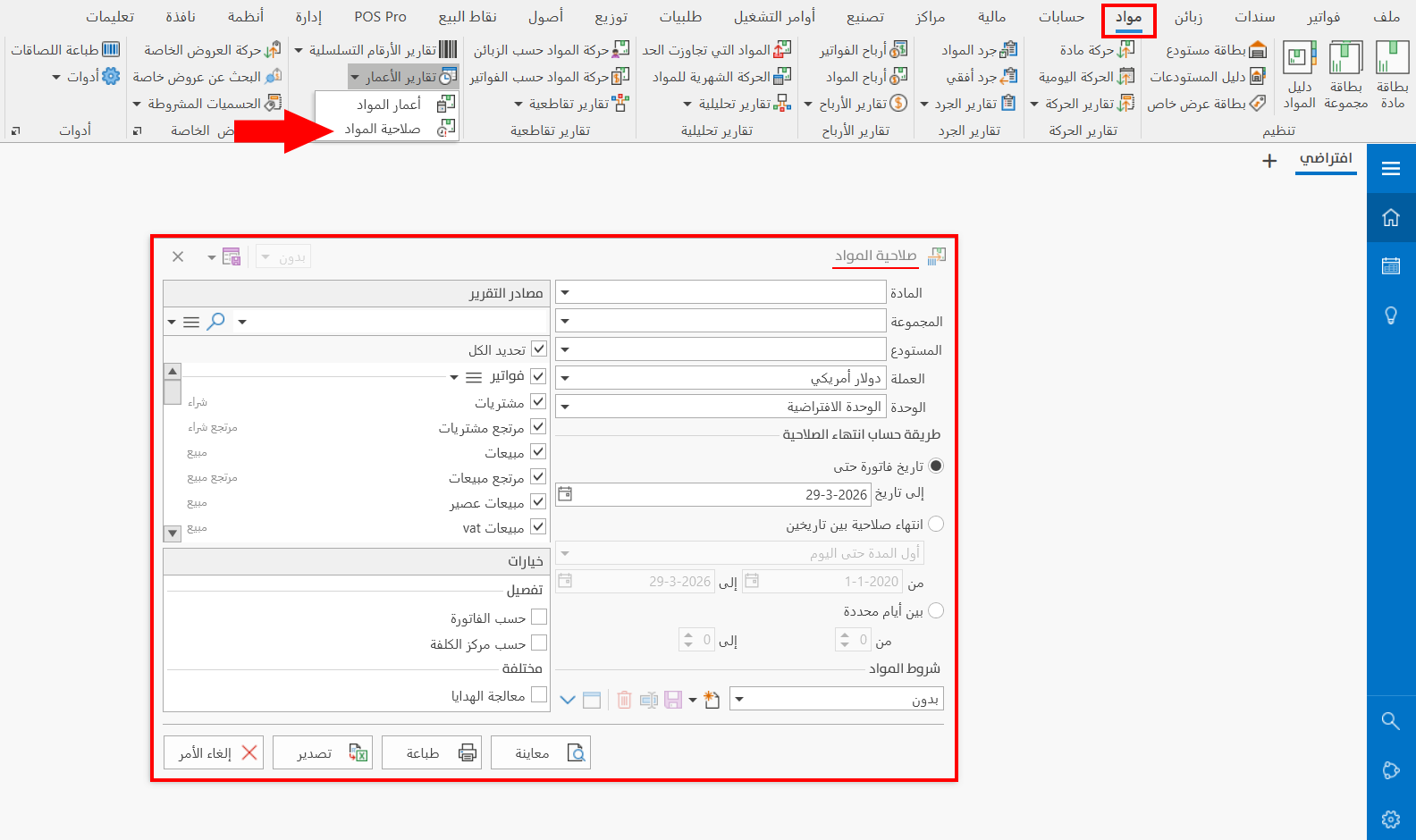
The report window contains various fields and options that help you view the details you need.
Report Window
The window lets you set the criteria and data you want the report to show. It includes several main sections, such as the filter fields, the materials terms, the expiration computing method, the various options, and the sources the report is drawn from.
For more details, go to Report Window.
Report Window Operations
You can perform many operations on the report data, such as previewing and exporting.
Please see Report Window Operations.