Statement of Owner's Equity
alameen ERP provides financial statements reports that show the financial position and the business results of the organization to help you make decisions, including the "Statement of Owner's Equity" report.
Report Purpose
The "Statement of Owner's Equity" report shows the changes in owner's equity from the beginning-of-period date to a date you set yourself in the report window.
You can request the report to find the state of owner's equity in one of the cost centers defined in the program, over a set period.
The report shows the value of the capital, retained earnings, additional paid in capital, net profit or loss, total owner's equity investments, the profits of the current year and their distribution, and owner's withdrawals, as well as the net owner's equity.
You must generate the exchange rate differences for accounts that are not in the default (basic) currency, so that the statement of owner's equity appears correctly.
Reaching the Report
You can reach the Statement of Owner's Equity report from the main ribbon - Financial tab - Financial Statements group.
Once requested, the report window appears as follows:
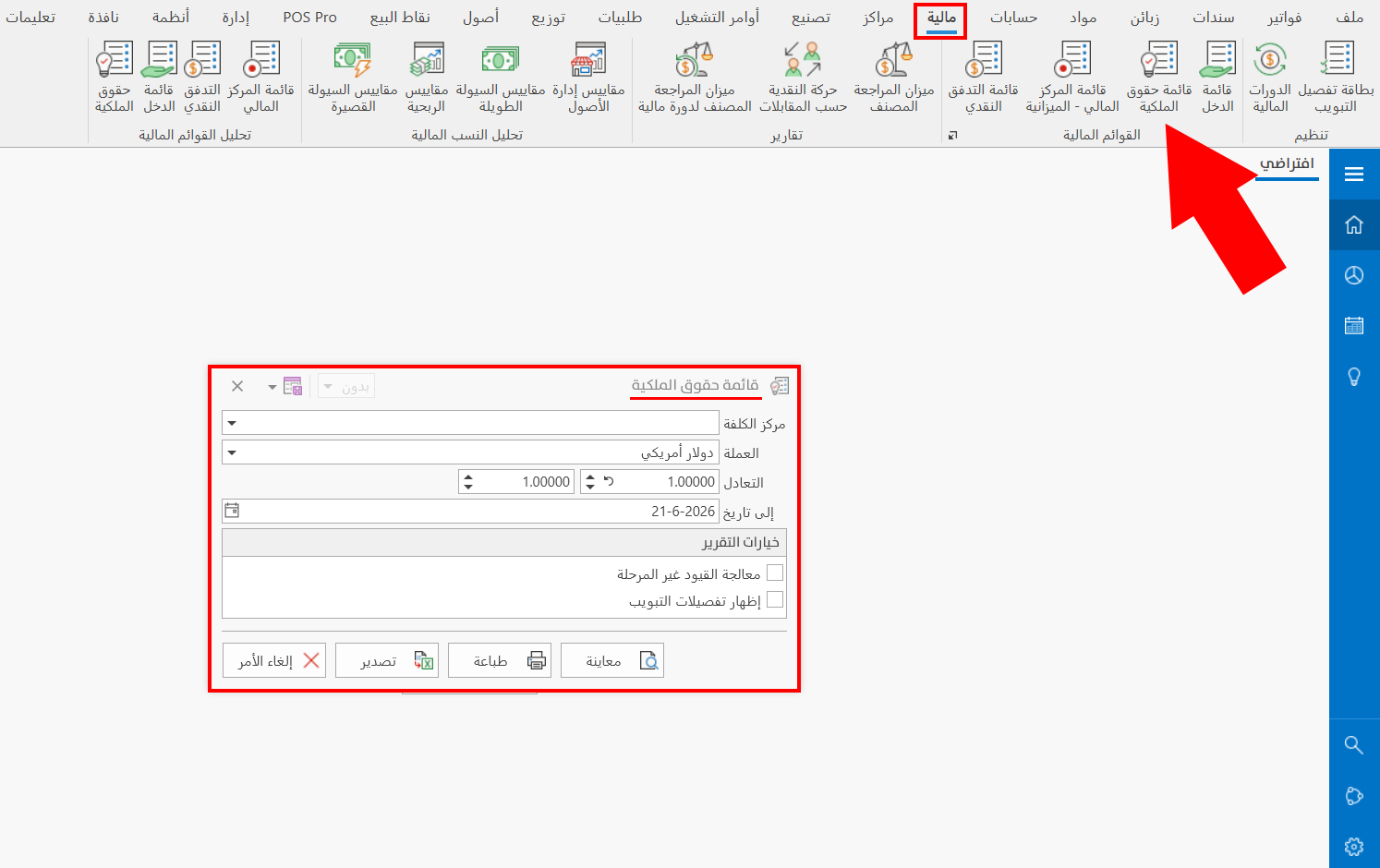
The report window contains various fields and options that help you view the details you need.
Report Window
The window lets you set the criteria and data you want the report to show. It includes several main sections, such as the filter fields and the various options (processing unposted entries, showing classification details).
For more details, go to Report Window.
Report Window Operations
You can perform many operations on the report data, such as previewing and exporting.
Please see Report Window Operations.