Classified Trial Balance of Fiscal Year
alameen ERP provides a set of financial reports for auditing accounts and finding the cash movement, including the "Classified Trial Balance of Fiscal Year" report.
Report Purpose
The "Classified Trial Balance of Fiscal Year" report shows the accounts, their classifications, and their tabs according to the financial statements, for one fiscal year only ("one year"), over a period you set yourself.
You must import the fiscal year whose classified trial balance you want to show, with the tool "Fiscal Years".
You cannot show the report before setting the fiscal year you need (the Fiscal Year field is mandatory); the field drops down all the fiscal years you imported into the current file.
After choosing the fiscal year, you can choose a particular account to show its trial balance, and set the period you need by choosing the month in which the period starts in the "From period" field and the month in which it ends in the "To period" field.
By default, the report shows the main account and the sub accounts under it, the financial statement (Income Statement, Statement of Financial Position...), the financial statements classifications (Cash and cash equivalents, Non-cash Current Assets...), the cash flow (Operating Activities, Financing Activities...), the status (Known), the classification details, the opening balances of the account, and the balance of the account in each month of the period set in the report window.
Reaching the Report
You can reach the Classified Trial Balance of Fiscal Year report from the main ribbon - Financial tab - Reports group.
Once requested, the report window appears as follows:
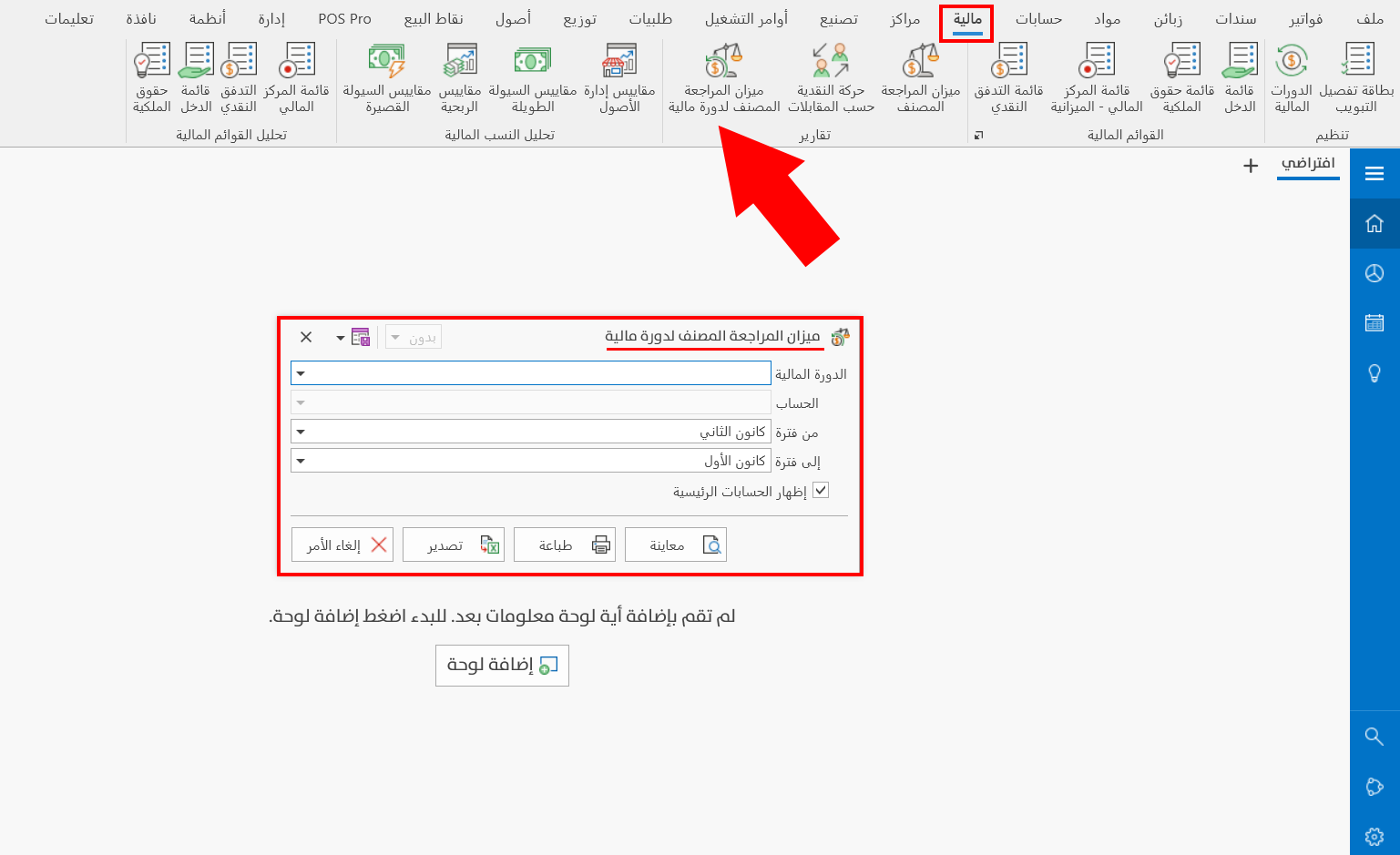
The report window contains various fields and options that help you view the details you need.
Report Window
The window lets you set the criteria and data you want the report to show. The window contains a number of filter fields, and you can show the main accounts in the report.
For more details, go to Report Window.
Report Window Operations
You can perform many operations on the report data, such as previewing and exporting.
Please see Report Window Operations.