Classified Trial Balance
alameen ERP provides a set of financial reports for auditing accounts and finding the cash movement, including the "Classified Trial Balance" report.
Report Purpose
The "Classified Trial Balance" report shows the accounts and their classification, and the tabs linked to the accounts according to the financial statements, as well as the balance of each account (debit or credit).
You can request the trial balance for all the accounts or for one account you set in the report window, and you can also request the report by the classification details used in the account cards.
By default, the report shows the main accounts and their sub accounts, the balance of each account (credit or debit), the financial statement the account belongs to (Income Statement, Statement of Financial Position...), the financial statements classifications, the cash flow (Operating Activities, Financing Activities...), and the classification details.
You can select the option "Debit and Credit on one list" to show the balance of the account in one column, and you can add more account fields to the report, such as the budget value, the final account, and the price list, with the field list in the report preview interface.
Reaching the Report
You can reach the Classified Trial Balance report from the main ribbon - Financial tab - Reports group.
Once requested, the report window appears as follows:
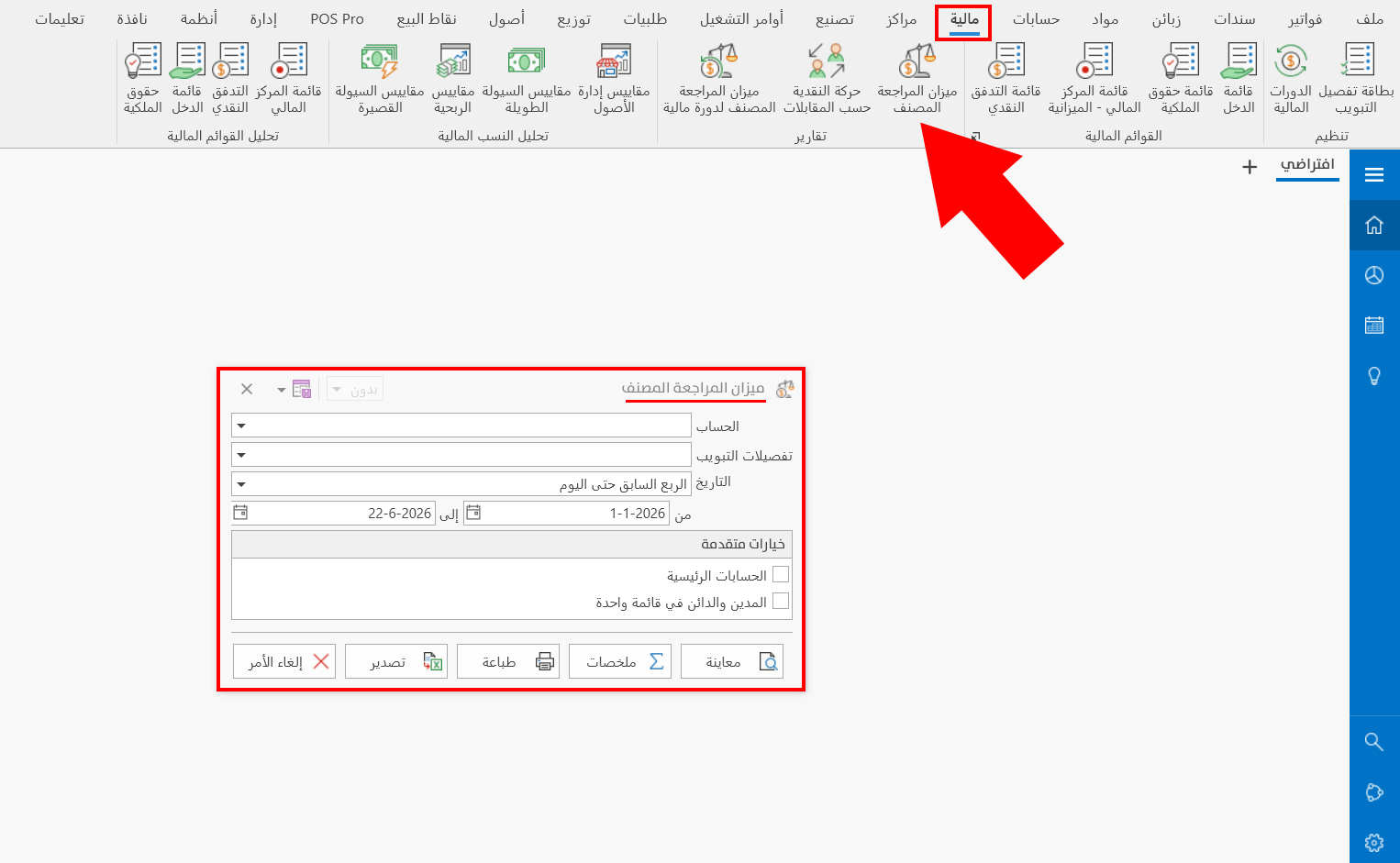
The report window contains various fields and options that help you view the details you need.
Report Window
The window lets you set the criteria and data you want the report to show. It includes several main sections, such as the filter fields and the various options (Main Accounts, Debit and Credit on one list).
For more details, go to Report Window.
Report Window Operations
You can perform many operations on the report data, such as previewing and exporting.
Please see Report Window Operations.