Commercial Papers Verification
alameen ERP contains detailed reports on commercial papers that help you follow up the financial position precisely, including the "Commercial Papers Verification" report.
Report Purpose
It is used to compare the balances of the due commercial papers by their status with the balances of the portfolio accounts of each status, and shows the difference between them.
Reaching the Report
You can reach the Commercial Papers Verification report from the main ribbon - Entries tab - Commercial Papers group.
After you click the "Commercial Papers Verification" button, the report window opens, as follows:
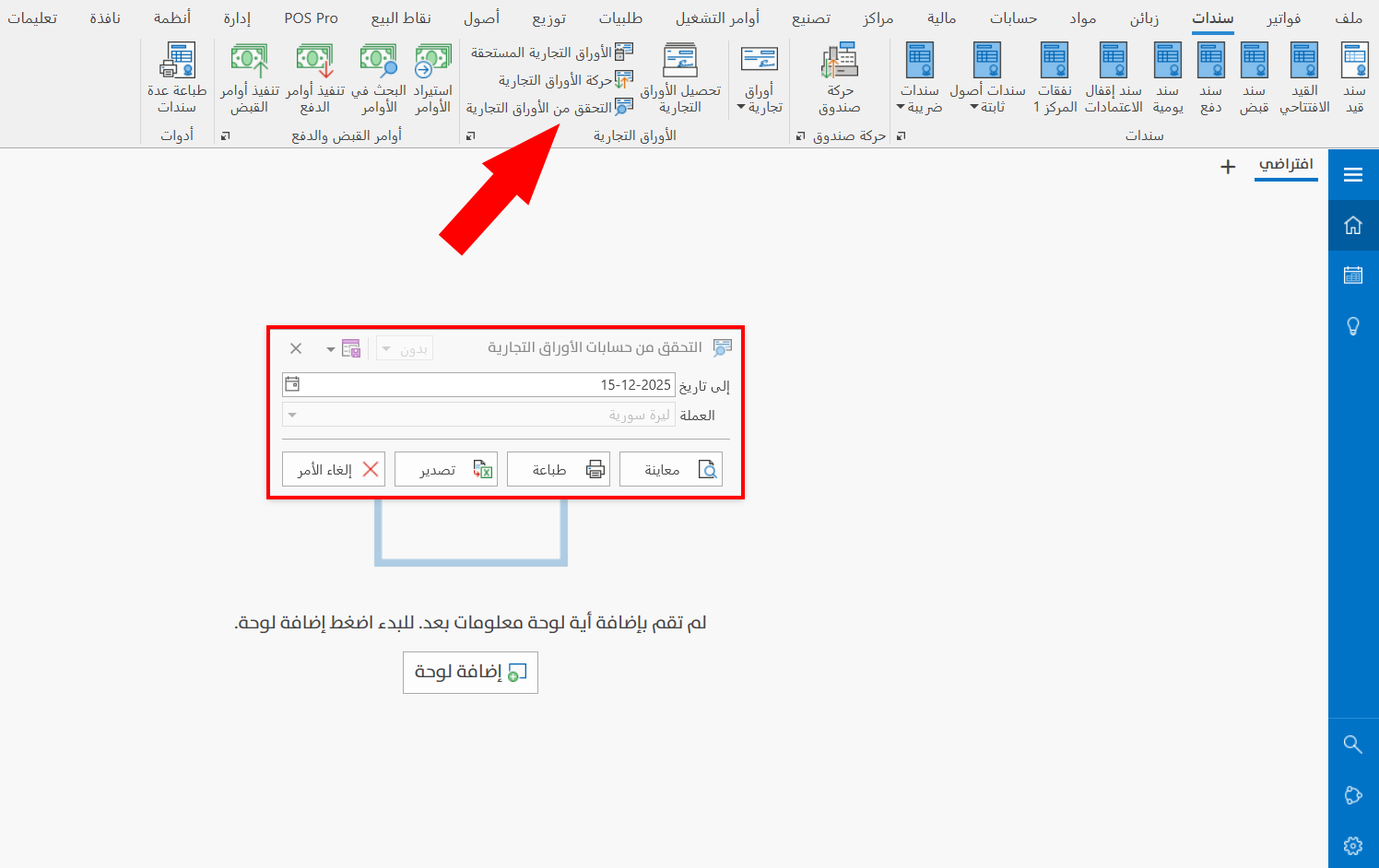
Report Window
The report window consists of fields that help you verify the commercial papers accounts, as follows:
Main Fields
Enter the data by which you want to show the report, with the following fields:
To Date
The program calculates the start of the date range from the beginning of the fiscal year, so you set the end of the date range with this field.
The current date appears in the field automatically; you can keep it or change it to the date you need with the calendar window in the field, or by typing it yourself.
Currency
You can verify the commercial papers in the basic currency only, so the Currency field is shown disabled.
Set the main (default) currency of the file in the Program Options window - "Default Values" tab.
Report Window Operations
You can perform many operations on the report data, such as previewing and exporting.
For more details, go to Report Window Operations.