New Customers
alameen ERP contains detailed reports on the accounts of customers and suppliers that help you follow up the financial position precisely, including the "New Customers" report.
Report Purpose
With the "New Customers" report, you can view all the customers newly defined in the program with the customer/supplier card, over a period you set yourself.
The program lets you reach the new customers linked to a particular account or cost center, and you can break the report data down by cost center.
The report gives precise information about the customer and the date their customer/supplier card was created, as well as the date of the first movement of the customer's account.
Reaching the Report
You can reach the New Customers report from the main ribbon - Customers tab - Reports group.
Once requested, the report window appears as follows:
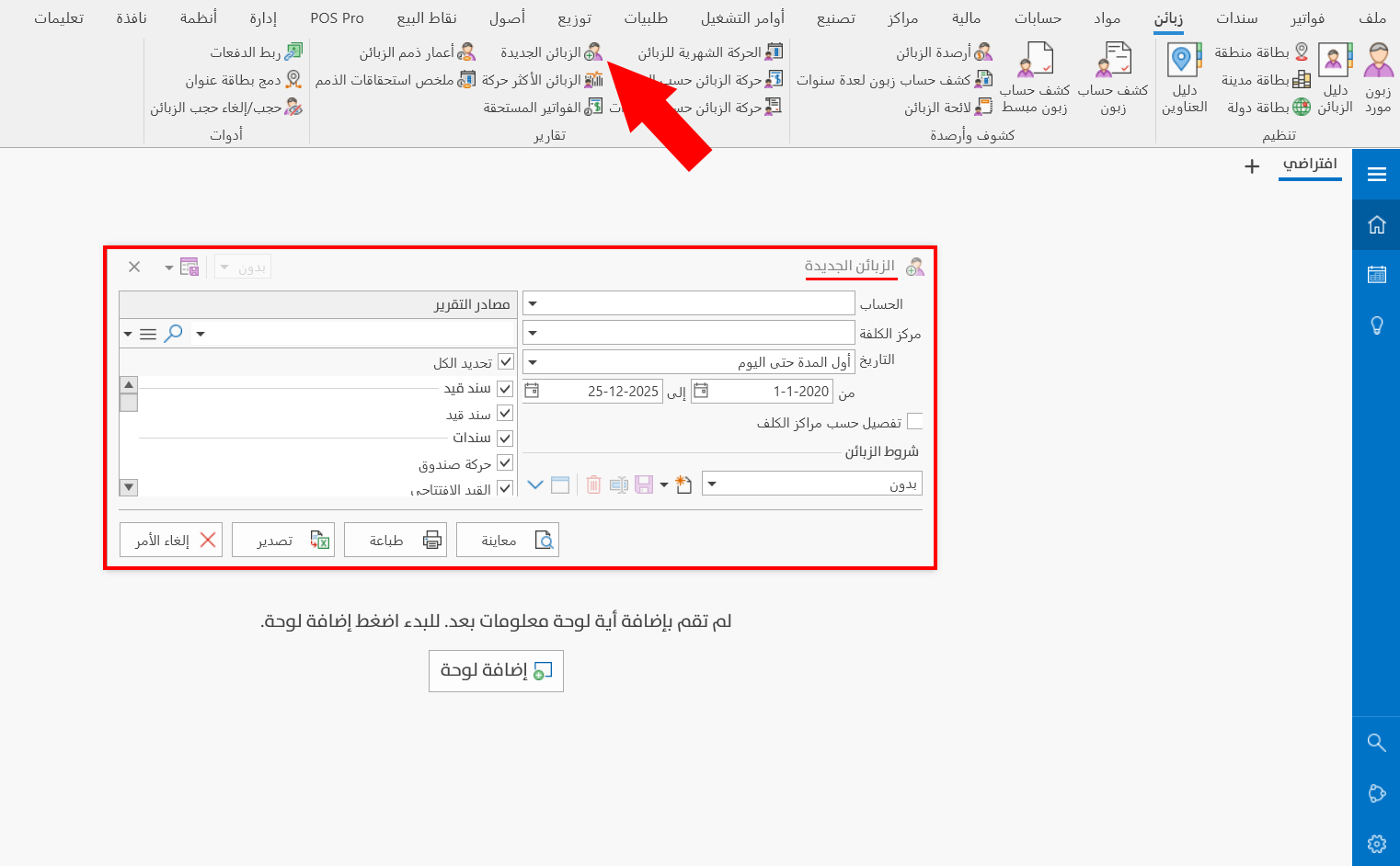
The report window contains various fields and sources that help you view the details you need about the new customers.
Report Window
The window lets you set the criteria and data you want the report to show. It includes several main sections, such as the filter fields, the customers terms, and the sources the report is drawn from.
For more details, go to Report Window.
Report Window Operations
You can perform many operations on the report data, such as previewing and exporting.
For more details, go to Report Window Operations.