Customers Movement by Entries
alameen ERP contains detailed reports on the accounts of customers and suppliers that help you follow up the financial position precisely, including the "Customers Movement by Entries" report.
Report Purpose
The "Customers Movement by Entries" report gives the number and value of the payments saved for customers or suppliers over a particular period.
The report gives you the number of entries issued to one customer or to several customers, and the total value of the entries. You can enter the name of the customer, or the account whose linked customers' entry movement you want to see.
The report shows the details of the entries according to the level you set in the "Level" field of the report window.
For example, if you enter a main customers account in the "Account" field, setting the level to "1" shows the total number of entries issued to the customers under this account, without showing the number of entries issued to each customer; as you increase the value in the "Level" field, the level of detail shown increases.
The report also helps you find the number and value of the entries issued from a warehouse, or linked to a particular cost center among those defined in the program with the cost center card.
Reaching the Report
Once requested, the report window appears as follows:
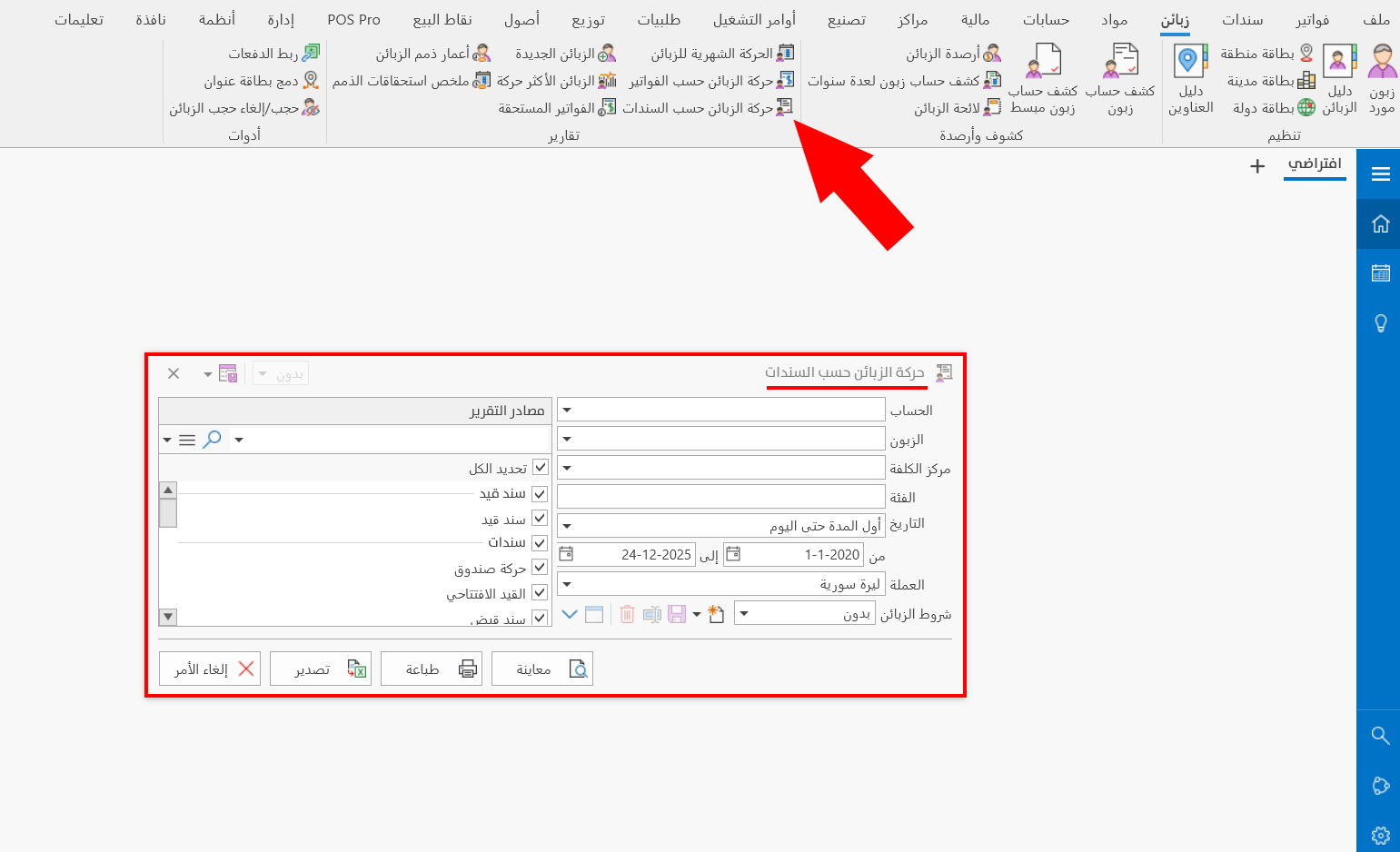
The report window contains various fields and options that help you view the details you need.
Report Window
The window lets you set the criteria and data you want the report to show. It includes several main sections, such as the filter fields, the customers terms, the various options, and the sources the report is drawn from.
For more details, go to Report Window.
Report Window Operations
You can perform many operations on the report data, such as previewing and exporting.
For more details, go to Report Window Operations.