Fixed Asset Lease Report
alameen ERP contains a number of reports for following the operations and movement of fixed assets, including the "Fixed Asset Lease Report".
Report Purpose
The Fixed Asset Lease Report gives a statement of the lease values of the sub assets over a period you set yourself.
You can request the report to show the leases of a particular asset, or of a group of fixed asset materials, and you can show the assets of a cost center or a warehouse, over a period you choose from the drop-down list of the "Date" field in the report window, or set yourself in the "From" and "To" date fields.
The report shows the sub asset and its code, the daily rent of the asset, the number of days since it was first leased, the date of the last depreciation of the asset, the lease value, and the warehouse where the fixed asset is.
You can set the daily rent of the fixed sub asset in its card (the sub asset card), in the "Daily Rent" field.
Reaching the Report
You can reach the Fixed Asset Lease Report report from the main ribbon - Assets tab - Reports group - the drop-down list of the Reports button.
Once requested, the report window appears as follows:
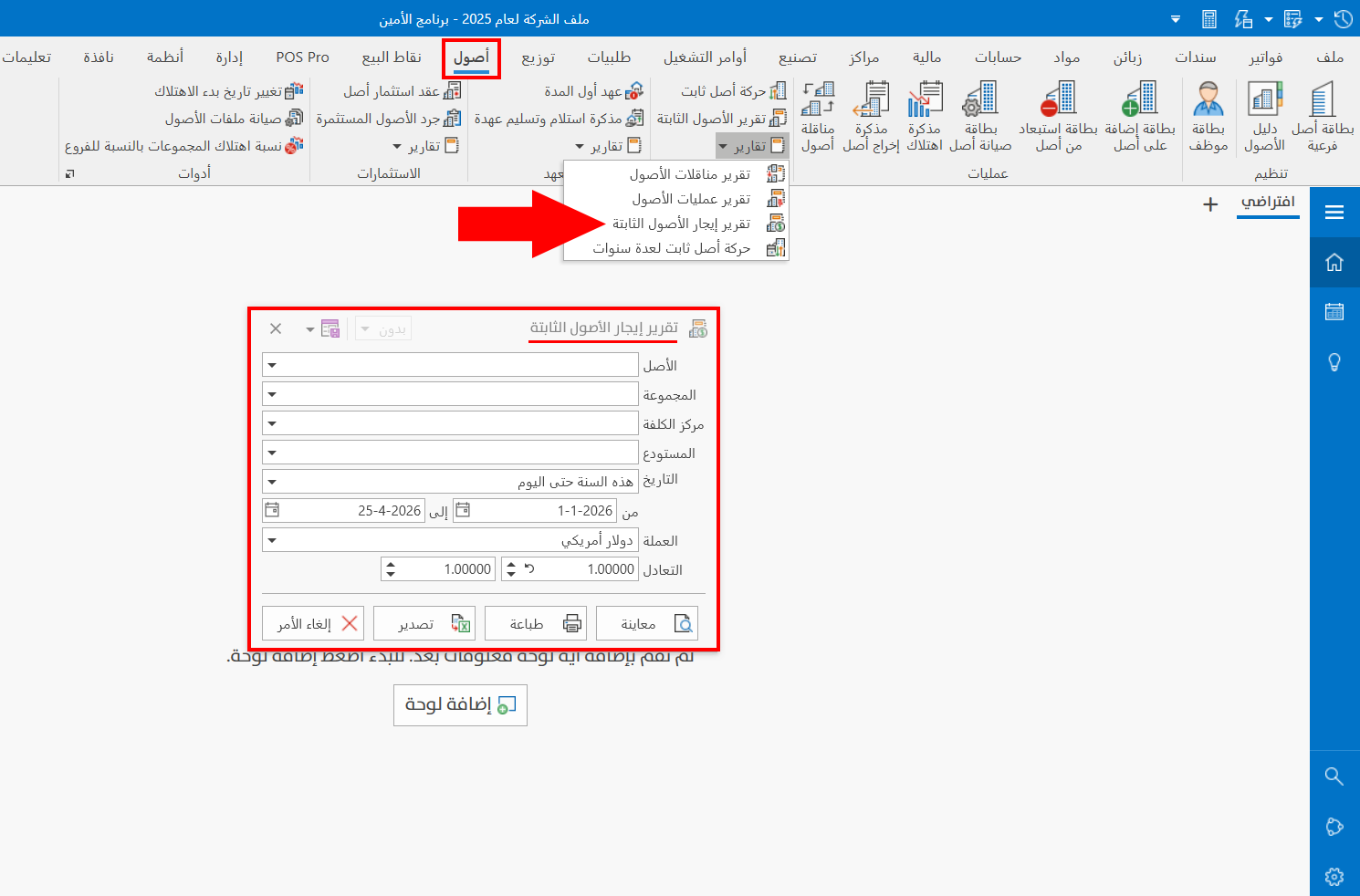
The report window contains various fields and options that help you view the details you need.
Report Window
The window lets you set the criteria and data you want the report to show. It includes several filter fields for choosing the sub asset, or the groups of assets by which you want to show the report.
For more details, go to Report Window.
Report Window Operations
You can perform many operations on the report data, such as previewing and exporting.
Please see Report Window Operations.