Fixed Asset Movement over Several Years
alameen ERP contains a number of reports for following the operations and movement of fixed assets, including the "Fixed Asset Movement over Several Years" report.
Report Purpose
The "Fixed Asset Movement" report shows the details of the movement of a sub asset over several previous years, over a period you set yourself in the report window.
To reach the data of the Fixed Asset Movement over Several Years report, you must link the files of the previous years to the file of the current year; the report does not respond before the files are linked.
Note that you cannot link a file whose dates overlap with the current file.
You can link the files of the previous years from the "Connection Parameters of Previous Years Files" window, which opens after you request the program options window - Link tab - Link Files button.
The report shows the date of the last depreciation of the sub asset, its entry value, the value of the additions and disposals, the net asset value, the depreciations, and the current asset value, as well as the maintenance, the salvage value, and the productive age of the asset.
Reaching the Report
You can reach the Fixed Asset Movement over Several Years report from the main ribbon - Assets tab - Reports group - the drop-down list of the Reports button.
Once requested, the report window appears as follows:
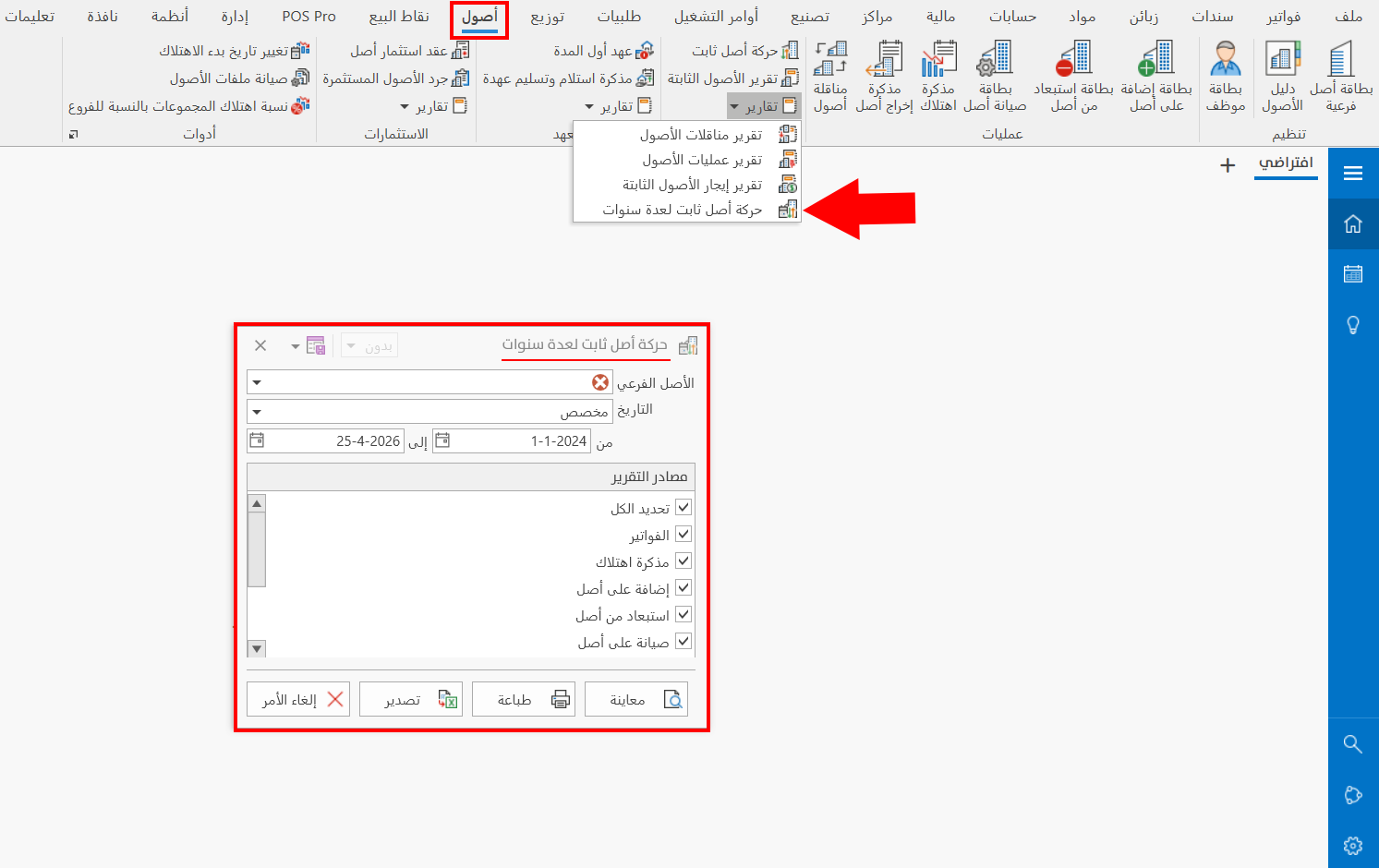
The report window contains various fields and options that help you view the details you need.
Report Window
The window lets you set the criteria and data you want the report to show. It includes the field for choosing the sub asset, the period, and the sources the report is drawn from.
For more details, go to Report Window.
Report Window Operations
You can perform many operations on the report data, such as previewing and exporting.
Please see Report Window Operations.