Exchange Rates Table
The exchange rates table keeps a historical record of the exchange rates of the currencies. It shows the names of the currencies you defined, their parity to the default currency, and the equivalent of the default unit in each of these currencies, on a set date. It is also used to change the exchange rates of the currencies manually on a particular date.
You can reach the Exchange Rates Table report from the main ribbon - Accounts tab - Currencies group.
Once requested, the window appears as follows:
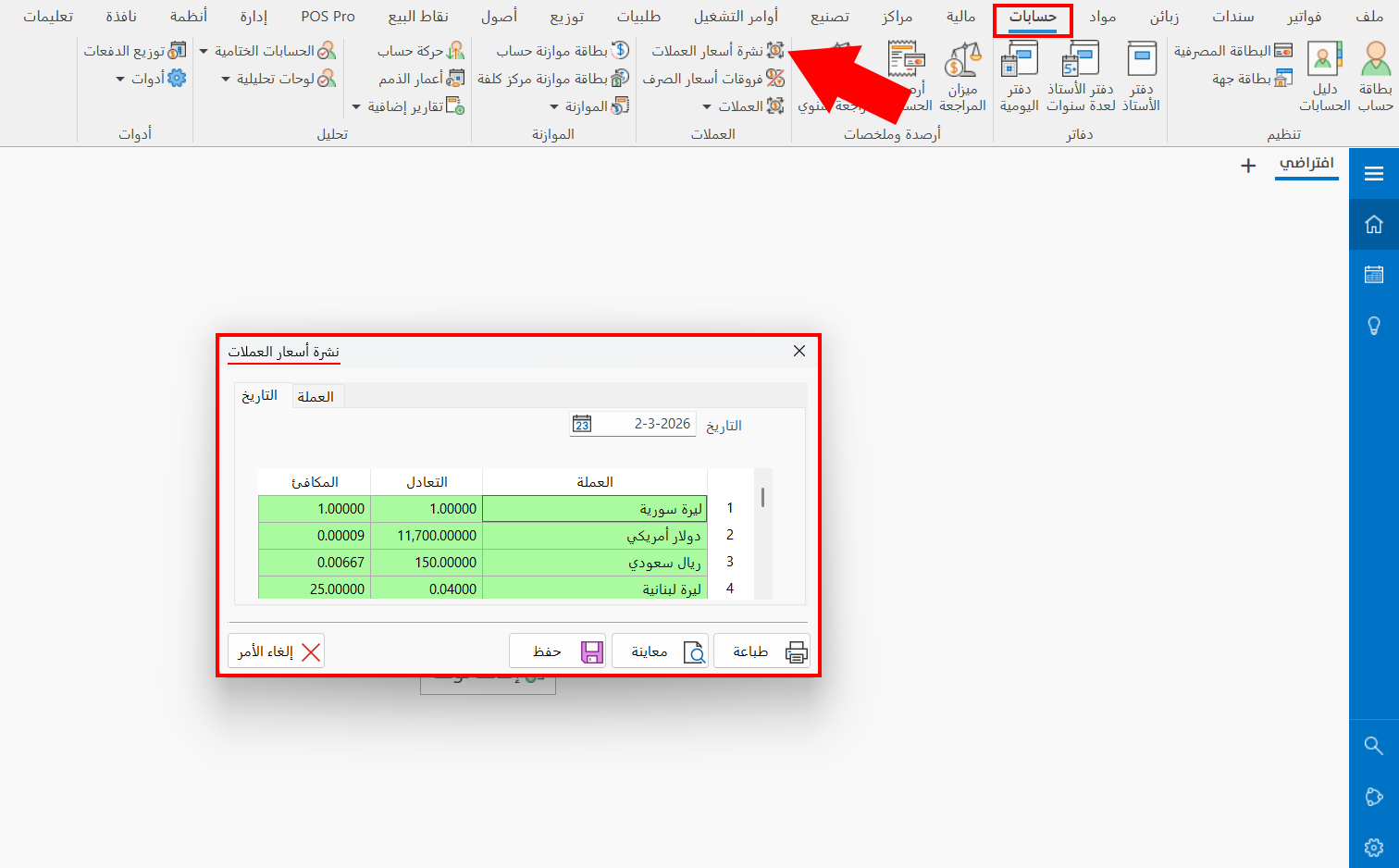
The table window contains the "Date" tab (shown by default) and the "Currency" tab, explained below one by one:
Date
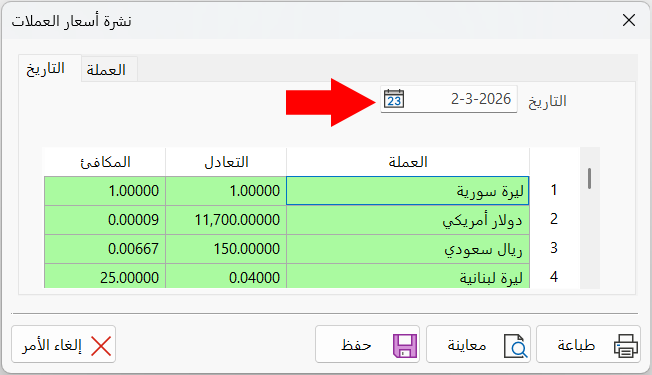
The "Date" tab consists of a table that shows the exchange rates of the currencies on the date set in the "Date" field. You can request the exchange rates record of any day within the range from the beginning-of-period date to the end-of-period date, and change the parity every day when it changes in the market.
The table consists of:
Currency
The column shows the name of the basic currency and the names of the currencies you added to the file from the window Add Currency.
Parity
Contains the parity of the currency against the basic currency of the program; you can change it when the exchange rate changes.
After the currency is added, the parity appears automatically during operations in the program (invoice, entry...), according to the parity you set in this column.
The parity of the basic currency equals "1".
Equivalent
The equivalent of the currency appears automatically after the parity against the default currency is added, and equals 1 / parity.
After the currency is added, the equivalent appears automatically during operations in the program (invoice, entry...).
To view or record the exchange rates of the currencies (one or some of them) on a particular date, set the date you need in this box, or find it with the side calendar window, then press the "Enter" key on the keyboard.
Currency
When you move to the "Currency" tab, the content of the "Exchange Rates Table" window changes: a table shows the record of the changes you made to the parities of the currencies.
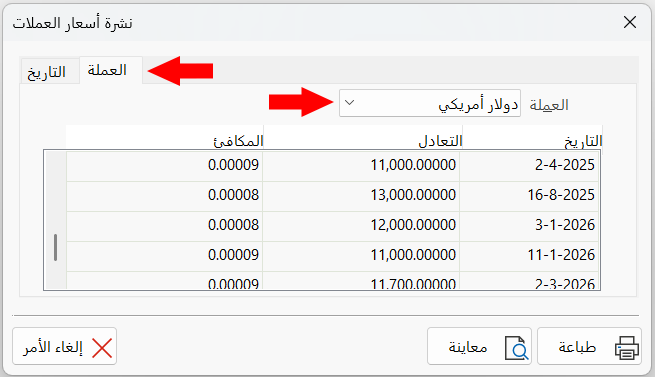
Choose the currency whose record of parities and equivalents you want to see, from the beginning-of-period date until today, by clicking the arrow in the "Currency" field and choosing it from the drop-down list.
After you set a currency with the drop-down list, the table shows the dates on which the rates of the currency changed, with the parity and equivalent of each date.
Report Window Operations
You can perform many operations on the report data, such as previewing and exporting.
Please see Report Window Operations.