Exchange Rates Differences
alameen ERP provides a set of tools and reports that help you set the exchange rates and follow the prices of currencies, including the "Exchange Rates Differences" report.
Report Purpose
The "Exchange Rates Differences" report finds the differences between the exchange rates of the currencies and generates an entry for them. The report is useful when one exchange rate is not used for the currencies throughout the accounting period, which can cause a difference between the balance in the basic currency and in the foreign currency.
The report shows the balance of the account (debit/credit) in the basic currency at the exchange rates used in the movements of the account, then calculates the difference between the balance of the account at the current parities and the first balance, and lists the difference in the "Total Difference" column of the report.
This is clearest for the accounts that have a foreign currency set in their cards. For example, define a new account, say "Bank", and set a foreign currency for it in its card. Issue a payment entry for this account, say 100 dollars at a rate of 45 on the 21st of last month, then enter today's exchange rate of the dollar as 50 (in the Exchange Rates Table), then preview the report: the balance of this account in the local currency is 4500 (at the exchange rate set on the date of the movement), while its balance at the current exchange rate is 5000, which means a difference of 500 between the balance at the exchange rate stored on the date of the movement and the balance at the current exchange rate.
Reaching the Report
You can reach the Exchange Rates Differences report from the main ribbon - Accounts tab - Currencies group.
Once requested, the report window appears as follows:
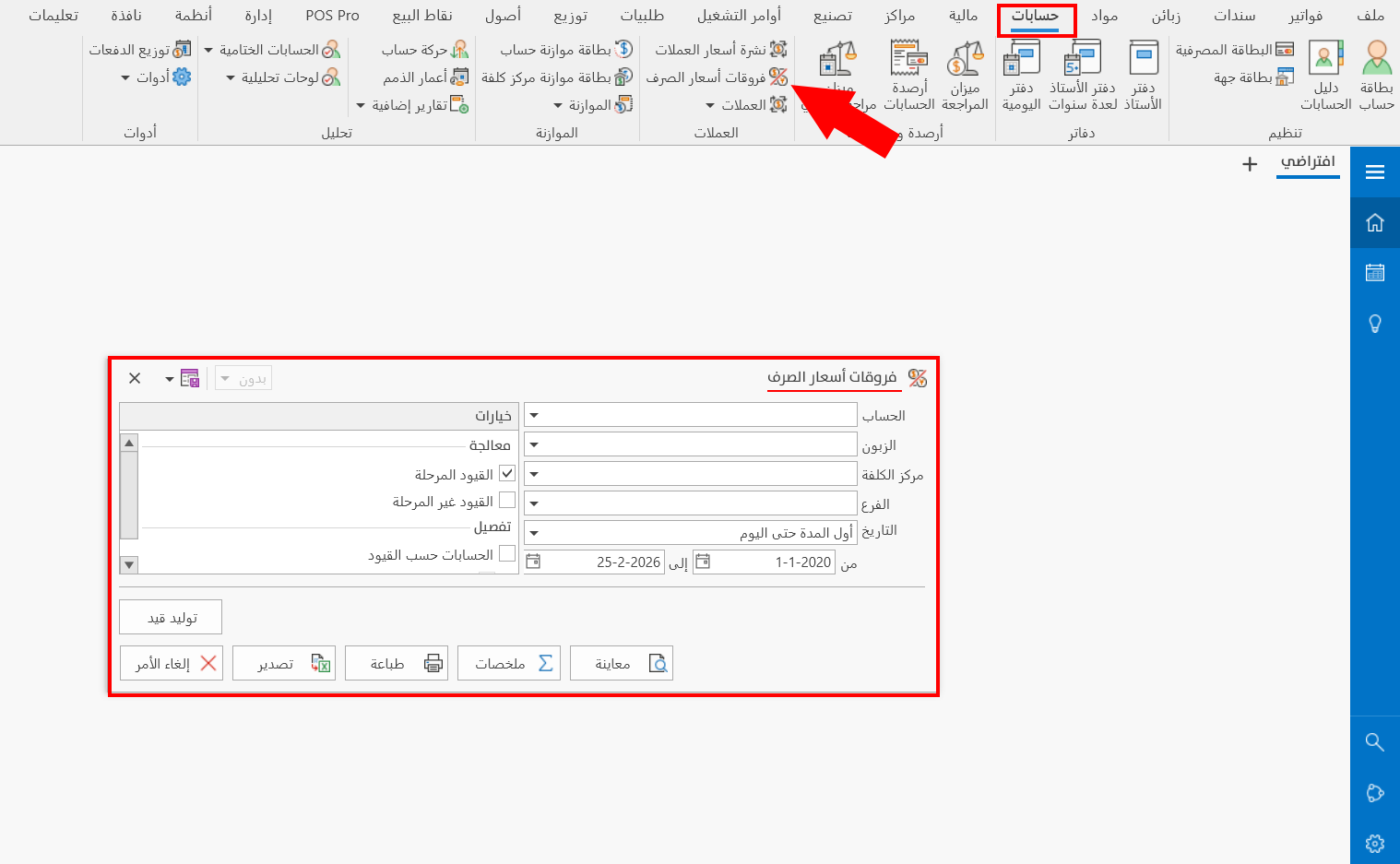
The report window contains various fields and options that help you view the details you need.
Report Window
The window lets you set the criteria and data you want the report to show. It includes several main sections, such as the filter fields (the Branch field is mandatory), the various options, and the sources the report is drawn from.
For more details, go to Report Window.
Generate Entry
You can generate an entry for the exchange rate differences: when you click the "Generate Entry" button, the "Exchange Differences Accounts" window opens, where you set the accounts to which the exchange rate differences (increase or decrease) are posted.
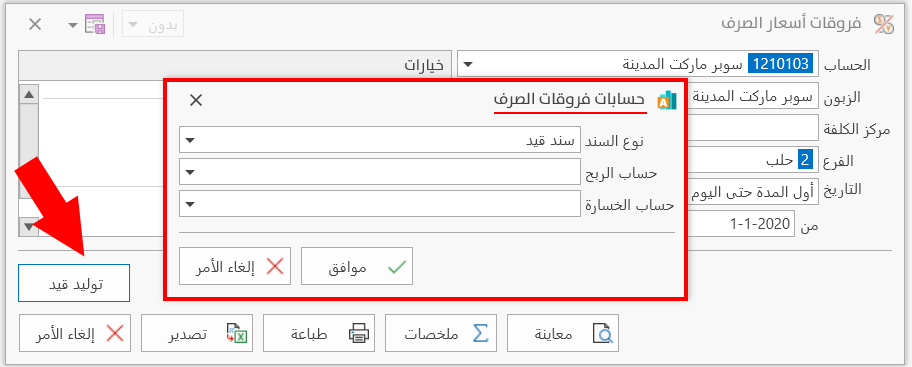
After setting the accounts, click OK to generate an entry for the profits or losses resulting from settling the exchange rate differences, or click Cancel to return to the previous window.
In the journal entry generated from the Exchange Rates Differences report:
- The main currency of the generated journal entry is the basic currency of the file.
- The currency of the profits and losses account is also the basic currency of the file.
- The currency of the account for which the entry is generated is the currency set in the card of this account.
Report Window Operations
You can perform many operations on the report data, such as previewing and exporting.
Please see Report Window Operations.