Journal
alameen ERP provides balances and books reports, and final accounts, to give a comprehensive and accurate view of your company's financial performance, including the "Journal" report.
Report Purpose
The journal shows the journal entries entered day by day, both the entries generated automatically and those entered manually, in a particular currency and parity over a set period.
The report lets you reach the entries entered in a cost center, the entries a program user entered on a set date, or the entries of a particular posting date.
The report window lets you set conditions on the entry amount: you choose the limits of the amount from the options available in the "Operation" field, such as less than, greater than, less than or equal, and after choosing the operation you enter the amount in the "Value 1" field. When you choose the operation "Between Two Values", you enter the amounts in the "Value 1" and "Value 2" fields, and you can apply the operation to the debit, the credit, or both.
The report shows the entry origin and date, the entry value and the notes, and the entry number. You can add many additional fields for more information about the entry with the field list in the report preview interface.
Reaching the Report
You can reach the Journal report from the main ribbon - Accounts tab - Books group.
Once requested, the report window appears as follows:
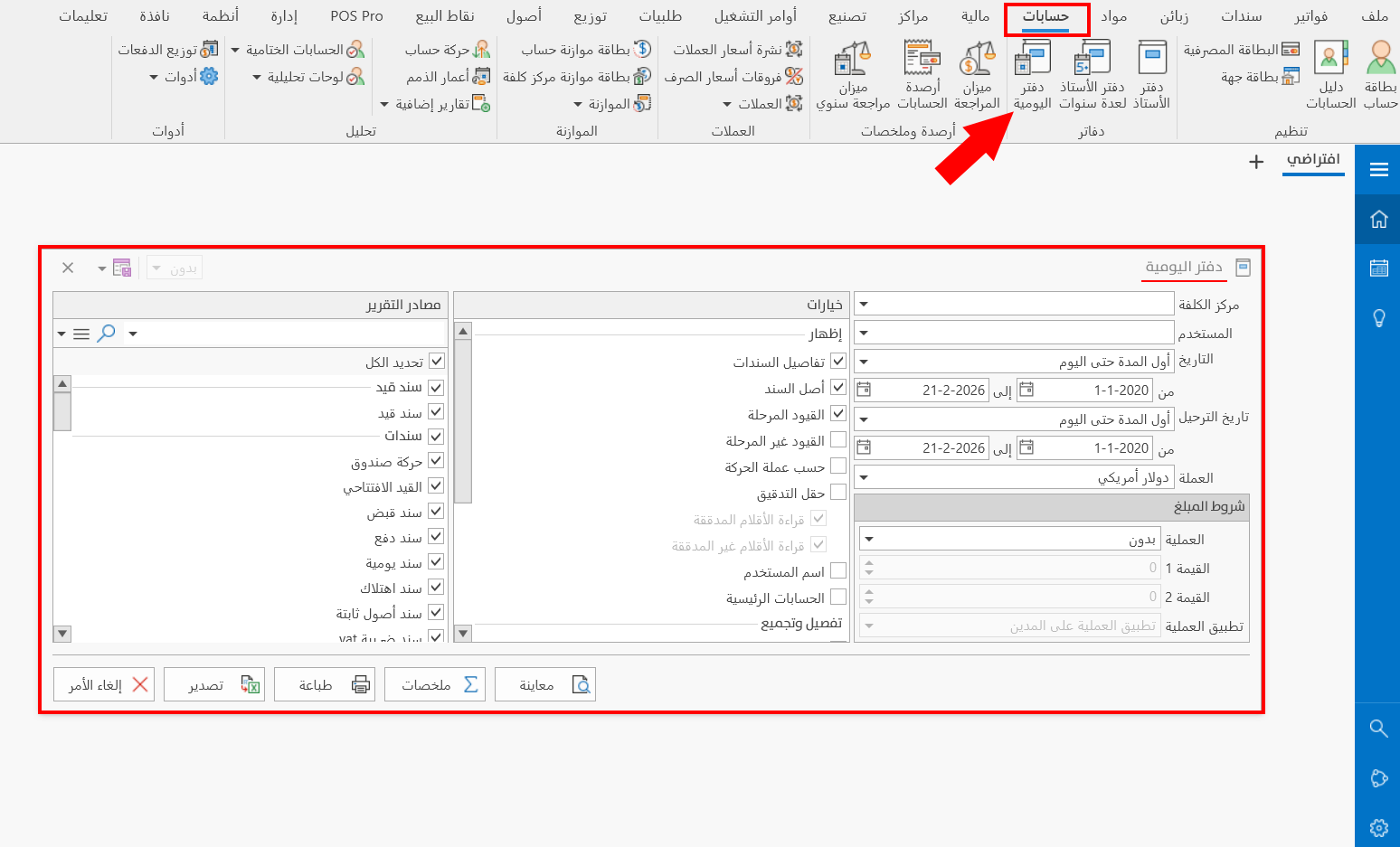
The report window contains various fields and options that help you view the details you need.
Report Window
The window lets you set the criteria and data you want the report to show. It includes several main sections, such as the filter fields, the amount terms, the various options, and the sources the report is drawn from.
For more details, go to Report Window.
Report Window Operations
You can perform many operations on the report data, such as previewing and exporting.
Please see Report Window Operations.