Accounts Analysis
alameen ERP includes a set of analytical accounts reports that show the data in different charts, including the "Accounts Analysis" report.
Report Purpose
The "Accounts Analysis" report shows the balance of a particular account in a dashboard that contains several charts, so you can follow the balance visually.
The report shows a table with the details of the account balance: it shows the balance of each sub account of the account with a chart of its monthly trend, and the percentage by which the balance increased or decreased from the previous month.
The report window lets you set the analysis target, choosing between Main and Detailed, to show the balance according to the target. When you choose Main, the report shows the first-level sub accounts of the main account; when you choose Detailed, the report shows the balance of all the sub accounts of the main account.
The report shows charts of the total account balance by date, and of the top 5 sub accounts by balance. You can set the number of top accounts you want to chart by entering the number in the "Top/Bottom Count" field of the report window.
You can set the period over which to analyze the account by choosing it from the drop-down list of the "Date" field in the report window, or you can enter the period yourself in the "From" and "To" fields, and choose the currency and the unit of materials you need.
Reaching the Report
You can reach the Accounts Analysis report from the main ribbon - Accounts tab - Analysis group - the drop-down list of the Analytical Tiles button.
Once requested, the report window appears as follows:
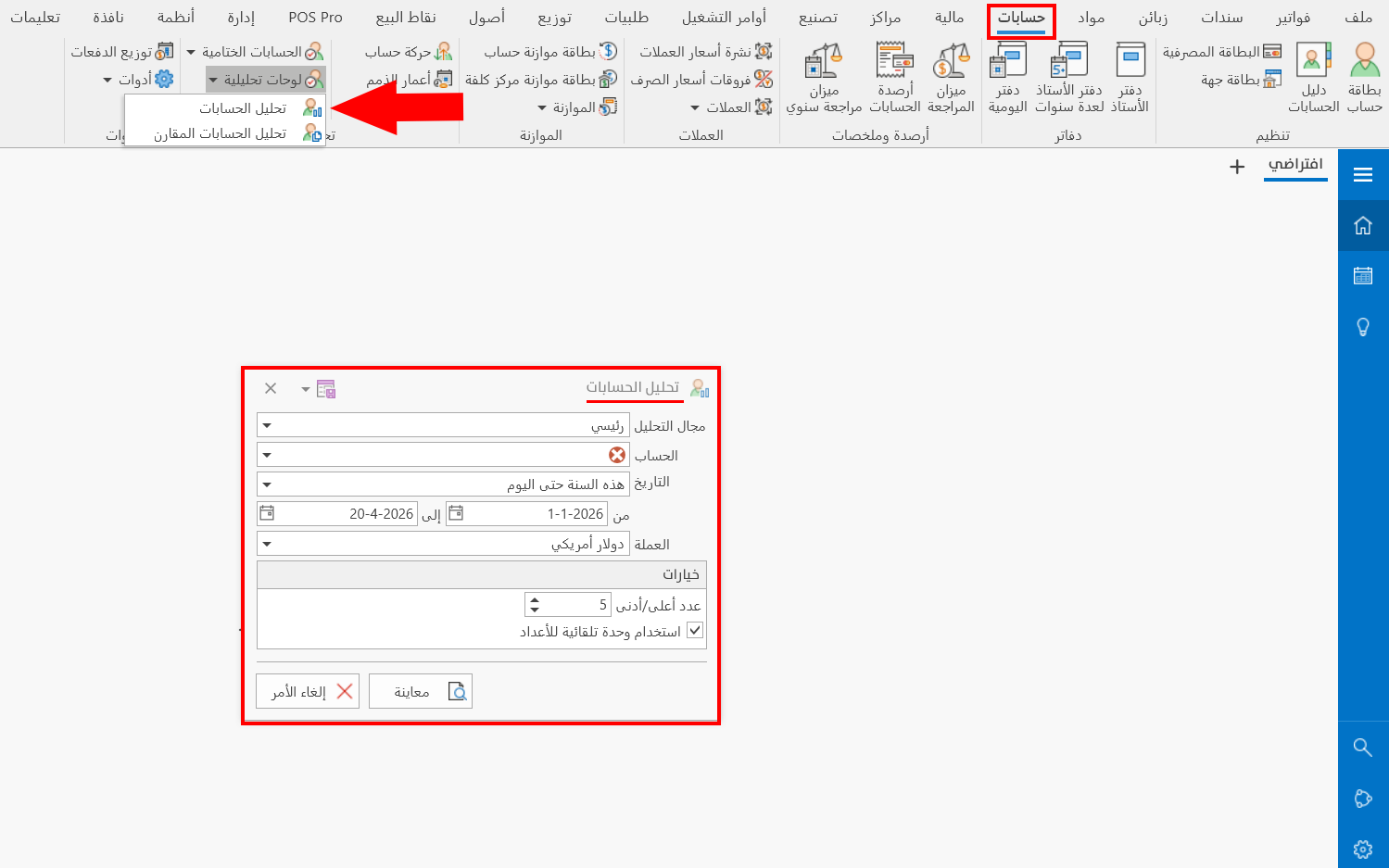
The report window contains various fields and options that help you view the details you need.
Report Window
The window lets you set the criteria and data you want the report to show. It includes several fields for setting the analysis target, the period of the profits, and the various options, including setting the top/bottom 5 accounts.
For more details, go to Report Window.
Report Window Operations
You can preview the report with the "Preview" button, or close the report window with the "Cancel" button.