Trading
alameen ERP provides a set of reports that show the balances of the final accounts, including the "Trading" report.
Report Purpose
The "Trading" report gives the gross profit of the materials regardless of the additional expenses: it shows the total value of the purchases and the total value of the sales, and the gross loss or profit, based on the difference between purchases and sales, appears at the end of the report.
If the total expenses are greater than the total revenues, the gross result is a loss; if the total revenues are greater than the total expenses, the gross result is a profit.
You can request the report for final accounts only (the accounts whose type is set to "Final" in the account card), such as profits and losses, operating, trading, balance sheet, and owner's equity; you cannot request the report without an account, because the Account field is mandatory.
Reaching the Report
You can reach the Trading report from the main ribbon - Accounts tab - Analysis group - the drop-down list of the Final Accounts button.
Once requested, the report window appears as follows:
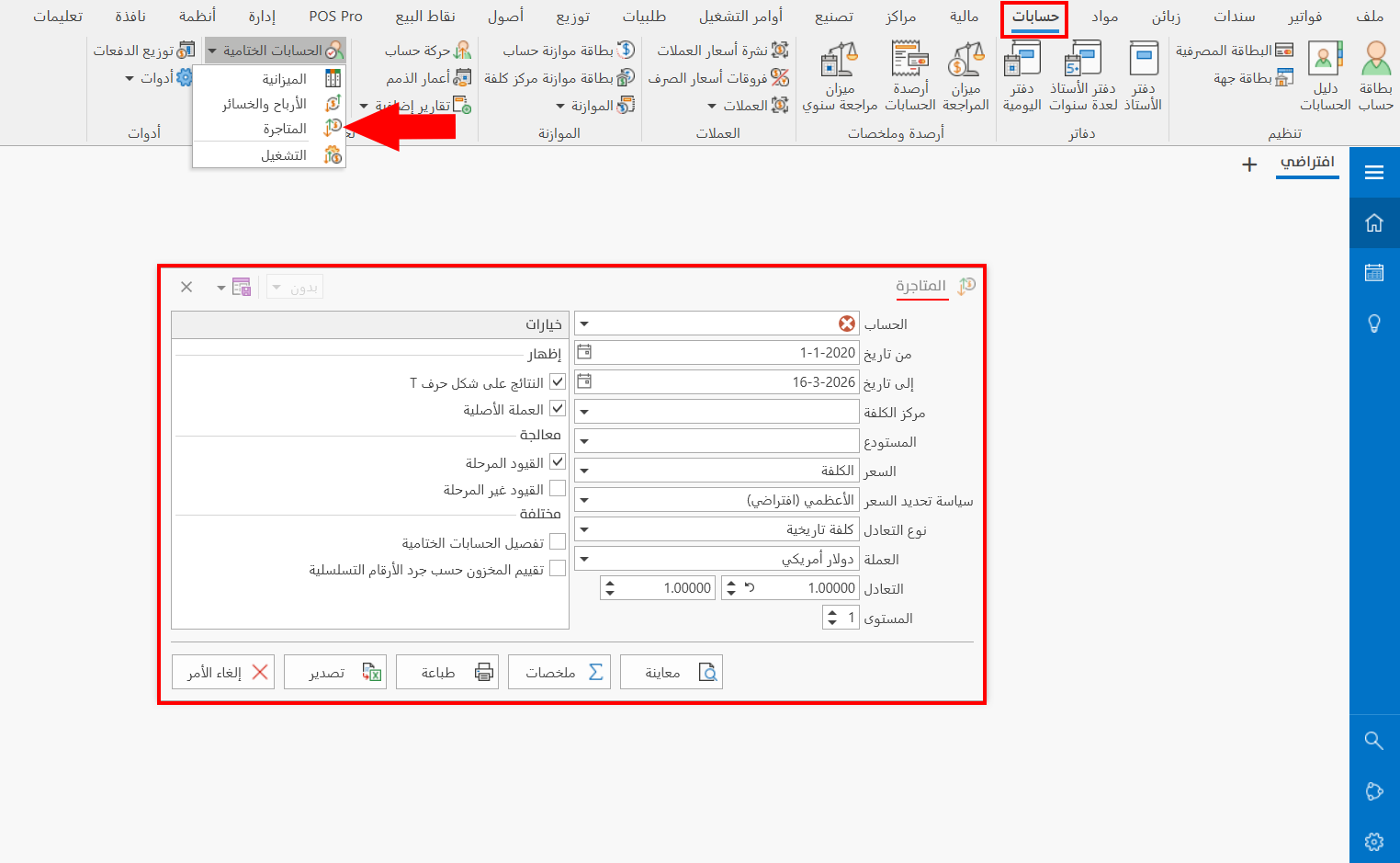
The report window contains various fields and options that help you view the details you need.
Report Window
The window lets you set the criteria and data you want the report to show. It includes several main sections, such as the filter fields and the various options, such as the display and processing options.
For more details, go to Report Window.
Report Window Operations
You can perform many operations on the report data, such as previewing and exporting.
Please see Report Window Operations.