Letter of Credit Expenses and Allocation
The "Letter of Credit Expenses and Allocation" window defines the letter of credit expenses (expense types) you use in letters of credit, and sets how the expenses are allocated to the materials in the rows of the invoices linked to the letter of credit.
For example, when you import an invoice that contains (100 boxes) of orange juice and (50 boxes) of lemon juice, importing these materials requires additional costs (expenses), say customs clearance worth (50000) and shipping costs worth (75000).
The expenses (customs clearance and shipping) are allocated to the boxes of juice according to the allocation method set for the expenses, and the value of the expenses is added to the cost of one box (the unit cost).
You can view the details of how the expenses are allocated to the invoice rows in the letter of credit with the "Preview" button in the letters of credit window of the current letter of credit.
You can also see the cost of the rows of the invoice linked to the letter of credit in the invoice's "Bills Details Movement" report.
In the previous example, "customs clearance" and "shipping" are the expenses defined with the "Letter of Credit Expenses and Allocation" window.
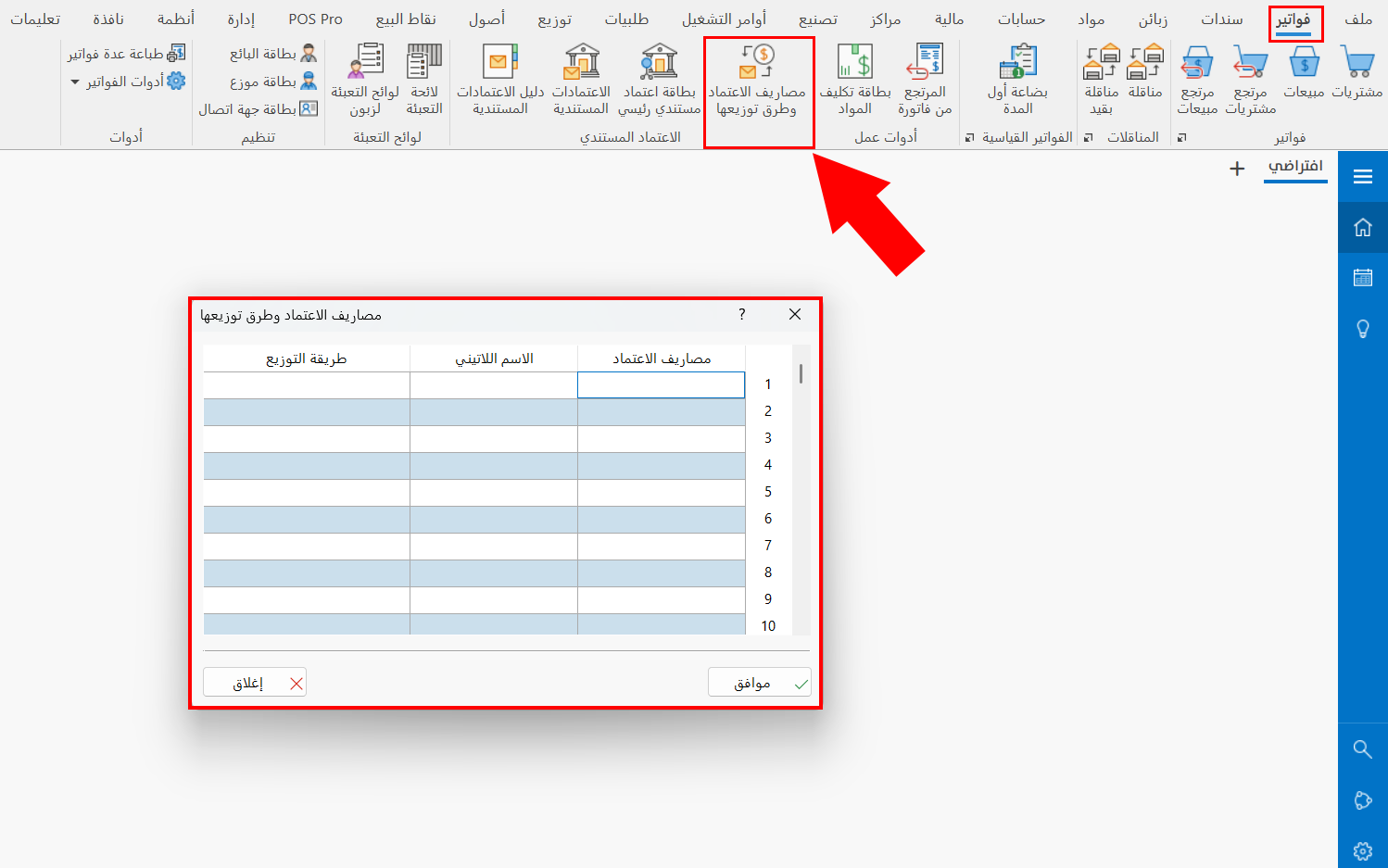
You can reach the "Letter of Credit Expenses and Allocation" window from the main ribbon - Invoices tab - Letter of Credit group.
After you click the button, the window appears as follows:
Window Contents
The "Letter of Credit Expenses and Allocation" window consists of a table with three fields. They are used as follows:
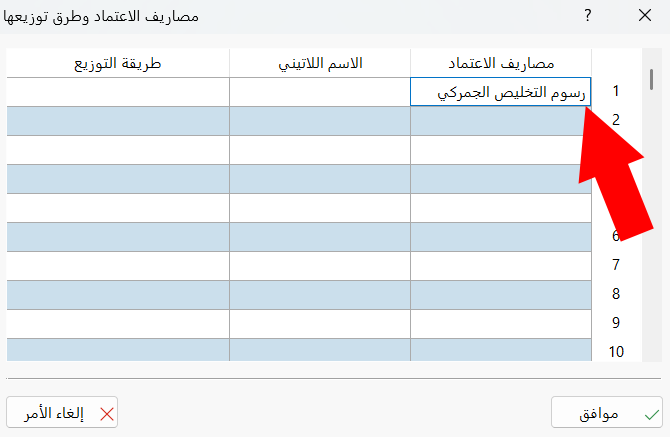
Credit Expenses
Type the name of the expense you need to pay when importing or ordering goods, to use it later in the "Expense Type" field of the entries table in the letters of credit window: the amount in the payment voucher is then linked to the invoice and allocated to the invoice rows as an additional expense, according to the allocation method set for the expense (mandatory field).
Examples of letter of credit expenses: shipping, insurance, customs clearance fees, inspection and analysis fees, local transport costs.
Latin Name
Enter the name of the letter of credit expense in a different language (optional field).
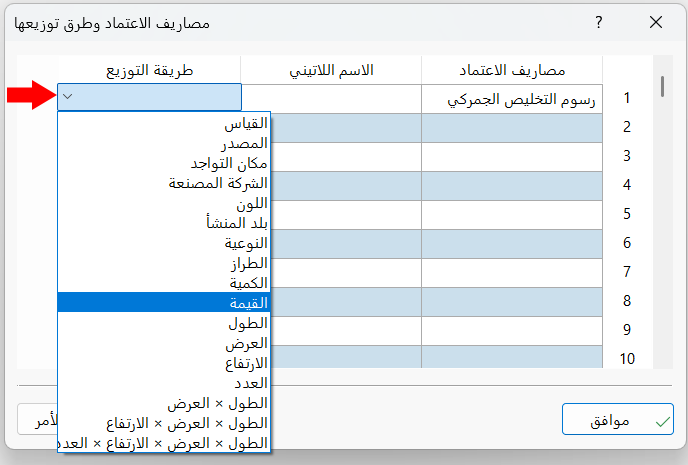
Allocation Method
Double-click in the field with the left mouse button, then choose the suitable allocation method from the drop-down list of the field: the value of the "Credit Expenses" is allocated to the invoice items according to the chosen method (mandatory field).
OK
Saves the letter of credit expenses and their allocation methods.
Close
Abandons entering the letter of credit expenses and closes the window.