Forms Management
Create new forms for invoices, entries, and many other transactions with the tabs of the "Forms Management" window.
You can also change the properties of some transactions defined earlier, view them, or delete one of these forms.
Reaching Forms Management
The "Forms Management" button is in the Forms group of the "Management" tab on the program's main ribbon.
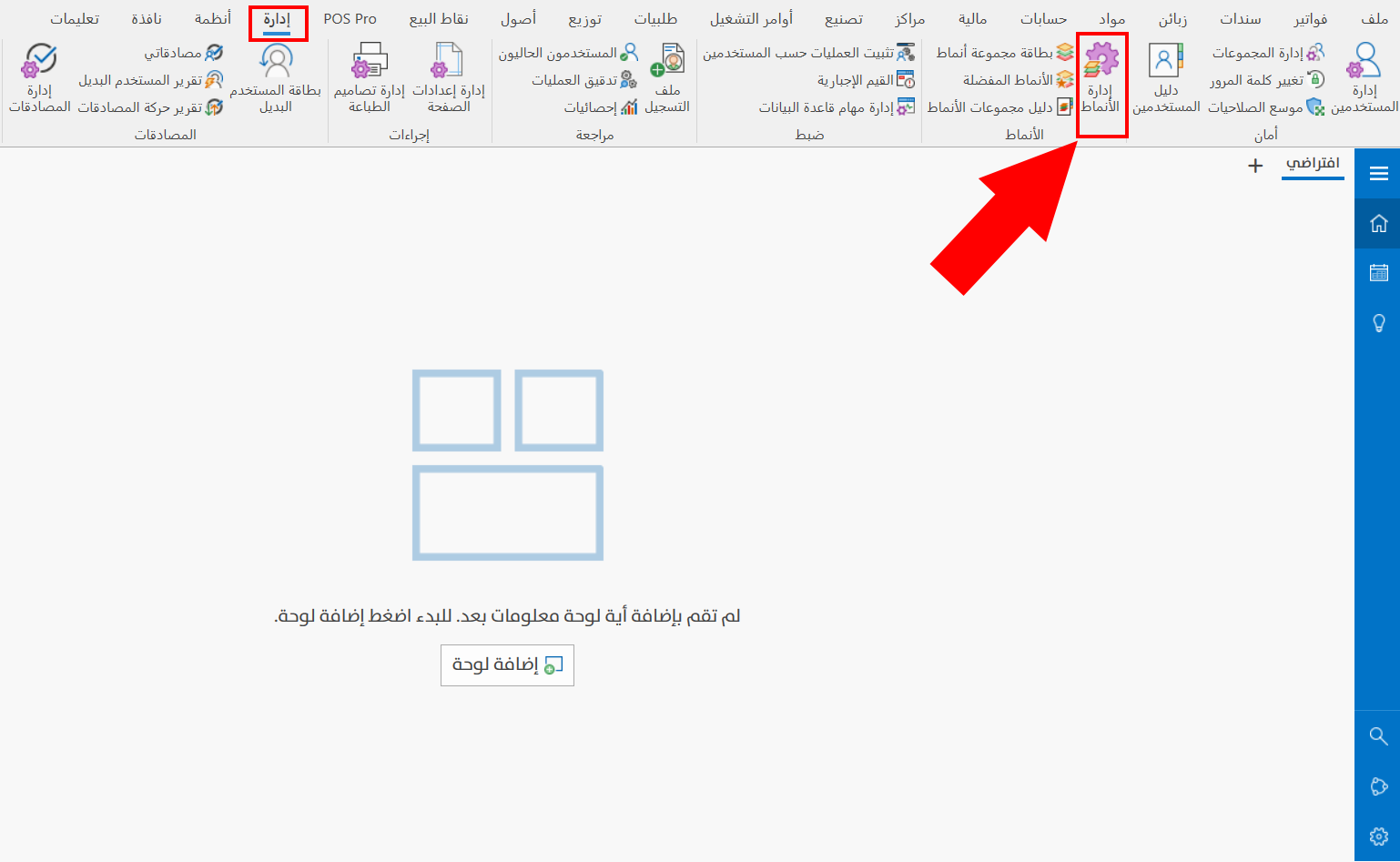
The Forms Management Window
When requested, the window opens as follows:
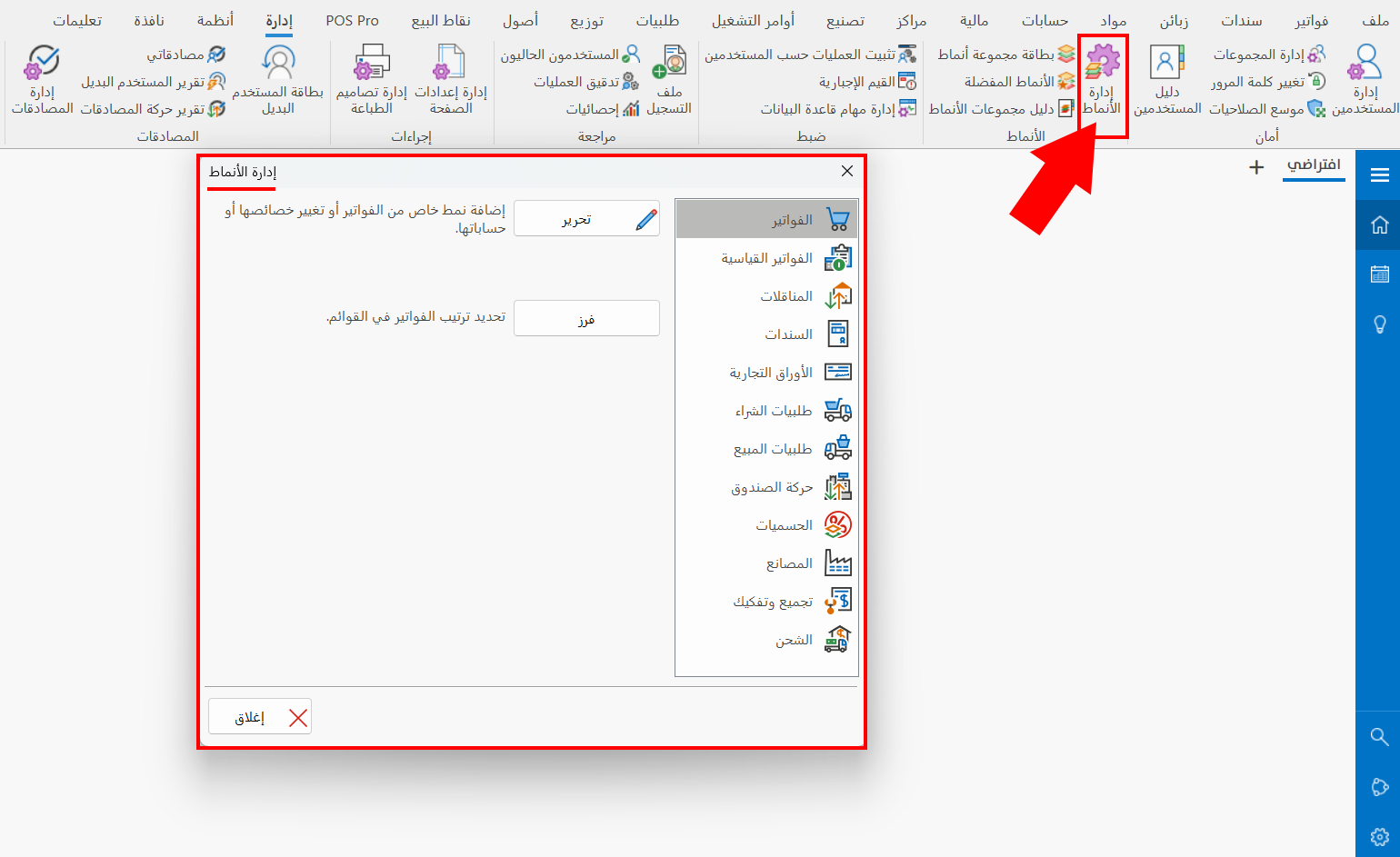
The contents of the window and its buttons change with the tab you are on: the window contains a list of tabs with which you can create forms.
The following explains the window on the "Invoices" tab.
Invoices
By default, the window shows the Invoices tab, as shown in the previous image.
You can use the tab to add your own invoice form or change the properties of forms defined earlier, and to arrange the position of the invoices forms buttons on the "Invoices" tab of the program's main ribbon, with the buttons in the window:
Edit
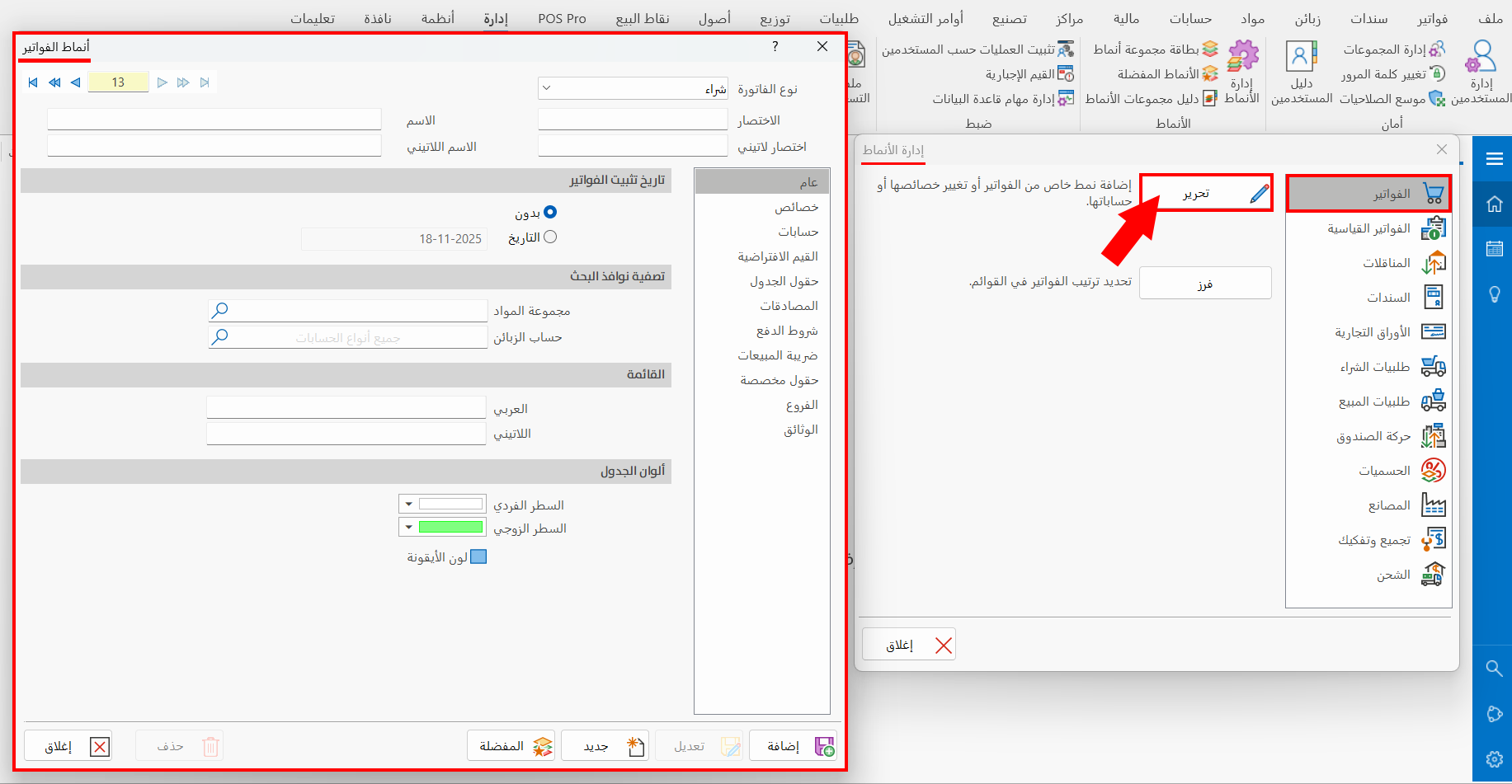
Click "Edit" to start creating a new invoice form: the "Invoices Forms" window opens as follows:
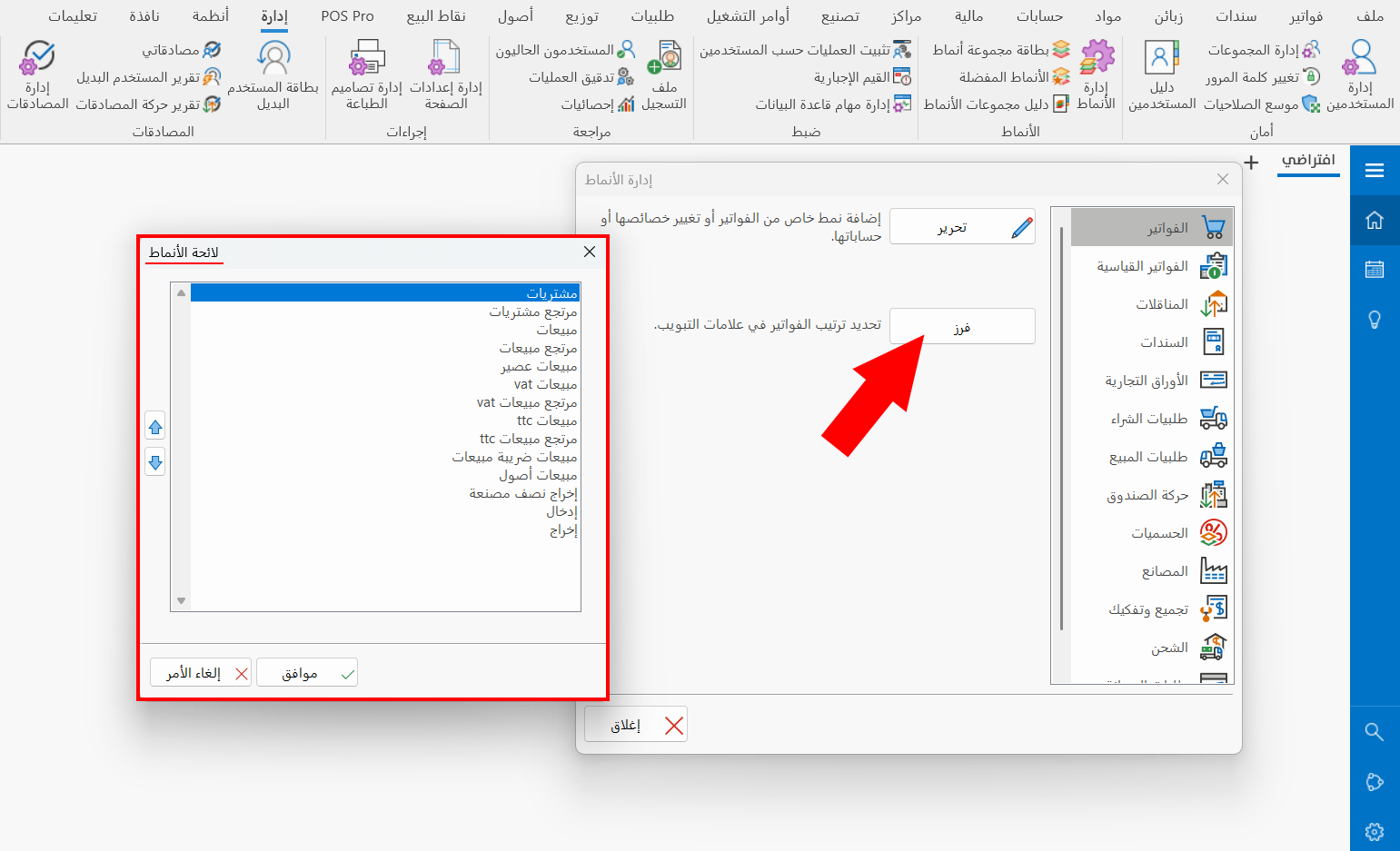
Sort
Arranges the invoices forms on the "Invoices" tab of the program's main ribbon: after you click the button, the "Form List" window opens, showing all the basic and defined forms.
Most tabs of the Forms Management window share the same buttons: Edit and Sort.
They are used the same way as on the "Invoices" tab.