Bank Cards
To set whether bank cards are used in the point of sale interface, click the "Bank Cards" button on the "Point of Sale" tab of the Program Options window; the following window opens:
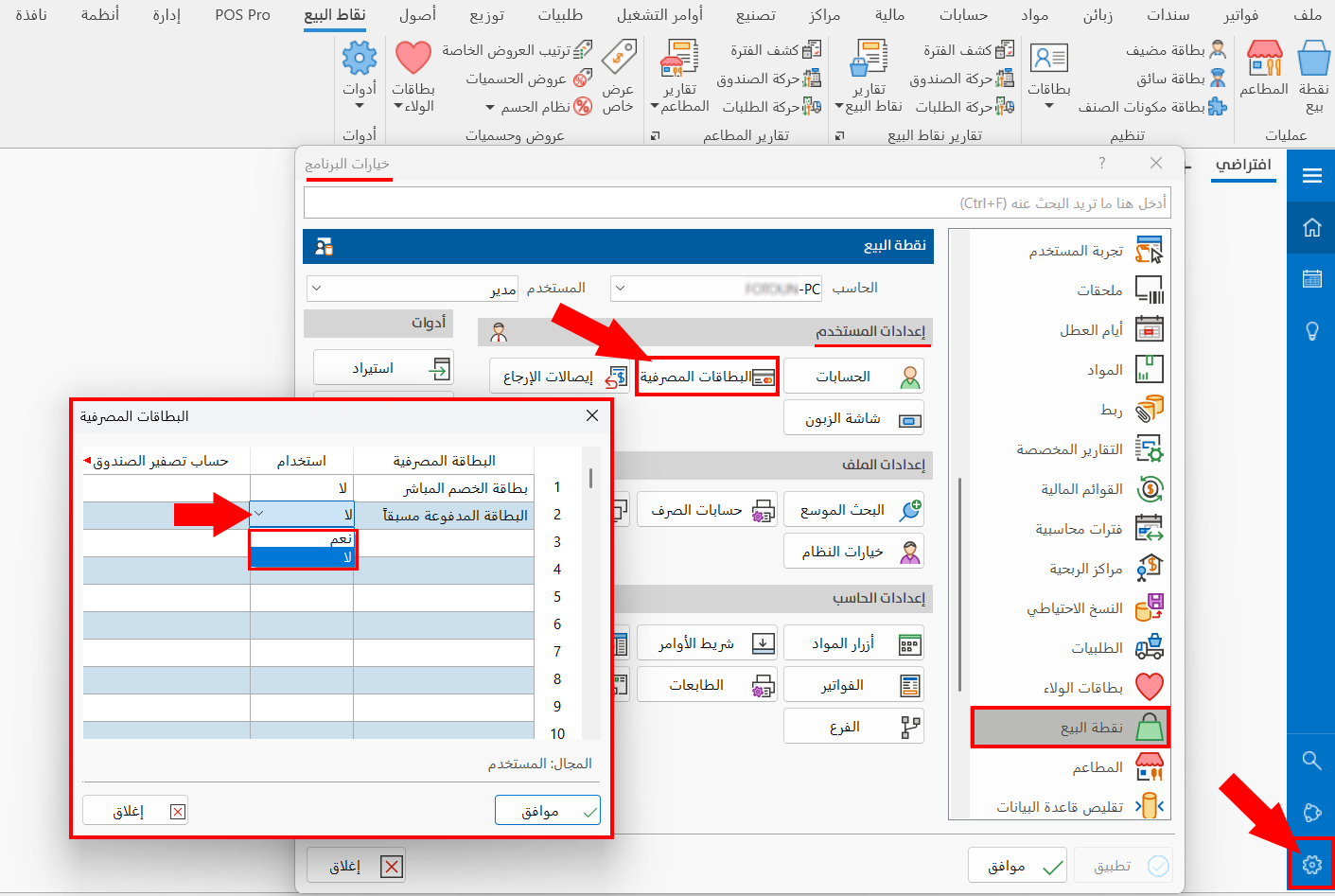
The table of the window shows all the bank cards added to the program in the "Bank Card" window on the "Accounts" tab.
info
To use one of the cards in the point of sale interface, double-click with the left mouse button the "Use" field of that card and choose "Yes" from the drop-down list.
Set the cash reset account of the card you want to use in the point of sale interface.
note
Click "OK" in all windows to save the settings.