Password
The password lets a point of sale user carry out blocked commands.
If you are the user with the permissions (the manager) and have distributed the permissions among the other users of the program, you can use the password to protect the commands on which the other users have no permission.
Purpose of the Password at the Point of Sale
After you create a group of users and give them different permissions on the program's commands and windows in the "Groups Management" window, the group's permissions apply to all its users.
But if you want to allow one of the group's users to carry out the commands prohibited for the group, without modifying that user's permissions, follow these steps:
How to Set the Password
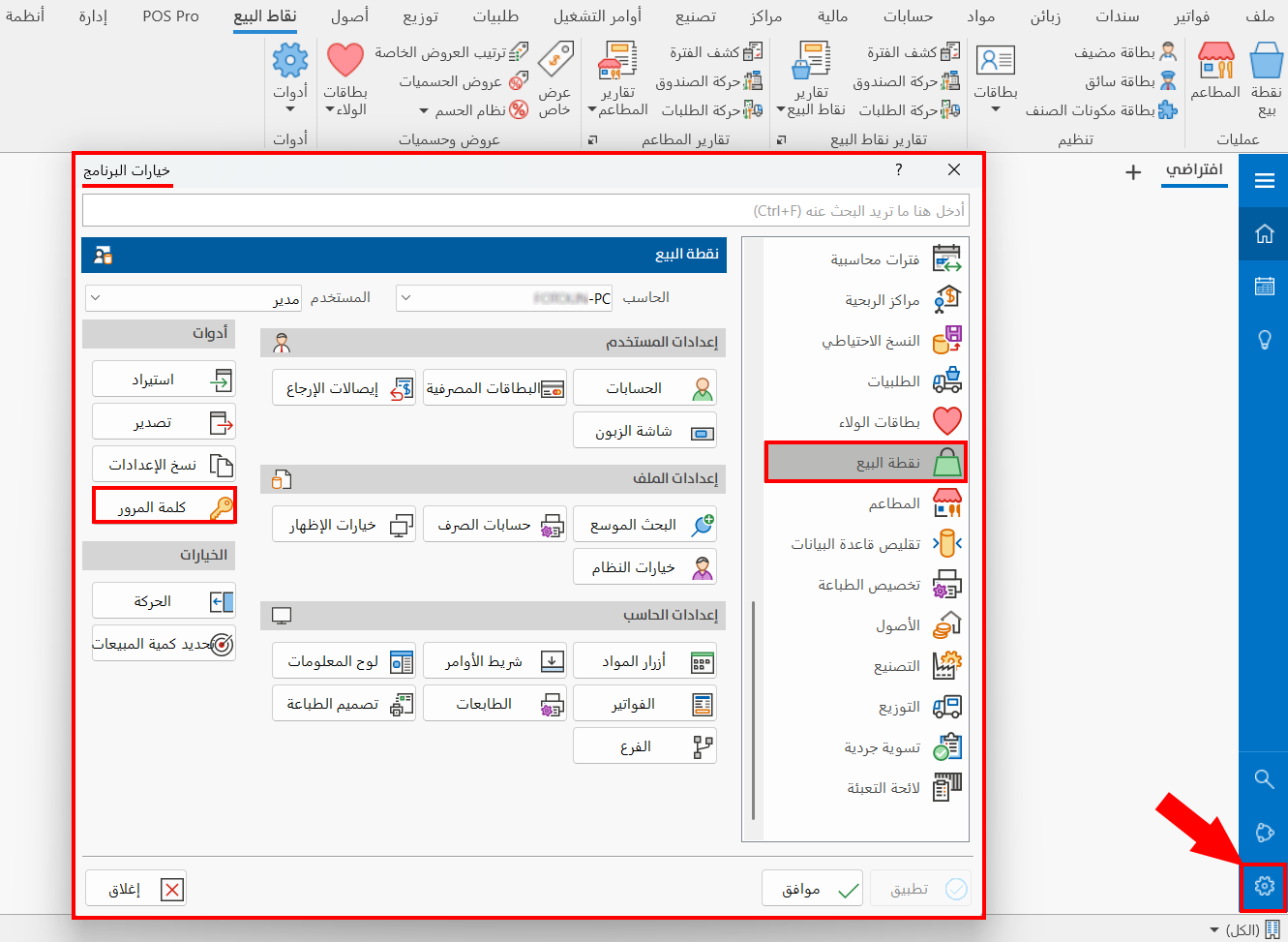
In the Program Options window - Point of Sale tab, click the "Password" option.
The "Change Password" window appears as follows:
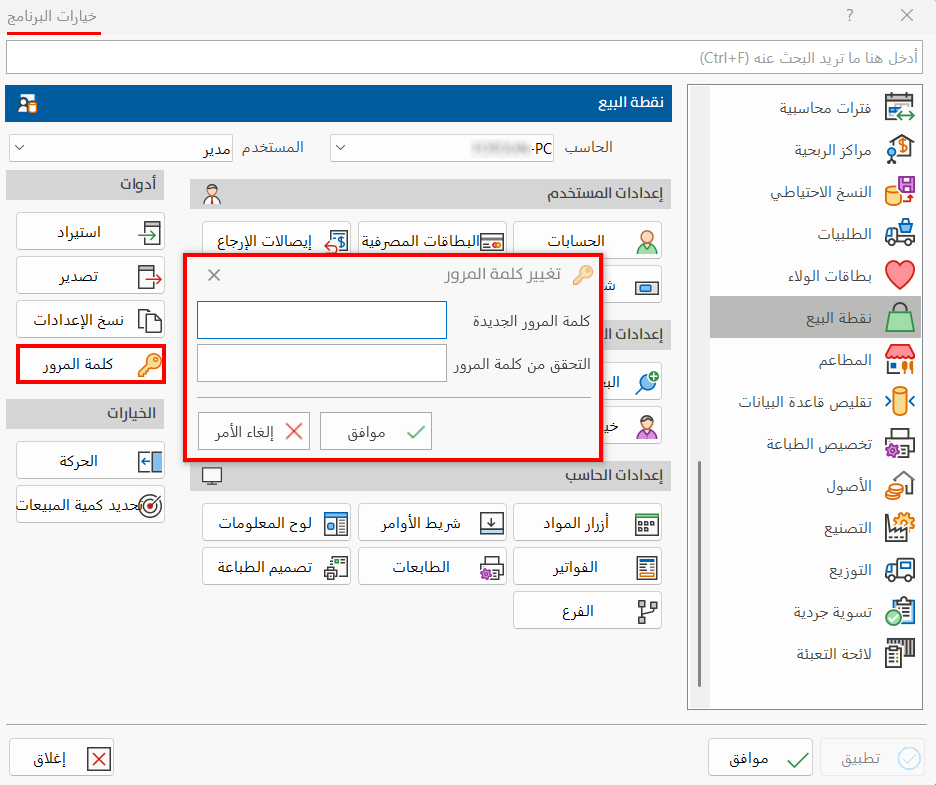
Enter the password in the "New Password" field, then enter it again in the "Verify Password" field to confirm it.
Click "OK" in the "Change Password" window, then go to "System Options" in the Program Options window - Point of Sale tab.
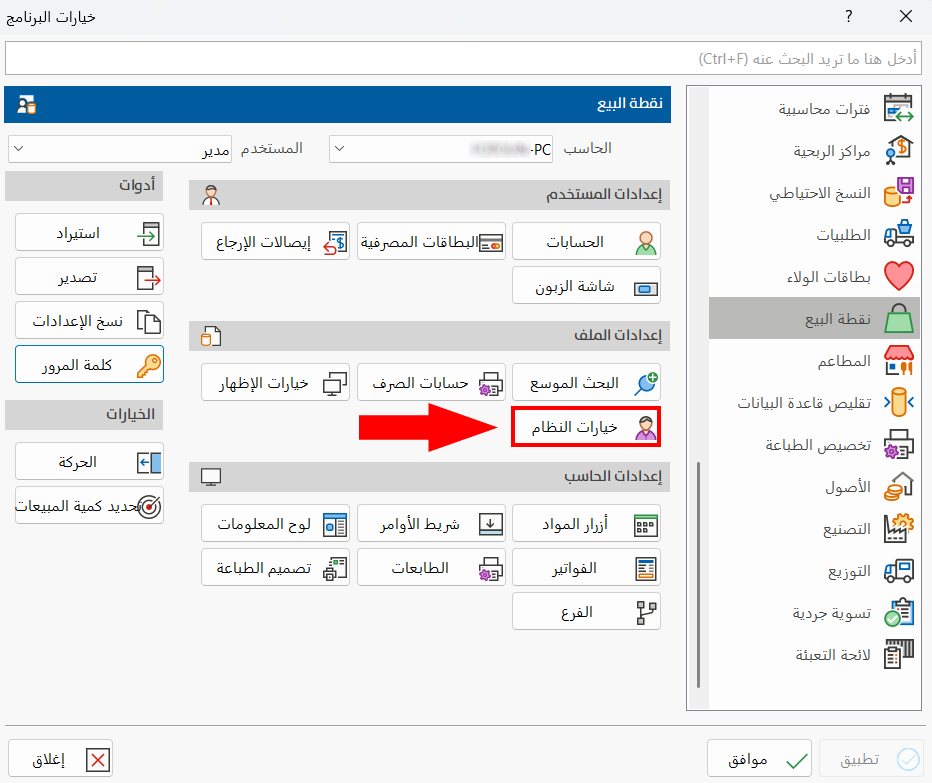
Enable Using the Password
Enable the "Use the main password with blocked commands" option by clicking the check box next to it, then click "OK" in the System Options window.
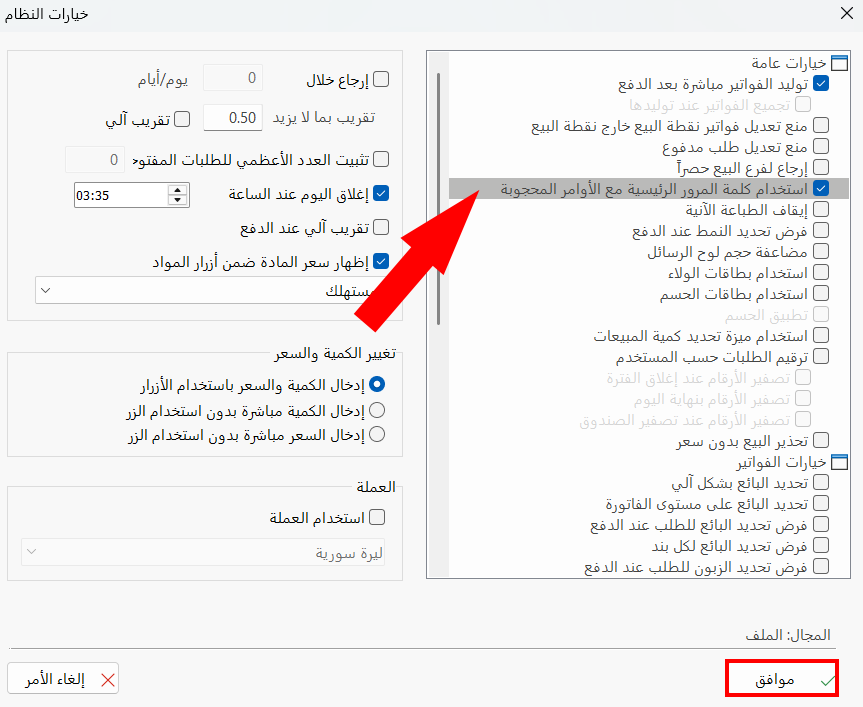
To save the new settings, click "OK" in the Program Options window.
Using the Password
When a user tries to carry out a blocked command, the program asks them to enter the password you added, so they can carry out the command.

For everything related to changing passwords in alameen ERP, please see Change Password.