Import
This tool imports the settings of the point of sale system from another user or file, and applies them to the current user's point of sale.
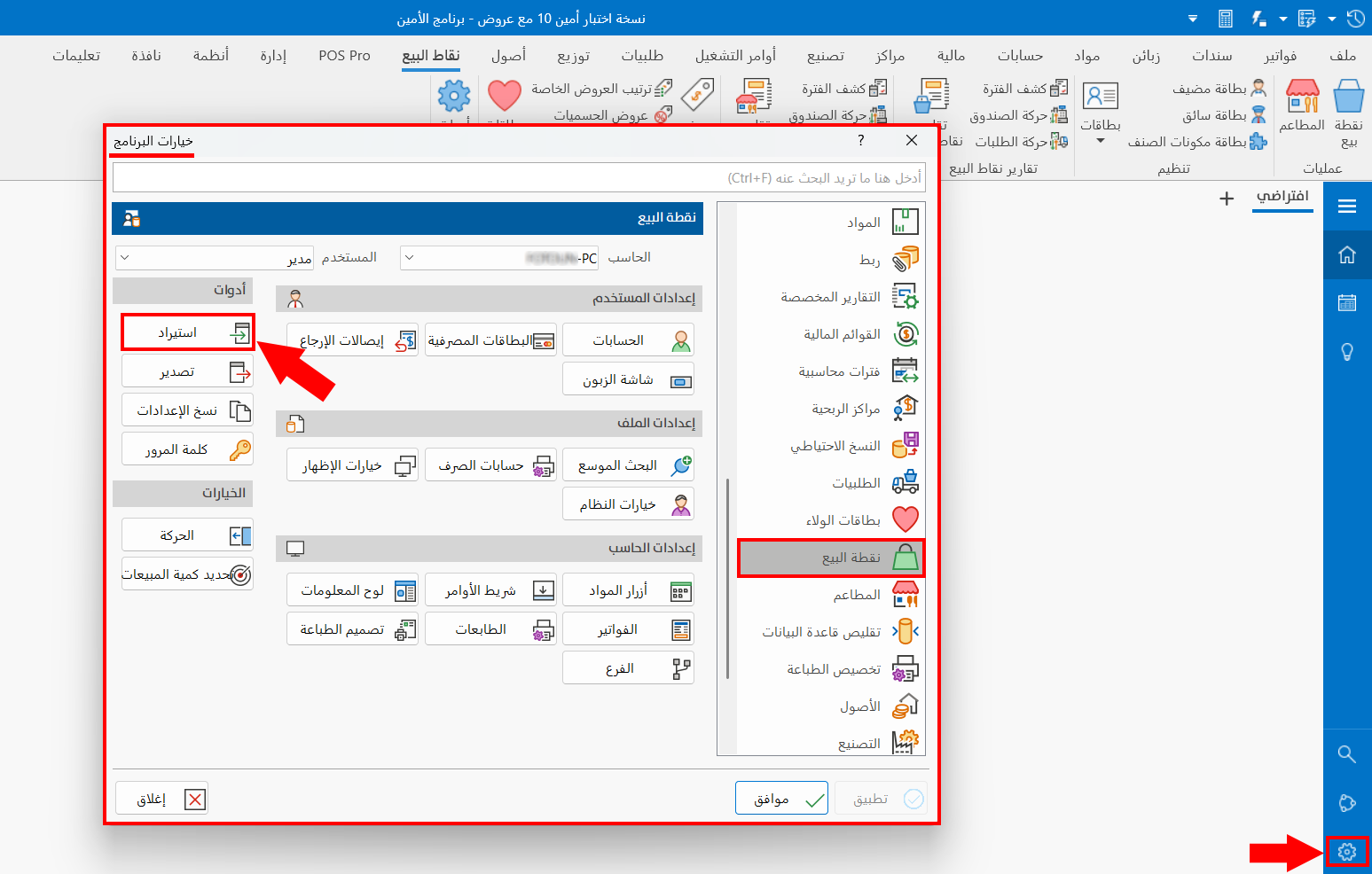
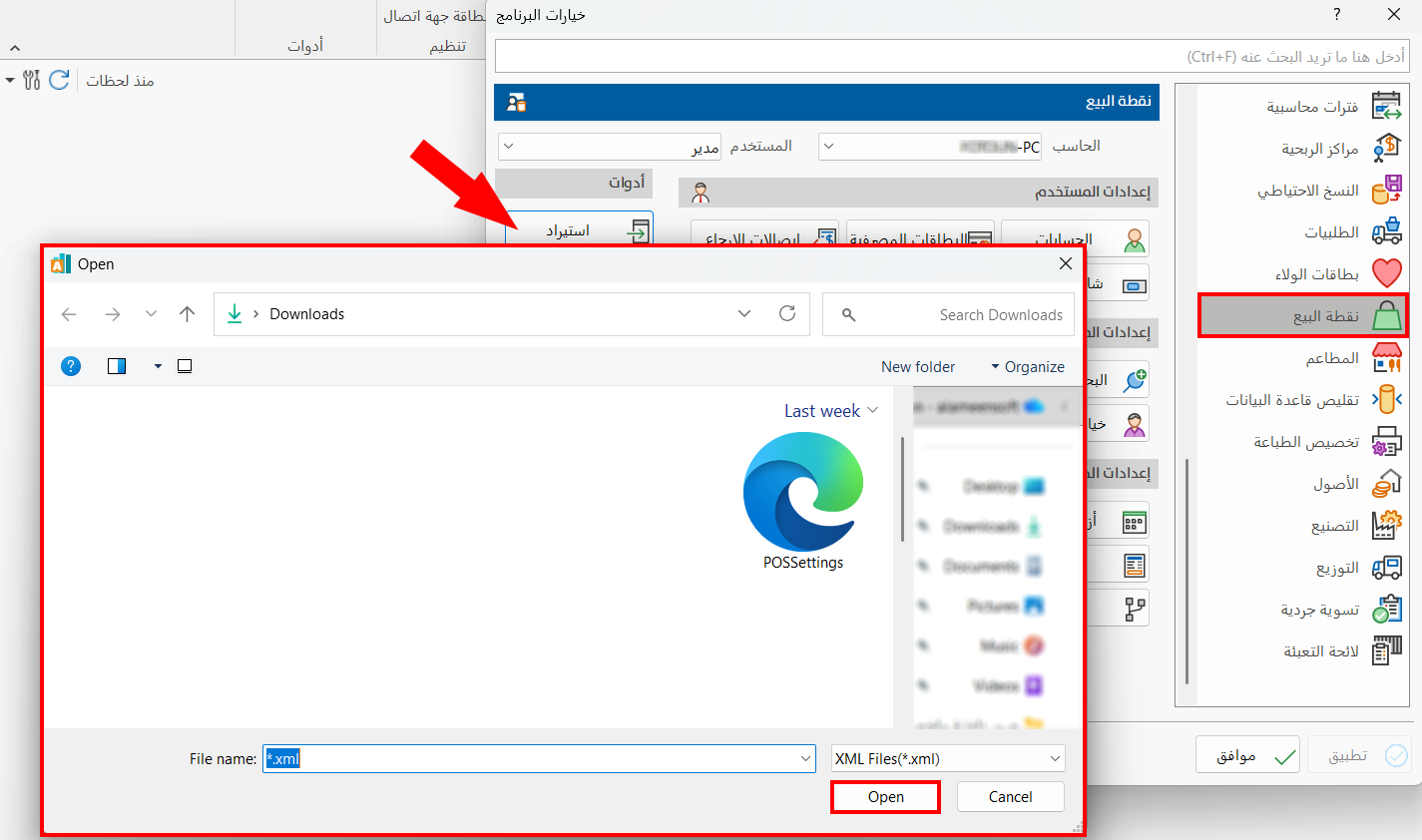
To import the settings, click the "Import" tool, select what you want to import in the window that opens, then click "Open".
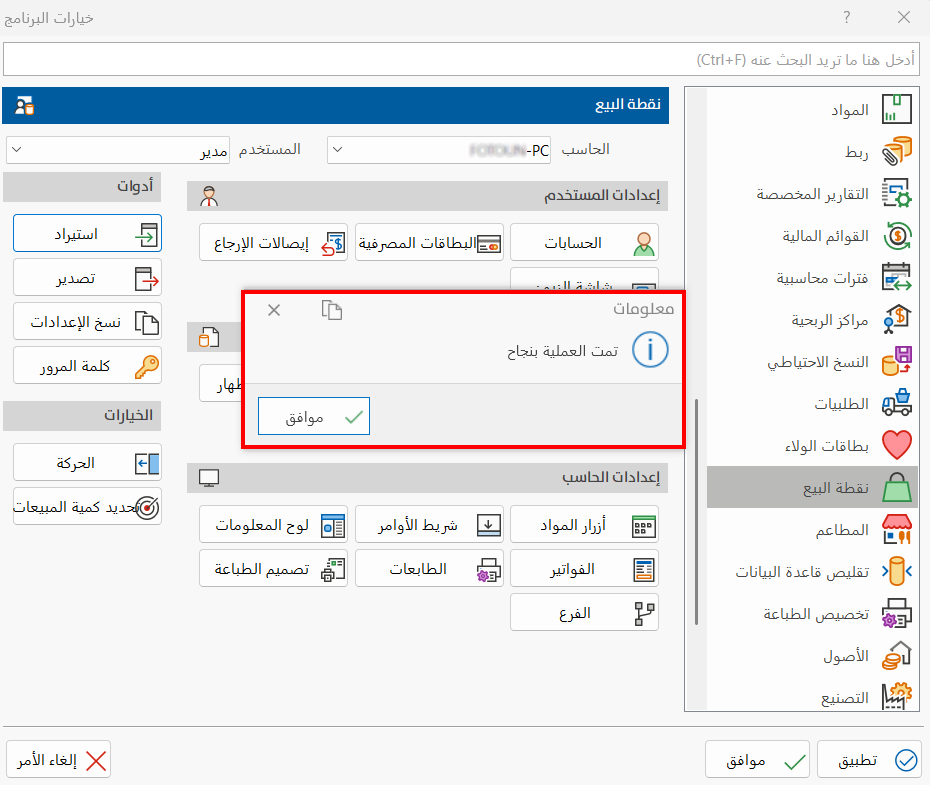
A message confirms that the settings were imported successfully.
note
Click "OK" in all windows to save the settings.