Invoices
You must set the invoices forms to be able to use the point of sale system: setting the invoices and the default accounts is a basic requirement for opening the point of sale interface and activating the system.
You can set the default or special invoices forms with the "Invoices" button on the Point of Sale tab - Program Options window.
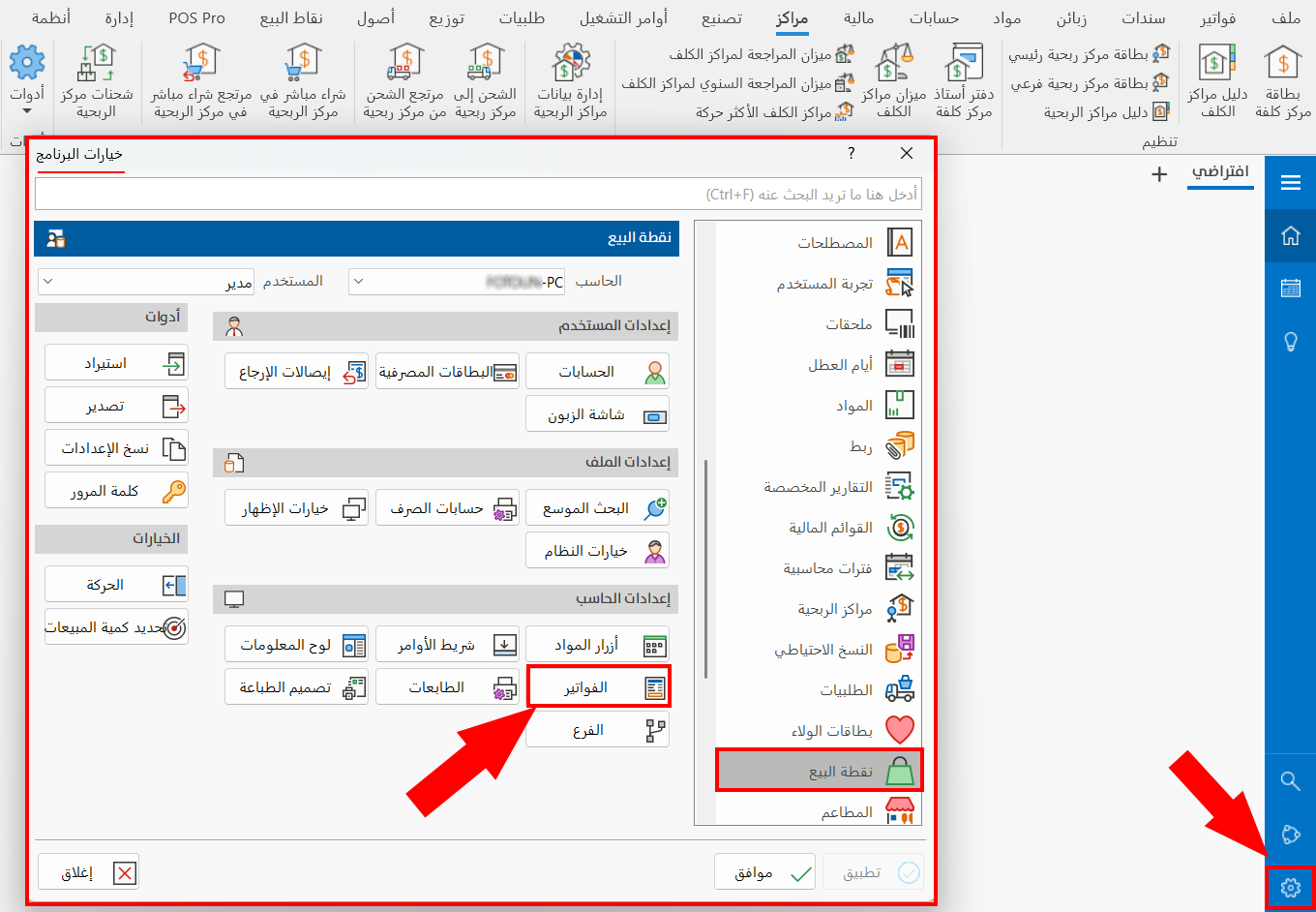
After you click the button, the following window opens:
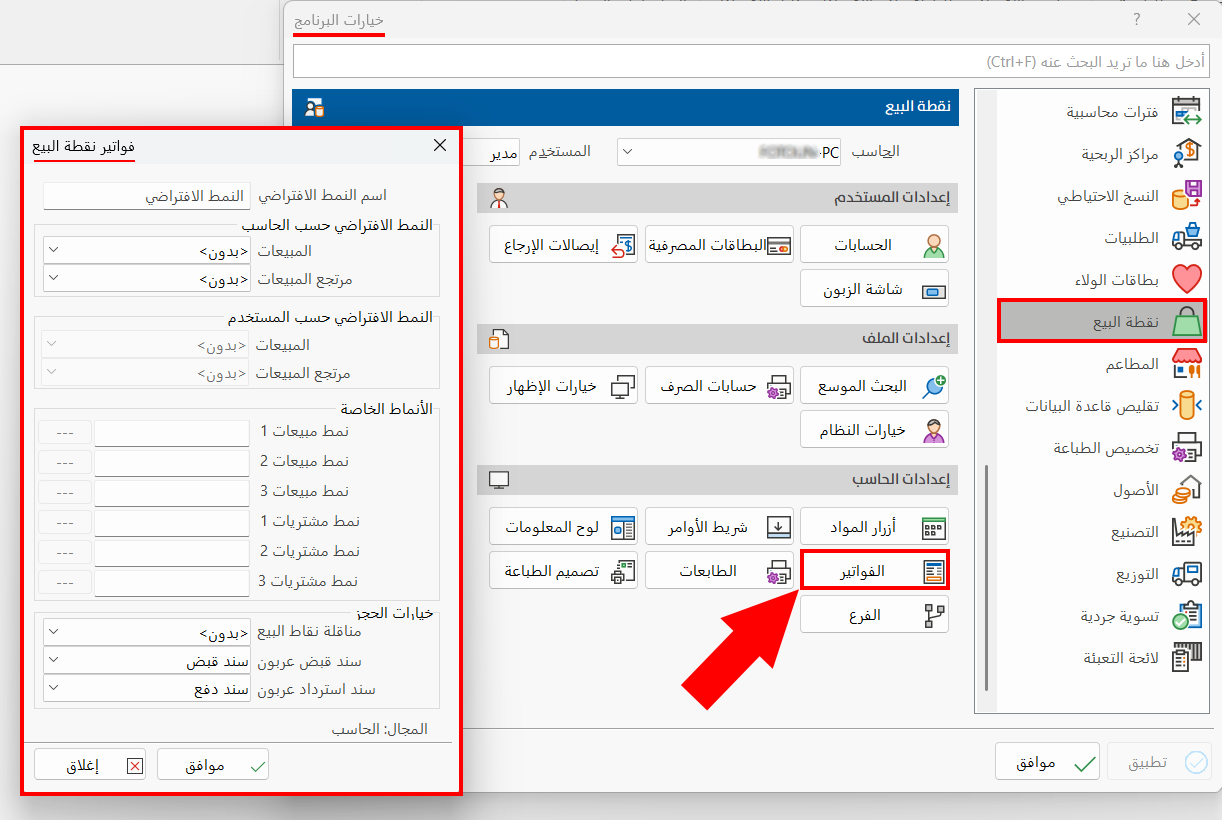
The fields of the "POS Bills" window are used as follows:
Default Type Name
The program uses the name "Default Type" for the forms you set in "Default Type by Computer" or "Default Type by User".
You can rename the default type by clicking in the field and typing the name you want.
Default Type by Computer
Set the invoices forms that will apply to all the users defined in the program who use this computer.
You must set the forms for each of:
-
Sales
-
Sales returns
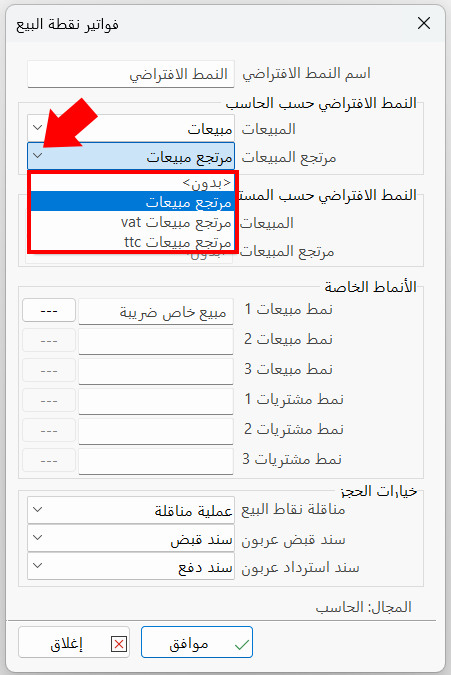
When you set the default type by computer to "None", the default type by user fields are enabled, so you can set the invoices forms for each user separately.
Default Type by User
To set the invoices forms by user, you must set the default type by computer fields to "None".
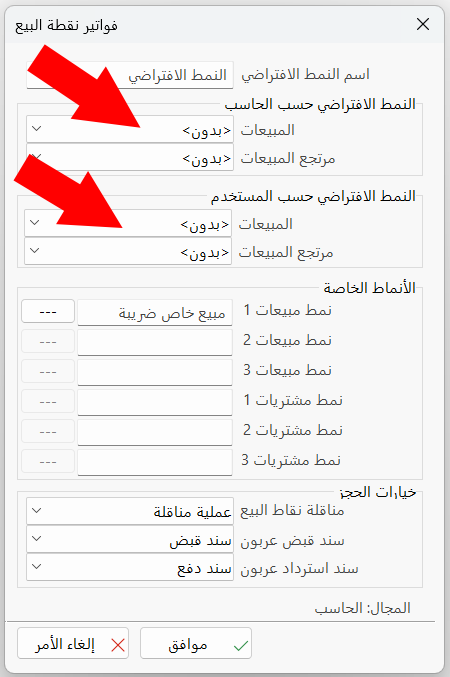
After the fields are enabled, make sure that the user name in the "User" field of the Program Options window is the user you want to set the forms for.
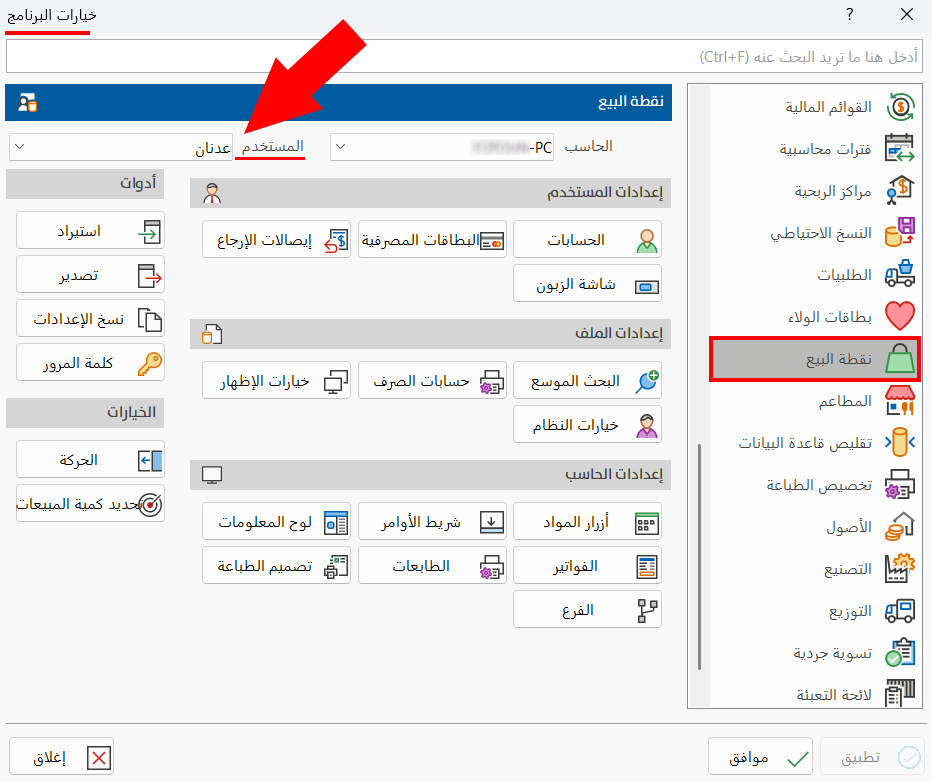
After checking the user name, set the forms for each of:
-
Sales
-
Sales returns
Special Types
You can create different forms to use at the point of sale: the program lets you define three sales forms and three purchase forms.
Set a Special Type
To create a special form, follow these steps:
Name the Special Type
Click in the form field (sales form or purchases form), then type the name of the special form you are creating.
Set Up the Special Type
After you name the form, the program enables the three dots next to the field, as shown in the image.
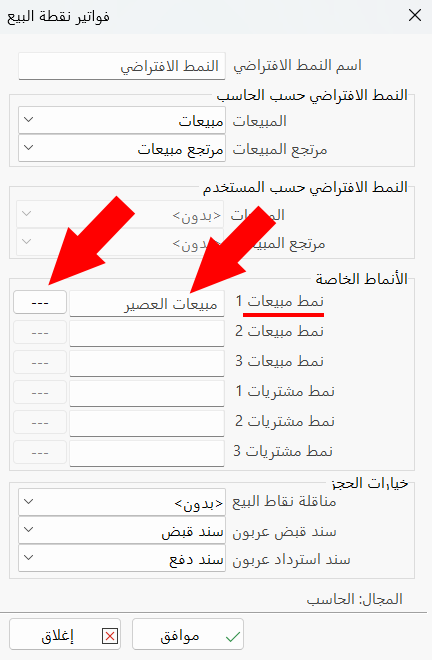
Click the dots: the "Special Types Settings" window opens, where you customize the invoice form, the payment options, and the print form.
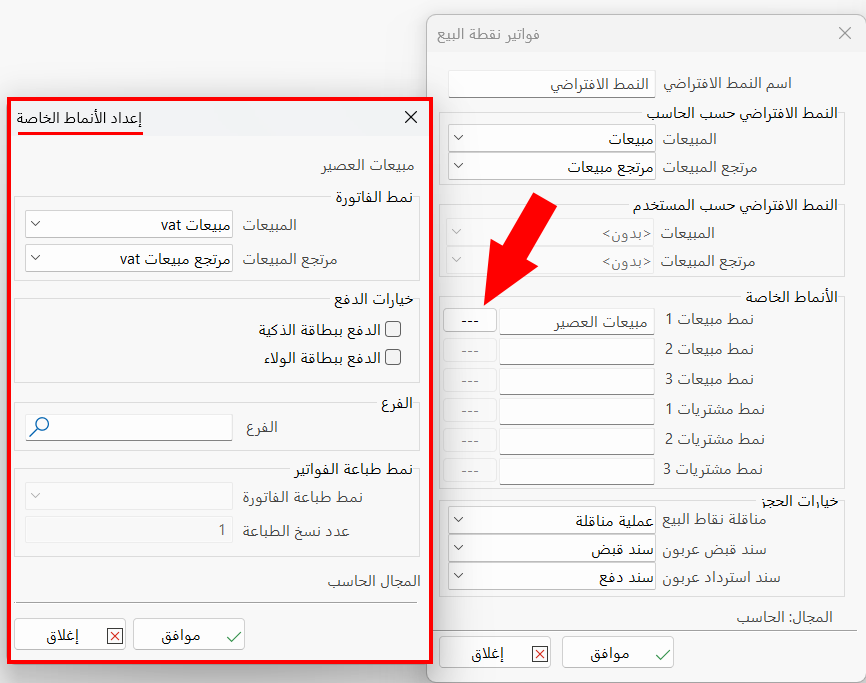
Reservation Options
Used to assign forms for each of:
POS Transposition
Set the transfer form to use when a transfer is carried out at the point of sale: a list of all the forms defined in the "Transpositions Forms" window opens.
Down Payment Receipt Voucher
Set the type of voucher generated when a down payment is received from a customer at the point of sale: a list of all the vouchers defined in the "Entries Properties" window opens.
Down Payment Refund Voucher
Set the type of voucher generated when the value of the down payment is refunded to the customer: a list of all the vouchers defined in the "Entries Properties" window opens.
Click "OK" in all the windows (POS Bills, Program Options) to save the settings.