Branch
Sets the branch to which the options set on the "Point of Sale" tab apply, and in which the point of sale interface will be used.
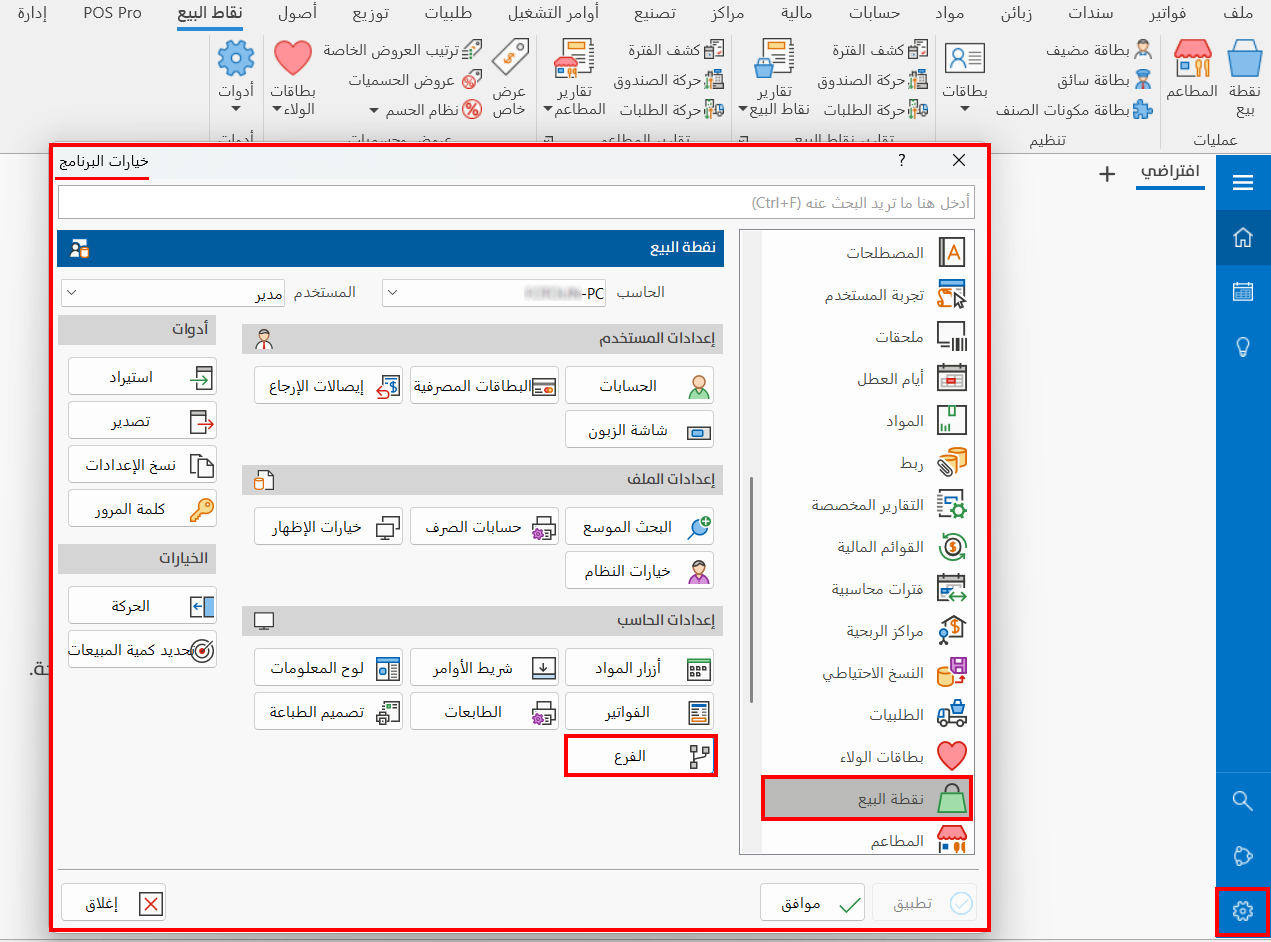
To set the branch, click the "Branch" option; the following window opens:
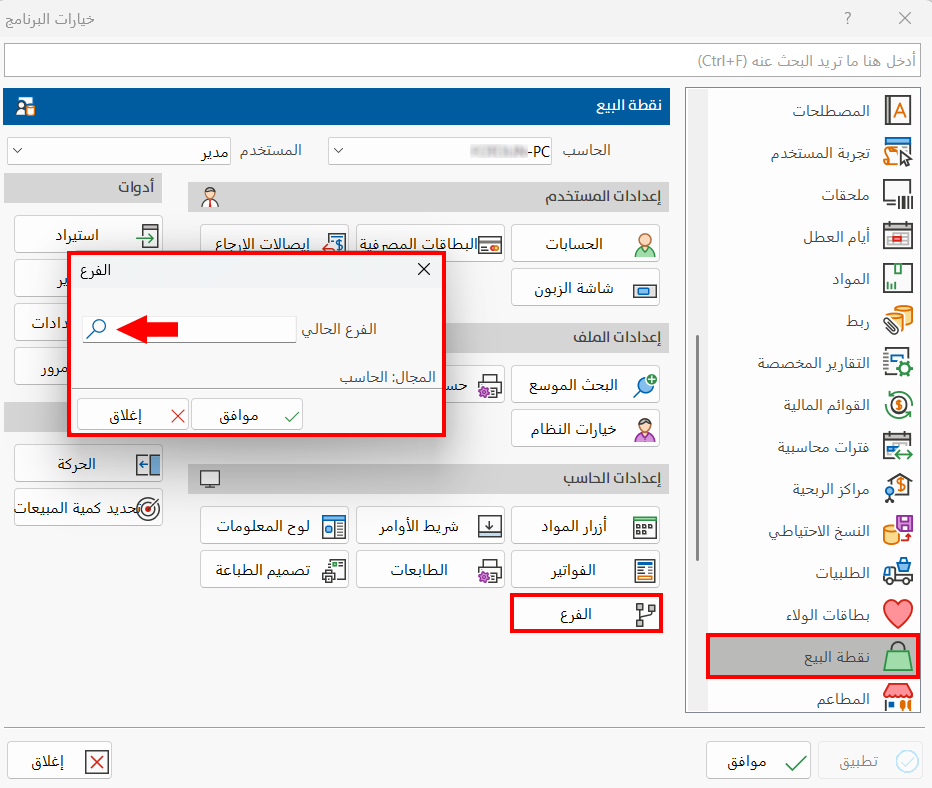
Enter the name or code of the branch in the "Current branch" field, then click "OK" in the window.
You can also look up the branch with the search icon in the "Current branch" field: after you click it, the "Select Branch" window opens, showing all the branches defined with the branch card.
Click the branch in the list, then click "OK" to put it in the "Current branch" field.
To abandon choosing the branch, click "Cancel" in the window.
note
Click "OK" in all windows to save the settings.