Computer Settings
A set of options set at the computer level, which you can later copy to other devices and users.
The options are:
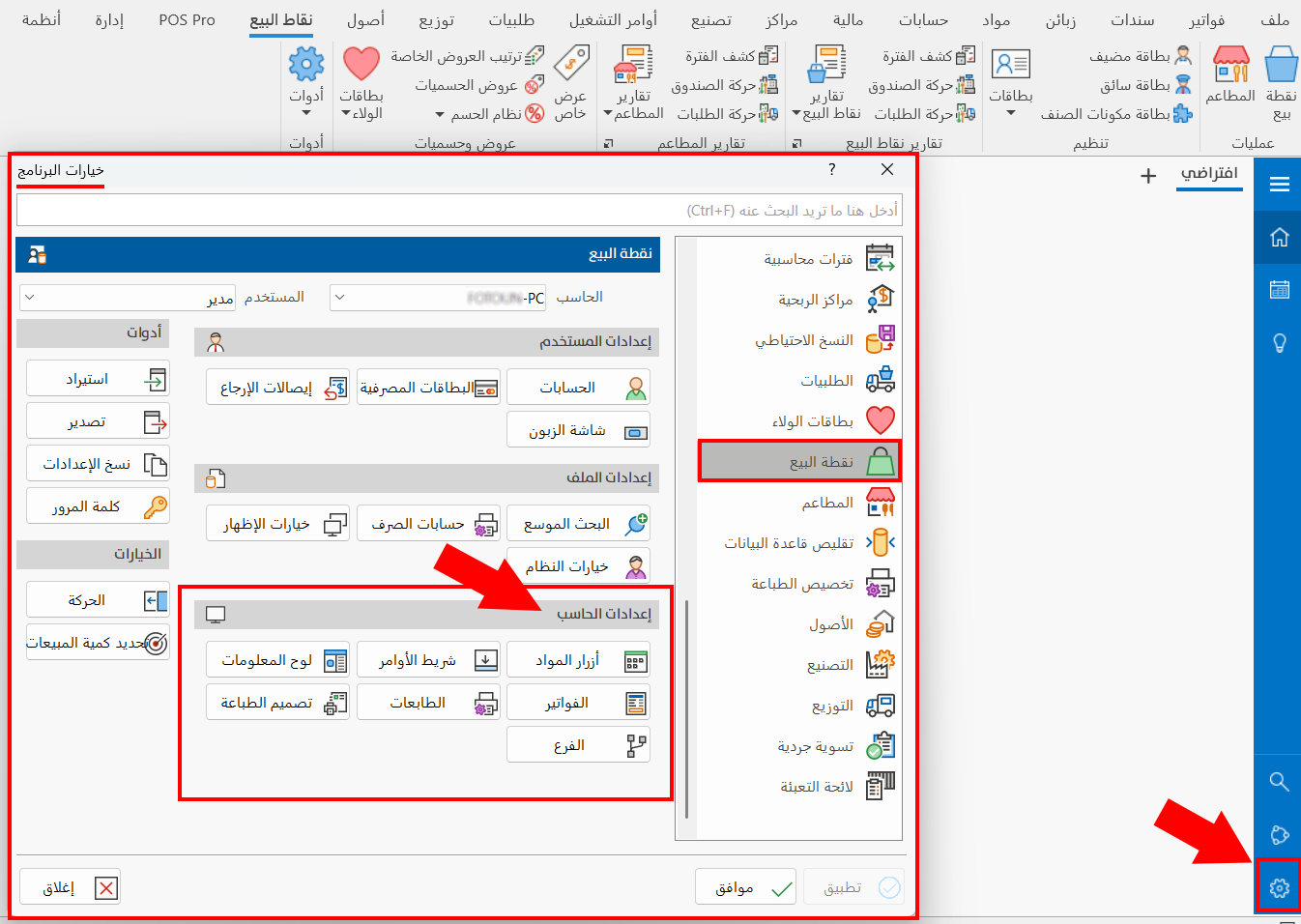
Materials Buttons
One of the basic options of the system is adding materials buttons: with this option you can add materials groups and materials buttons, and modify and delete them.
Commands Bar
The point of sale interface shows a set of default commands. To add new commands that serve your work, click the "Commands Bar" option and choose the new command buttons; you can also modify or delete buttons added earlier.
Dashboard
The dashboard shows the totals fields, such as the total, discounts, and additions. With this option you can modify the fields or add new ones.
Invoices
One of the mandatory options of the point of sale system is setting the default form of sales invoices and sales return invoices: with this option you can enter the default form and set special forms.
Printers
You can set the number of printers used at the point of sale and adjust their settings; the program lets you set more than one printer.
Print Design
Create designs for printing point of sale invoices, and set the number of copies you want to print of each invoice.
Branch
Set the branch in which the point of sale whose options you are setting will work.