Generate Bills for Orders without Bills
You can use the "Generate bills for orders without bills" tool when the "Generate bills directly after payment" option is inactive in the system options, so that you can modify orders before the bill is generated and no previously generated bill has to be deleted.
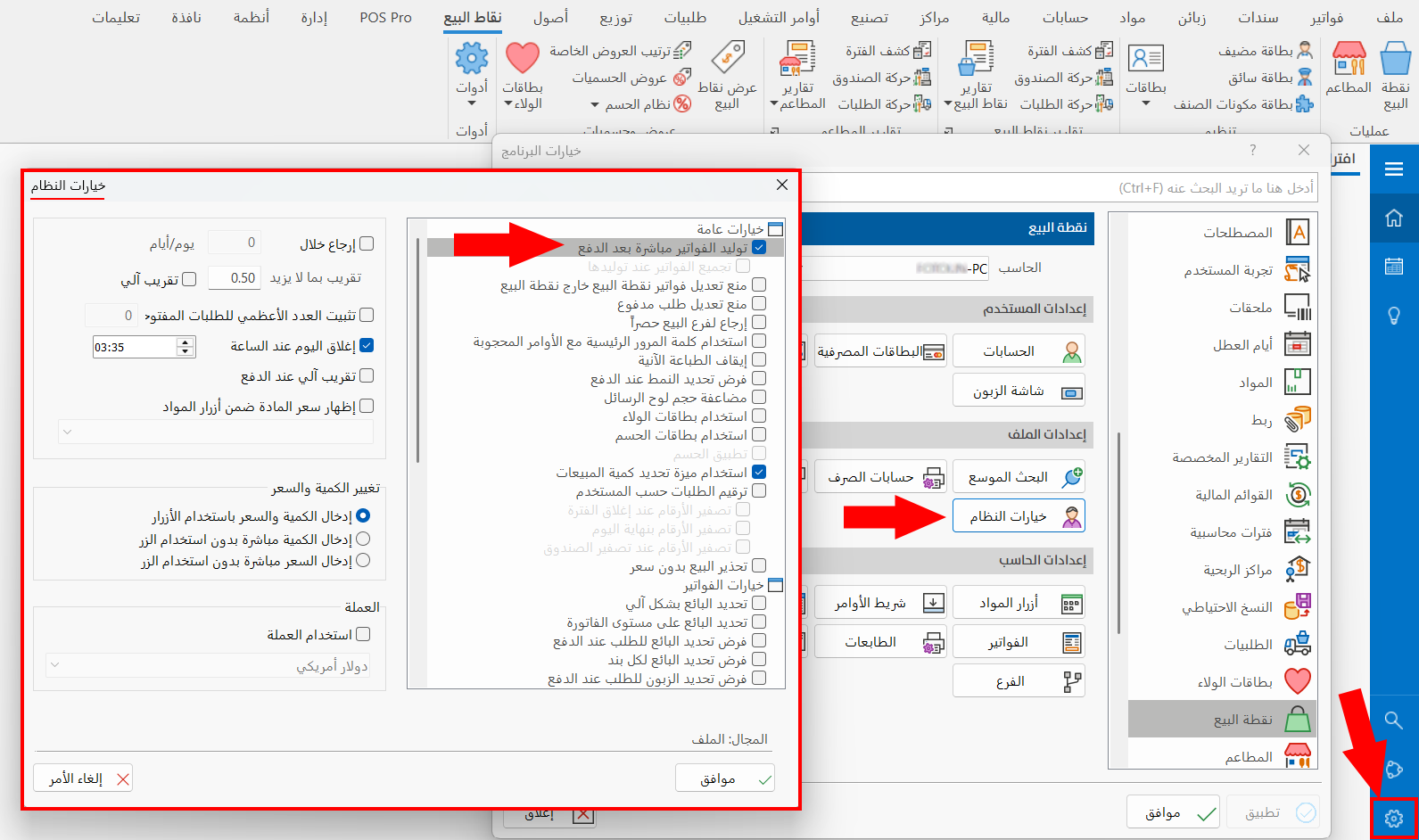
If you generate the bills of the day or period all at once and avoid generating bills directly after payment, and you are a user with the permission, you can disable the "Generate bills directly after payment" option, which is enabled by default.
You can reach the "Generate bills directly after payment" option from the Program Options window - Point of Sale tab - System Options button - General Options.
Generating Bills Manually
After you disable the "Generate bills directly after payment" option, bills are no longer generated automatically after the order is paid, and you must generate them manually with the "Generate bills for orders without bills" tool.
You can reach the tool in the point of sale interface from the main commands menu - "Reports and Tools" button.
After you click the button, the window appears as follows:
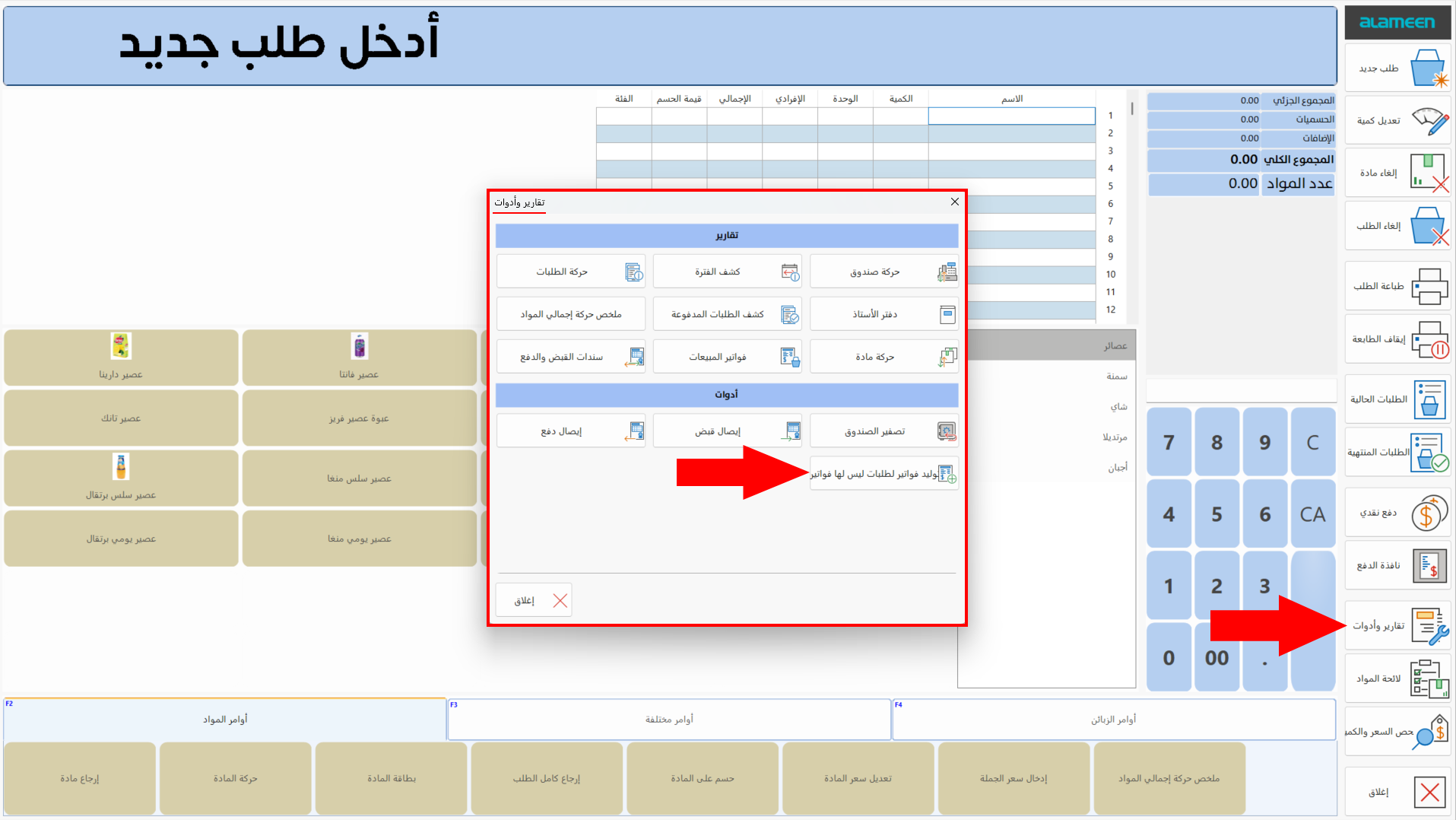
Click the tool to start generating bills for the orders that have none. When the system finishes generating the bills, a message confirms that the bills were generated and saved successfully.
