Assembly and Disassembly
Some factories and companies buy items in order to disassemble them and sell their parts separately, or put a number of materials together to make a new item that is sold as a separate material.
alameen ERP can handle these items by making them an assembled material (a material that contains a number of separate materials) and generating the needed assembly and disassembly invoices.
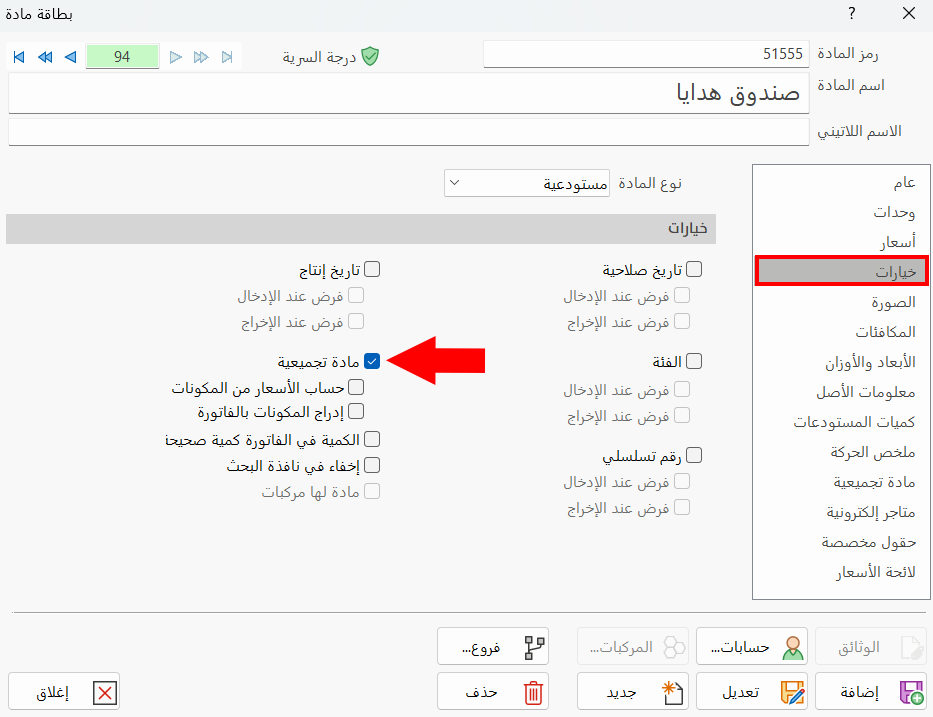
You can make a material an assembled material by enabling the "Assembled Material" option on the Options tab of its material card.
Assembling or disassembling materials is similar to manufacturing: in assembly, the component materials of the assembled item are taken out of the warehouses and the assembled item is entered, with an entry generated for both; disassembly is the reverse.
Stages of the Disassembly and Assembly Operation
To carry out disassembly and assembly, follow these steps:
Define the assembly and disassembly invoices forms: the invoices in which the materials used in assembly are taken out and the assembled material is entered.
Or the materials to be broken down are taken out and the materials produced by disassembly are entered.
Customize the material cards: set the assembled materials (the materials produced by assembly, or the materials to be disassembled).
Add an assembly or disassembly invoice: use the form that suits the operation, enter the assembled material and set its available quantity, then add the invoice.
Example: Adding an Assembly Invoice
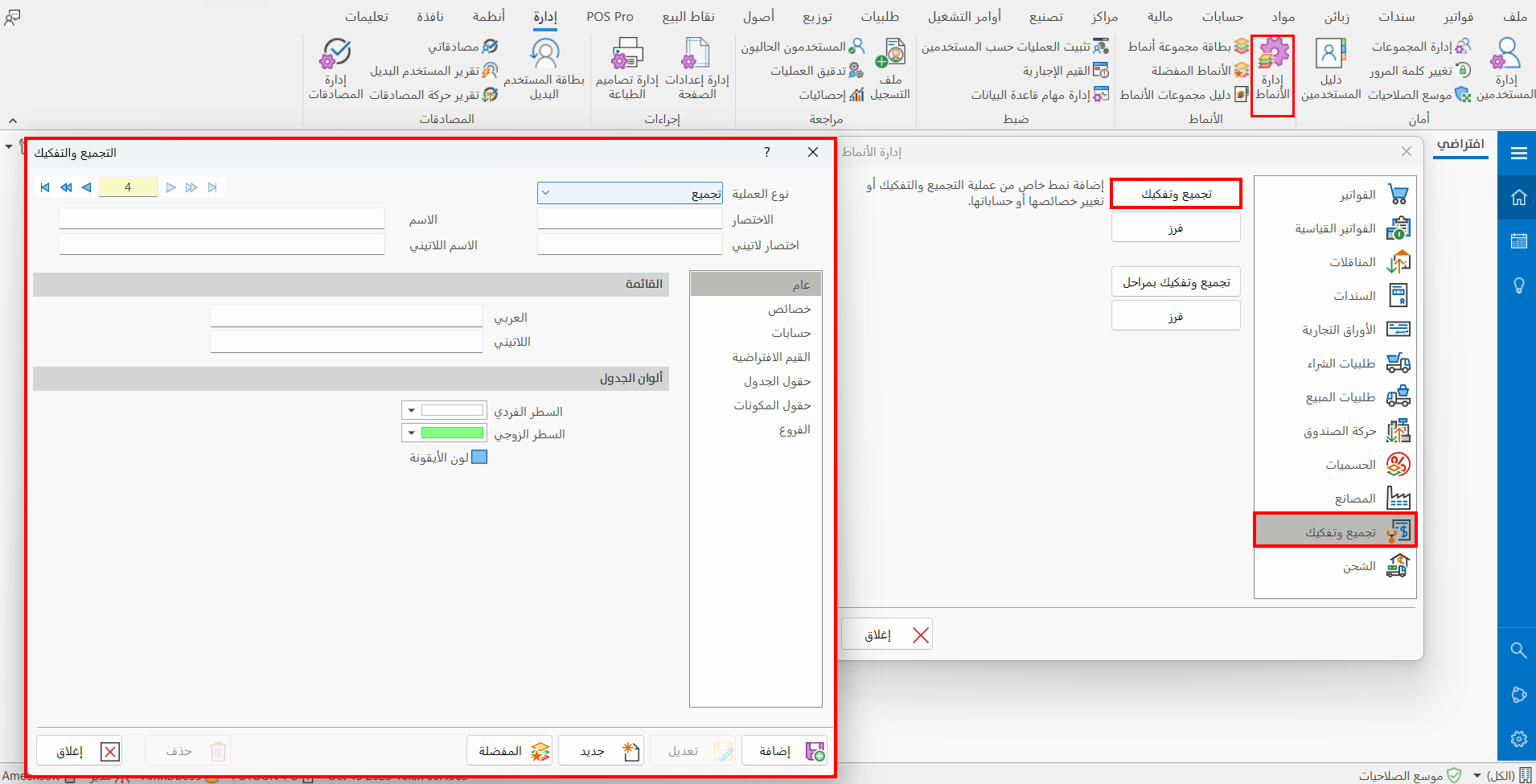
First: add a new assembly invoice form without stages, in the "Forms Management" window - "Assembly and Disassembly" tab.
Second: add an "assembled" material card
You must first enable the "Assembled Material" option on the "Options" tab of the card.
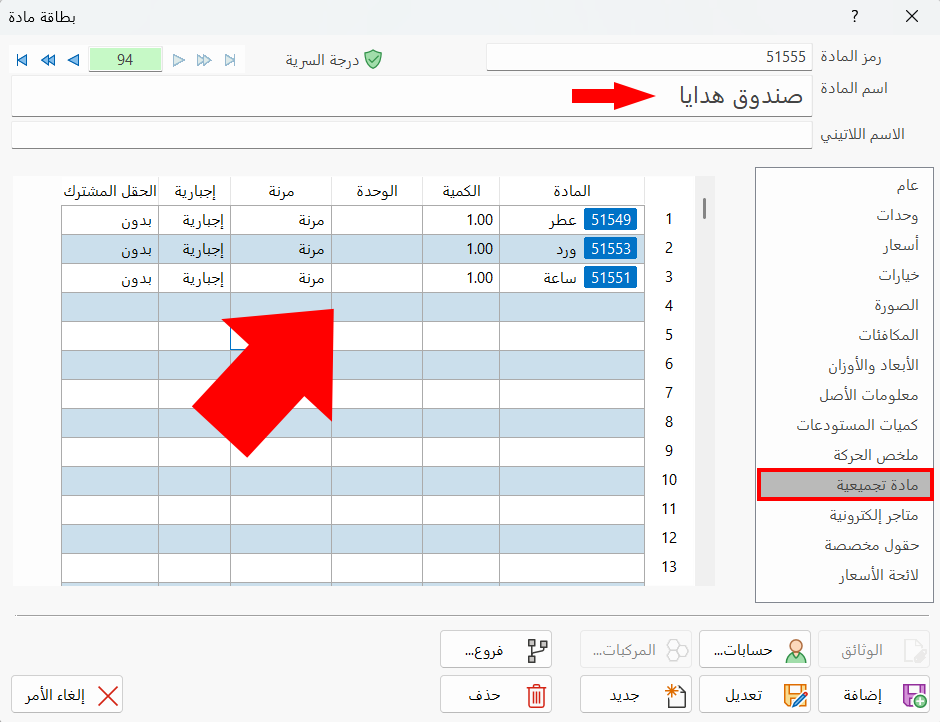
Then move to the "Assembled Material" tab of the material card, and list the component materials of the assembled material you are adding.
Third: add an assembly invoice with the assembled material
The added assembly and disassembly forms are listed on the Invoices tab in the "Assembly and Disassembly" group. With the "Assembly without stages" form added in the first step of this example, add an assembly invoice with the assembled material.
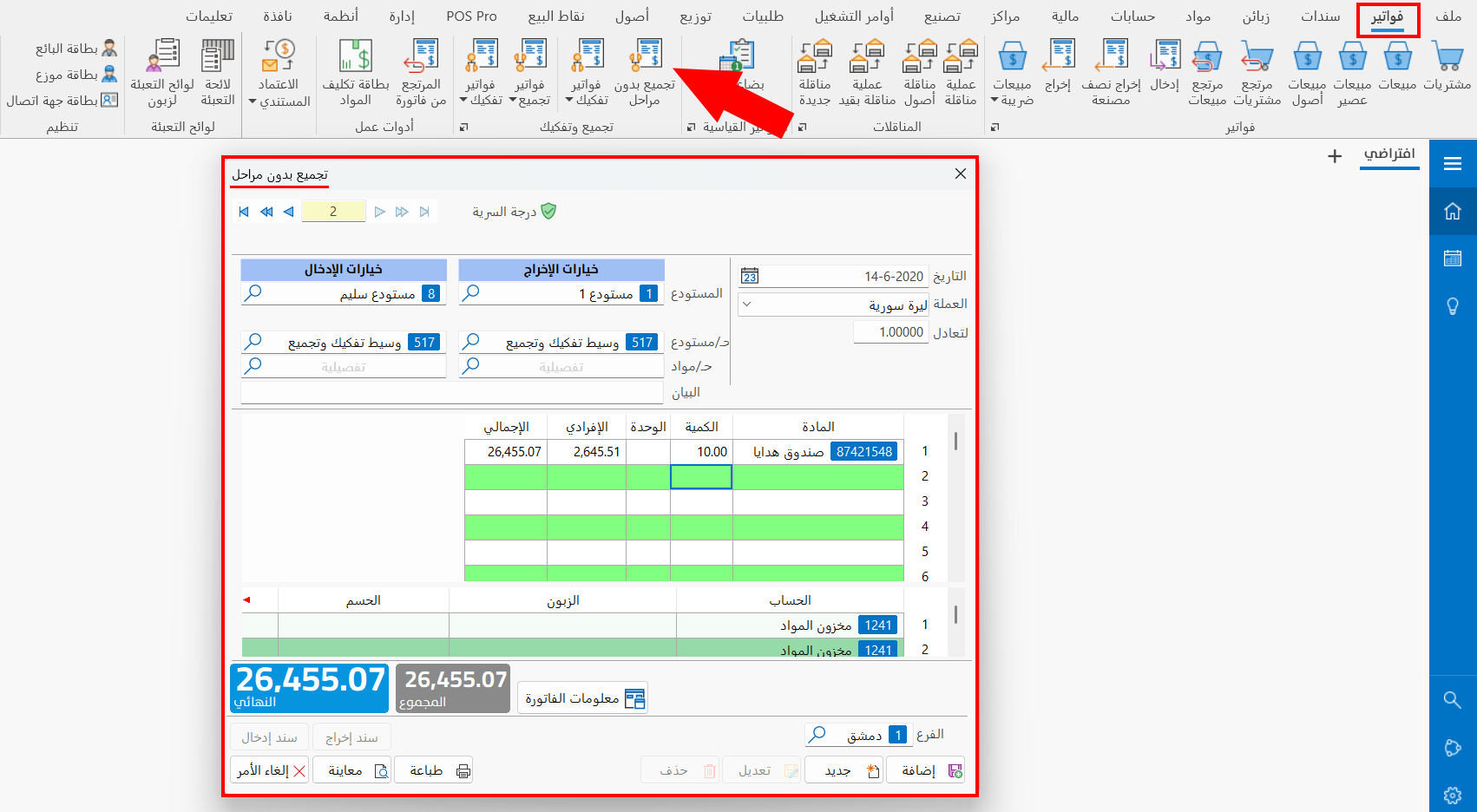
This invoice records taking out the consumed materials (the raw materials) and entering the produced materials (the assembled material) into the warehouses.