Chart of Branches
The chart contains the main and sub branches defined with branch cards. You can carry out many operations in the chart, such as adding or modifying a branch card, and sorting the branches by several criteria.
The Chart Window
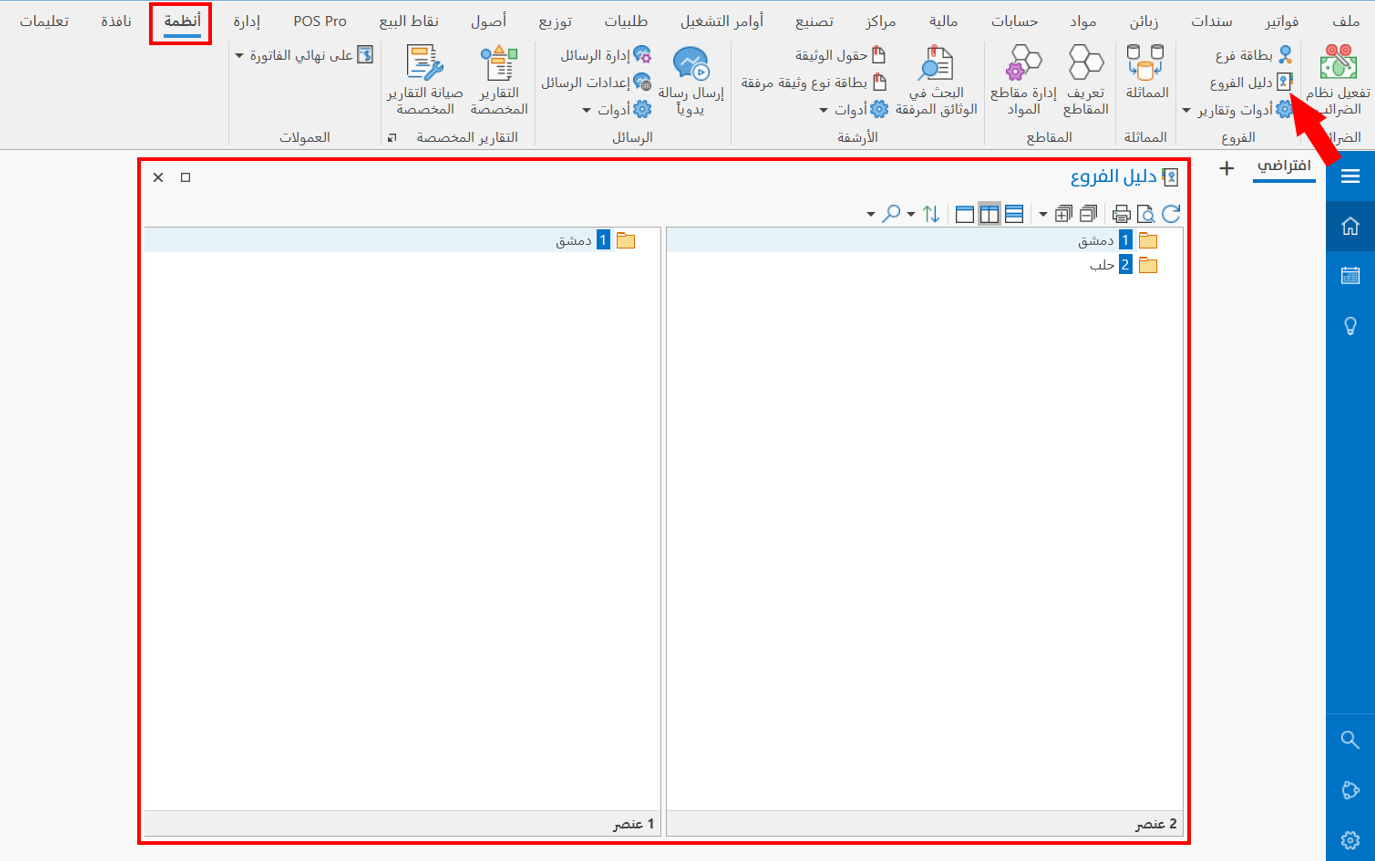
The main branches appear in one pane of the chart. When you point to a branch, the other pane of the chart shows the defined sub branches that belong to it.
How Do I Reach the Chart?
You can view the chart of branches from the Systems tab on the main ribbon - "Branches" group.
It appears as follows:
Operations in the Chart
Please see Chart Operations.
The Chart Toolbar
Please see Chart Toolbar.