Chart of Materials
The chart of materials helps you organize your materials and classify them in main and sub groups, so you can view them quickly, move between groups, and carry out basic operations such as adding groups or materials and showing their cards.
The Chart Window
The chart shows the materials you have defined in alameen ERP as a hierarchy sorted by code: the main material groups appear in one pane of the chart, and when you point to one of these groups, the other pane shows the materials defined in that group.
How Do I Reach the Chart?
You can view the chart of materials from the Materials tab on the main ribbon - "Settings" group.
It appears as follows:
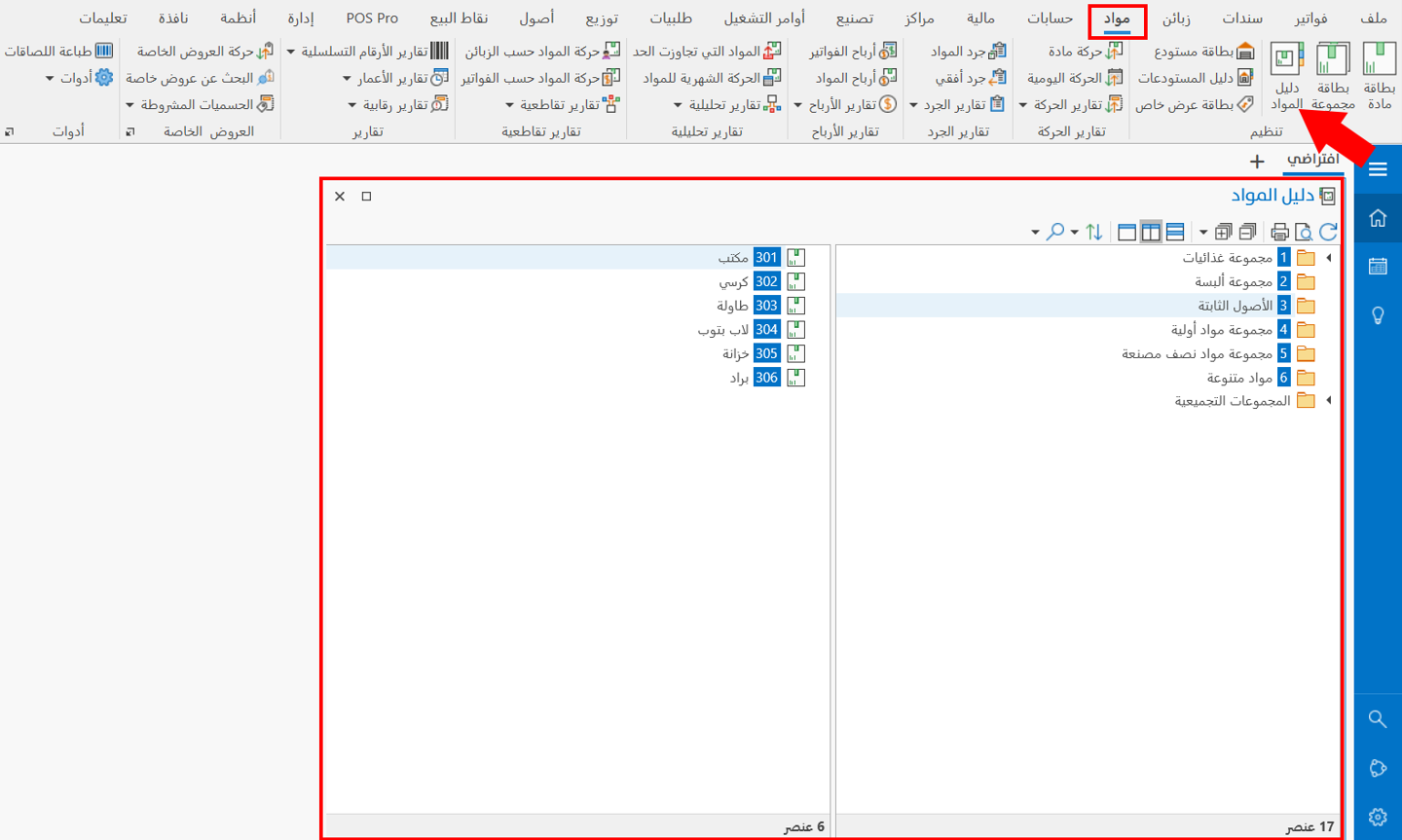
The chart of materials window shows your material groups as a hierarchy, as well as the materials in those groups. You can also carry out some operations in this window, such as adding a sub group or adding a material to a group, and showing the cards of groups and materials.
Operations in the Chart
Please see Chart Operations.
The Chart Toolbar
Please see Chart Toolbar.