Device Card
Defines the devices you want to use in the maintenance workshops: when your company sells and maintains materials, you need the device card to use it in a maintenance order and to know the warranty period of the material.
You can add the warranty period of a material in its card, on the card's "Options" tab: enable the "With Warranty" option, then set the warranty duration with the available fields. The warranty is then in effect from the date the material is sold, for the set duration.
You cannot enable the "With Warranty" option for a material without serial numbers: it requires the "Serial Number" option to be enabled in the material card.
The program can generate a device card automatically after the material is sold in a sales invoice: enable the "Generate a device card automatically when selling a material with warranty" option on the "Properties" tab of the sales invoice form.
The card is generated automatically with the information of the sales invoice: the material name, its serial number, the buyer, and the warranty period.
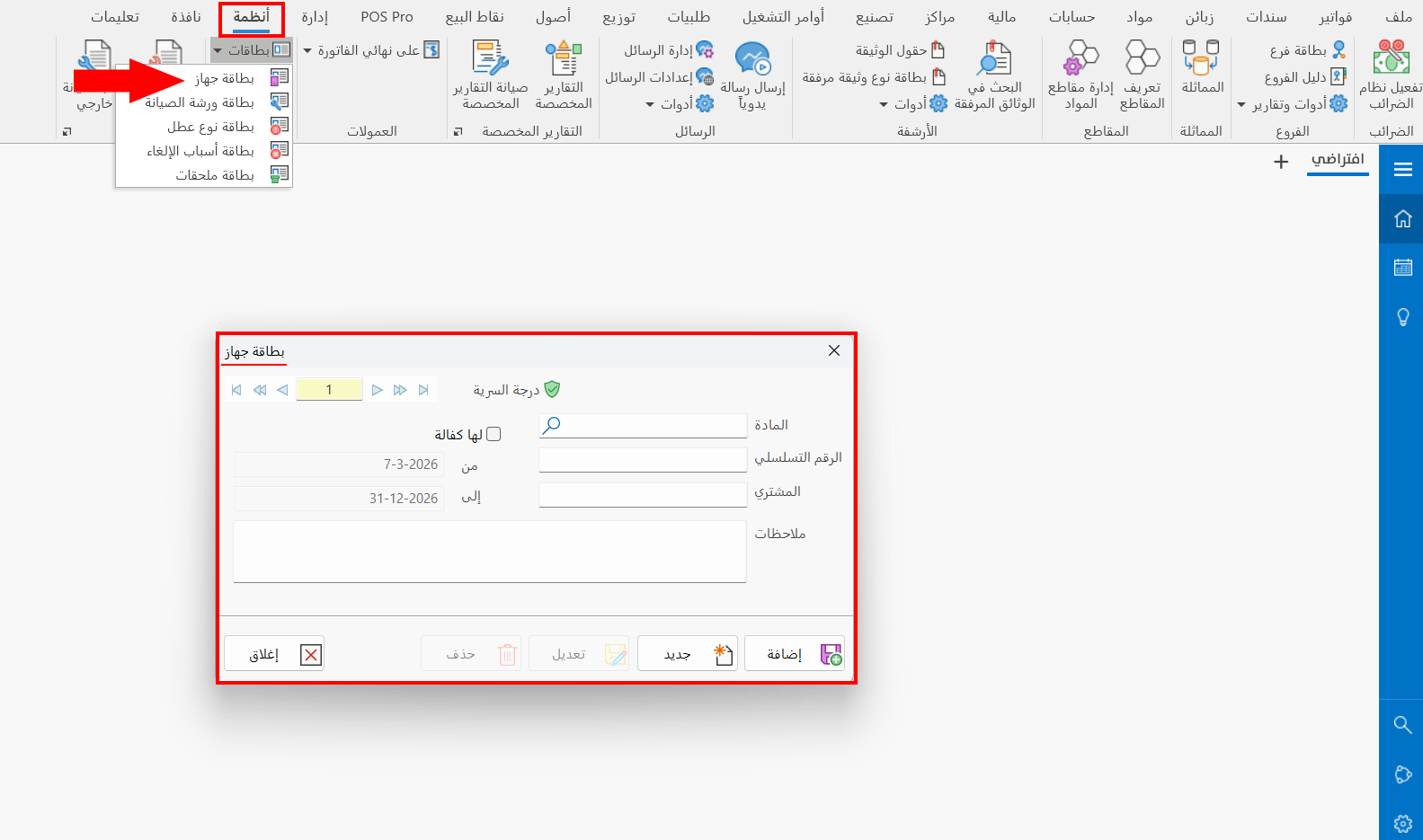
You can reach the device card from the Systems tab - Workshops group - the drop-down list of the Cards button.
Once requested, it appears as follows:
Main Fields
The device card consists of several fields for adding all the information needed to define it as one of the devices in the program:
Serial Number and Navigation Buttons
Please see Serial Number and Navigation Buttons.
Security Level
Please see Security Level.
Material
Enter the material you want to define a device card for, by typing its name or code, or part of its name and then pressing Enter or F3: the "Select Material" window opens, showing all the defined materials that have a serial number.
Serial Number
Enter the serial number of the material in the field, whether the material was sold by your company or elsewhere (mandatory field).
When the card is generated automatically, the same serial number used in the sales invoice appears.
Buyer
Type the name of the customer who bought the material (the device) to make the data more accurate. The buyer does not have to be one of the customers defined in the program (not mandatory).
With Warranty
Enable this option to set the warranty period of the device, which you can set in the following fields:
- From
The start date of the device's warranty.
- To
The end date of the device's warranty.
When the card is generated automatically, the same warranty period set in the material card appears.
Notes
You can enter additional information related to the device.
Standard Commands
Please see Standard Commands.