Accessories Card
The accessories card defines the equipment and tools the customer gives you with the device when requesting maintenance. For example, when you receive a mobile phone from a customer for maintenance, it may come with a charger: you can define this charger as an accessory.
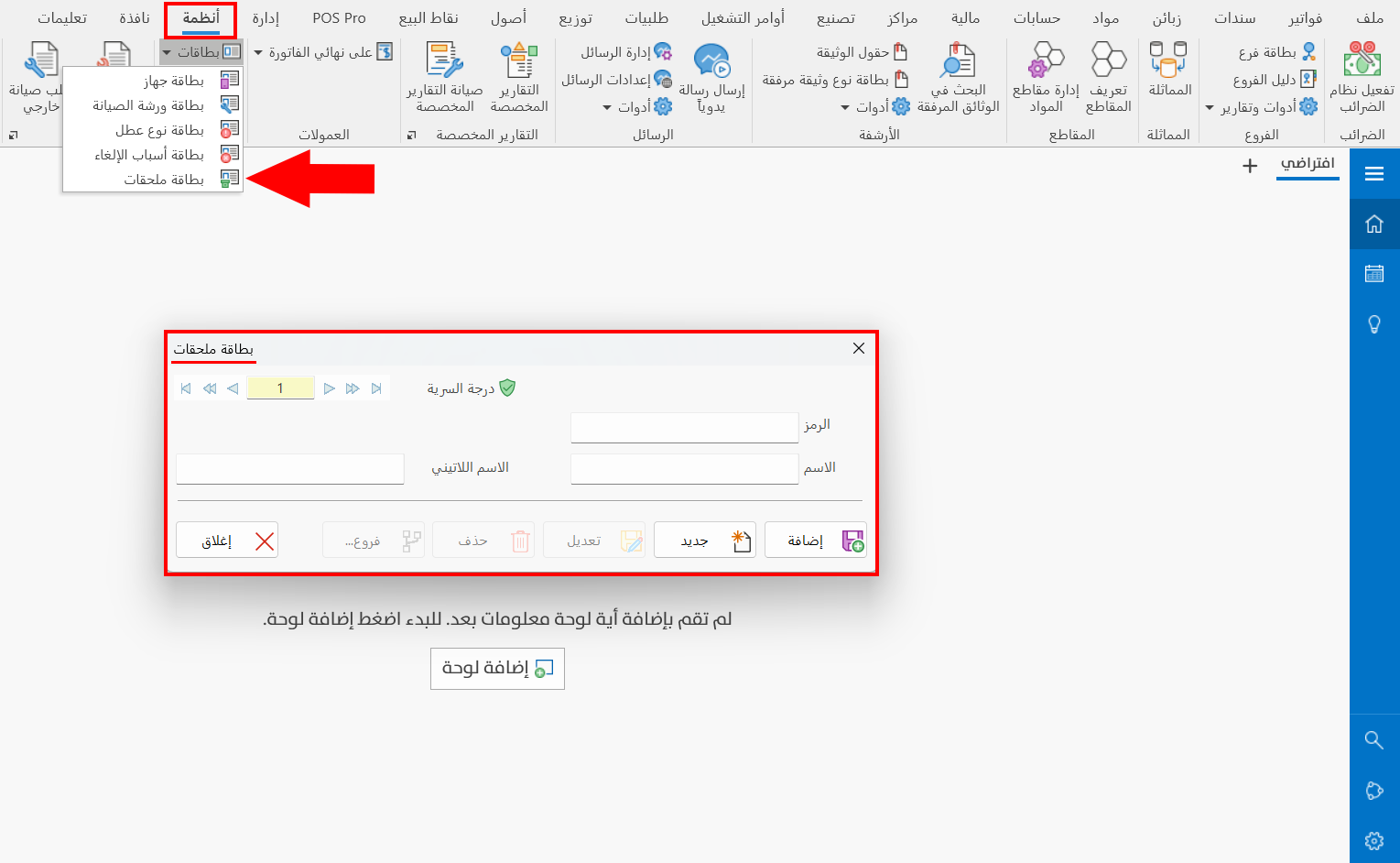
You can open the accessories card from the Systems tab - Workshops group - the drop-down list of the Cards button.
Once requested, it appears as follows:
Main Fields
The card window contains a set of fields that help you define the accessories:
Serial Number and Navigation Buttons
Please see Serial Number and Navigation Buttons.
Security Level
Please see Security Level.
Code
Set in this field the code of the accessory you are defining a card for (mandatory field).
Name
Enter the name of the accessory you are defining, so you can use it in the accessories table of a maintenance order, for example: remote control, charger, keyboard (mandatory field).
Latin Name
You can enter the name of the accessory in a different language.
Standard Commands
Please see Standard Commands.