Loyalty Tier Card
The loyalty tier card defines tiers and sets the charging method of the loyalty cards of each tier, so you can give them to customers at the point of sale or restaurant, and collect and redeem points.
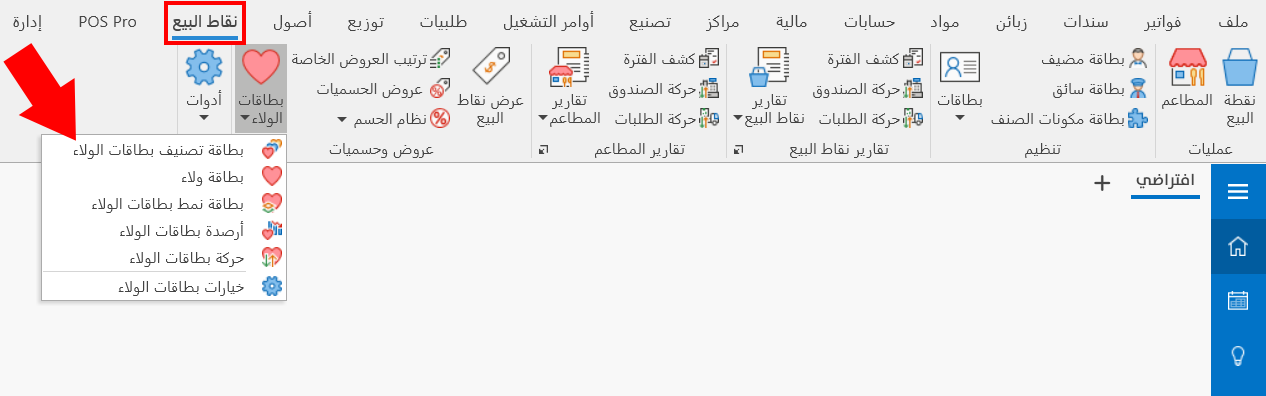
You can reach the loyalty tier card (if you are a user with the permission) from the main ribbon - POS tab - Offers and Discounts group - the drop-down list of the Loyalty Cards button.
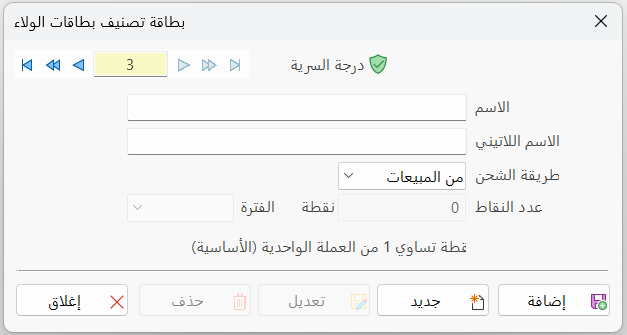
Once requested, the window appears as follows:
Serial Number and Navigation Buttons
Please see Serial Number and Navigation Buttons.
Security Level
Please see Security Level.
Name
Enter the name of the tier you are creating a card for (this field is mandatory).
Latin Name
You can write the name of the tier in a different language.
Charge Type
The charge type affects how the card is used and how points are charged, as well as the stages of creating a loyalty card. You can choose one of the following:
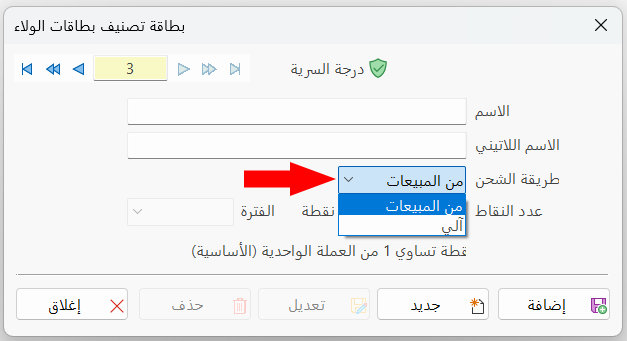
Charging from Sales
With this method, the card is charged and the number of points increases when the customer buys an invoice of a certain value: in exchange for this value, they get points they can use later.
The points balance increases when the customer buys for a value that meets the grant condition set in the loyalty type card.
When you define a loyalty tier card with the "From sales" charging method, you must create a loyalty type card and link the current tier to the type.
Automatic Charging
The card is charged in exchange for a particular service (staff meals): some restaurants allocate a certain amount that an employee is allowed to eat for, so the number of points is set equal to that amount.
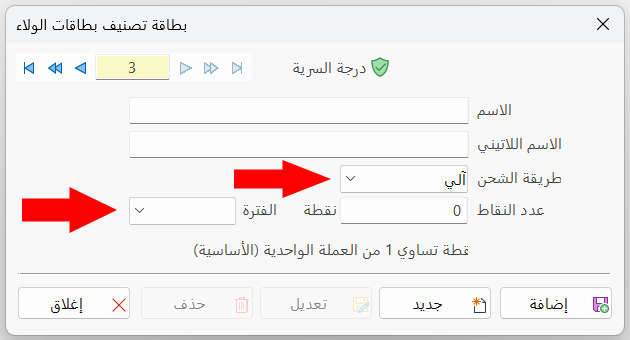
After you choose the "Automatic" charge type, the "Points Count" and "Period" fields of the window are enabled.
You must set the auto charge account in the Program Options window - Loyalty Cards - "Auto Charge Cards Account" field.
Points Count
Available after you choose the "Automatic" charge type. It sets the number of points given to the loyalty cards linked to this tier.
Enter the number of points in the field; each point equals (1) of the basic currency.
Period
Available after you choose the "Automatic" charge type. It sets the period during which the points must be spent.
Enter the number of points, then choose from the drop-down list of the field the period during which the holder of a card linked to this tier is allowed to spend the points.
Standard Commands
Please see Standard Commands.
Example: Adding a Loyalty Tier
The following shows how to add a new loyalty tier in a restaurant, named "Staff Meals", to be linked to the loyalty cards given to the restaurant's employees.
So the charge type is "Automatic", and the number of points is "2000" points a month.
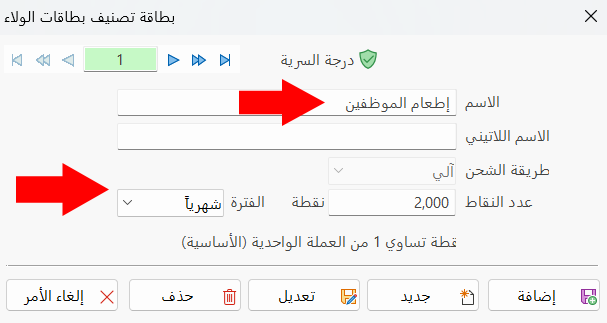
After clicking "Add", you must create the loyalty cards for the employees, for example the employee Ali, and link the tier to the loyalty card.
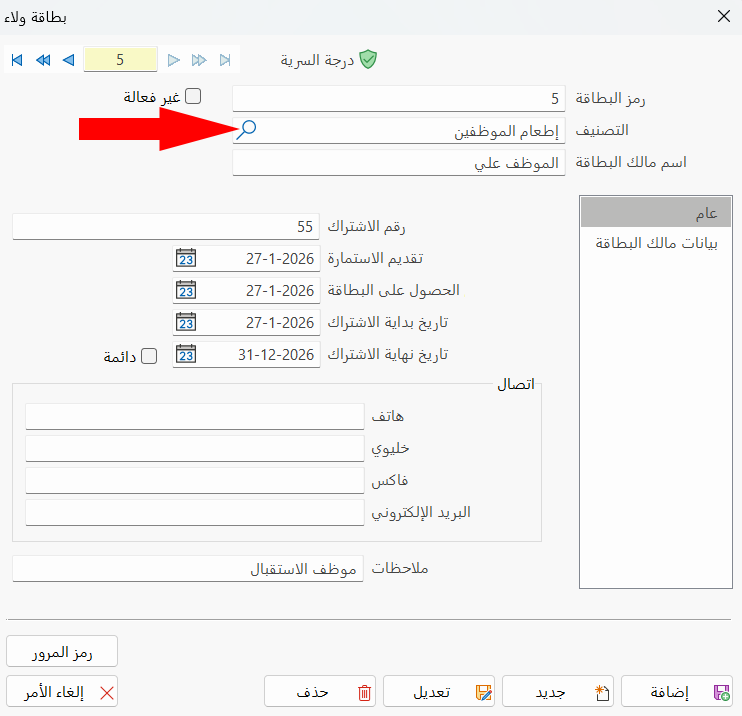
Make sure the "Use Loyalty cards" option is enabled in the Program Options window - Point of Sale/Restaurants tab - System Options button.