Ingredients Card
Shows the ingredients of a particular item in one table: after defining material cards for the item itself and for the materials that make it up, you can gather these ingredients and view them in the ingredients card.
For example, the ingredients of a pizza: cheese, sauce, olives...
You can reach the card from the POS tab on the main ribbon - "Settings" group.
Once requested, it appears as follows:
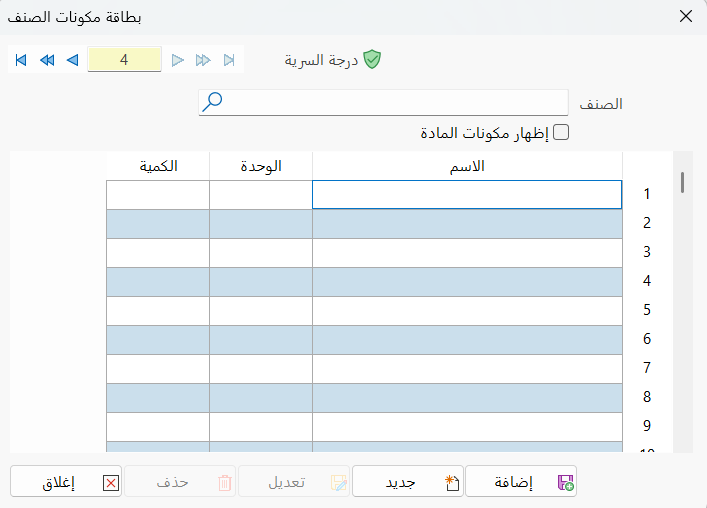
Main Fields
The ingredients card consists of several fields for adding all the information needed to define it in alameen ERP:
Card Number and Navigation Buttons
Please see Serial Number and Navigation Buttons.
Security Level
Please see Security Level.
Material
After defining the material (the item) with a material card, enter its name or code in the field; you can also click the search icon and choose it from the material selection window that opens.
You can define a card for the material directly from the material selection window, by clicking the "New" icon on the window's toolbar.
Show Ingredients
You can enable this option to show the ingredients of the item.
Ingredients Table
Enter the ingredients of the item in the following table:
Name
Type the name or code of the material, or the first letter of its name, then press enter: the material selection window opens; click the material you want, then click OK in the window.
Here, the material is an ingredient of the item whose ingredients you are defining.
Unit
After you choose the material in the Name field, the default unit of the material appears in the Unit field.
You can change the unit by double-clicking the field with the left mouse button: a list of the material's units opens, and you can click the unit you want once to choose it.
Qty
Enter the quantity of this material used to make the item, in the unit set in the Unit field.
Standard Commands
Please see Standard Commands.