Discounts Offers
The "Discounts Offers" card defines the offers you want to give customers on the value of their purchases, that is, on the net value of the sales invoice in the point of sale interface: when the customer buys for a certain value, you can give them an immediate discount on the invoice value.
To use the offers you define, enable the "Use discounts offers" option in the System Options window - Point of Sale tab - Program Options window.
If you are a user with the permissions, you can reach the "Discounts Offers" card from the main ribbon - POS tab - Offers and Discounts group.
Once requested, it appears as follows:
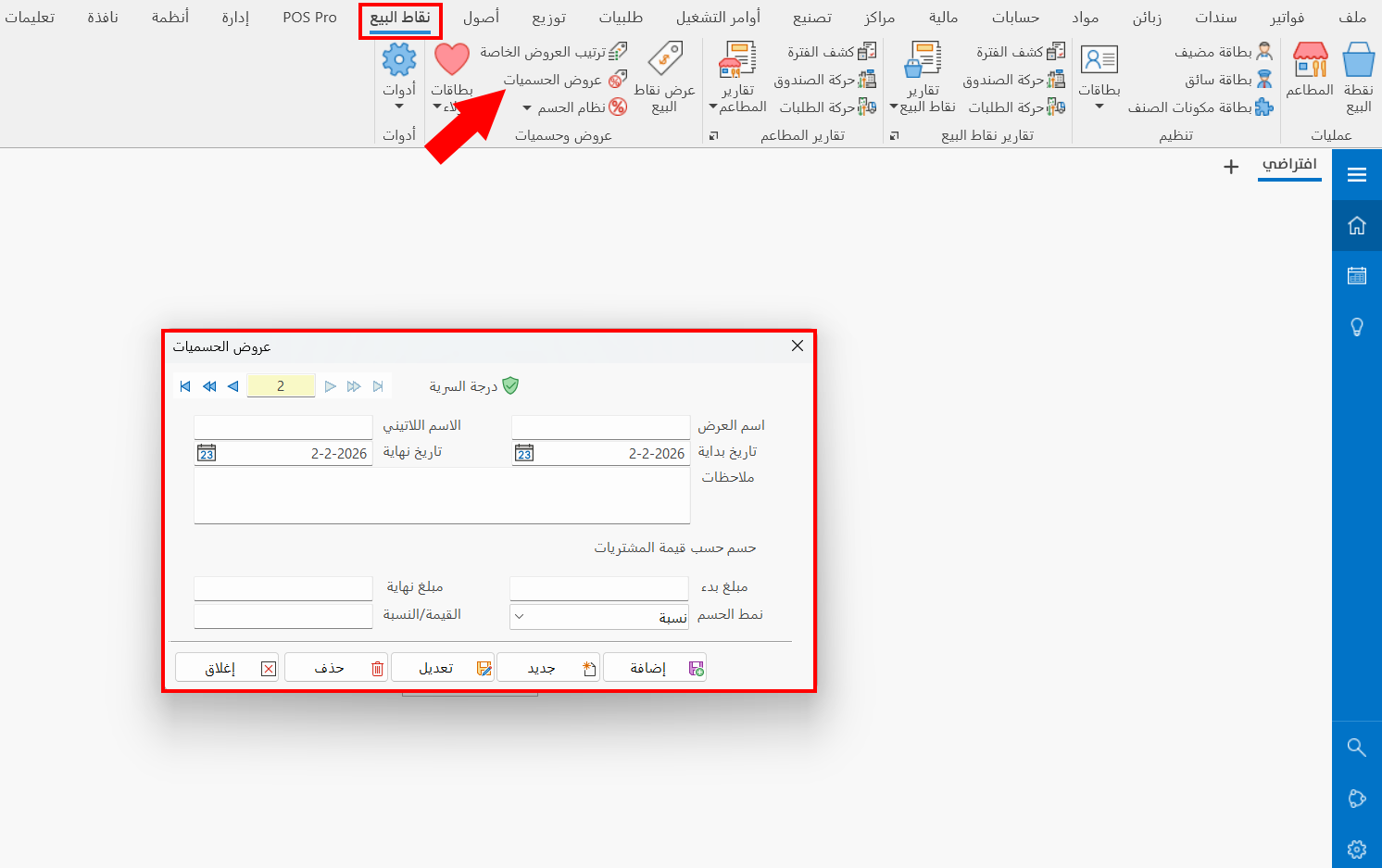
The card window contains a number of fields that help you define the discounts offer:
Serial Number and Navigation Buttons
Please see Serial Number and Navigation Buttons.
Security Level
Please see Security Level.
Offer Name
Enter the name of the offer you are creating a card for (mandatory field).
Latin Name
You can enter the name of the offer in a different language.
Start Date
Set the date on which the current discounts offer becomes valid, by typing it or with the calendar icon in the field.
End Date
Set the date on which the current discounts offer expires, by typing it or with the calendar icon in the field.
Notes
You can write additional information related to the discount offer you are defining.
Start Amount
Enter the value at which the range of amounts to which the current discount applies starts.
End Amount
Enter the value at which the range of amounts to which the current discount applies ends.
Discount Type
Choose the type of discount you want to apply to amounts within the start and end amounts. The field lets you choose one of the following:
- Percentage
Applies a specific discount percentage to the invoice value.
- Value
Deducts a specific value from the invoice value.
Value/Percentage
Enter the amount/percentage you want to apply to an invoice value within the start amount and end amount.
Standard Commands
Please see Standard Commands.