Discount Card Types
The "Discount Card Type" card defines the types of discount cards you will give customers. It sets the amount at which the discount starts, the discount type (percentage or value), and how it is applied to some materials or groups (according to what you enter in the Forms Management window - Discounts tab), as well as the period during which the discount cards linked to this type are active.
Reaching the Card
If you are a user with the permission, you can reach the "Discount Card Type" card from the main ribbon - POS tab - Offers and Discounts group - the drop-down list of Discount System.
When requested, the card window opens as follows:
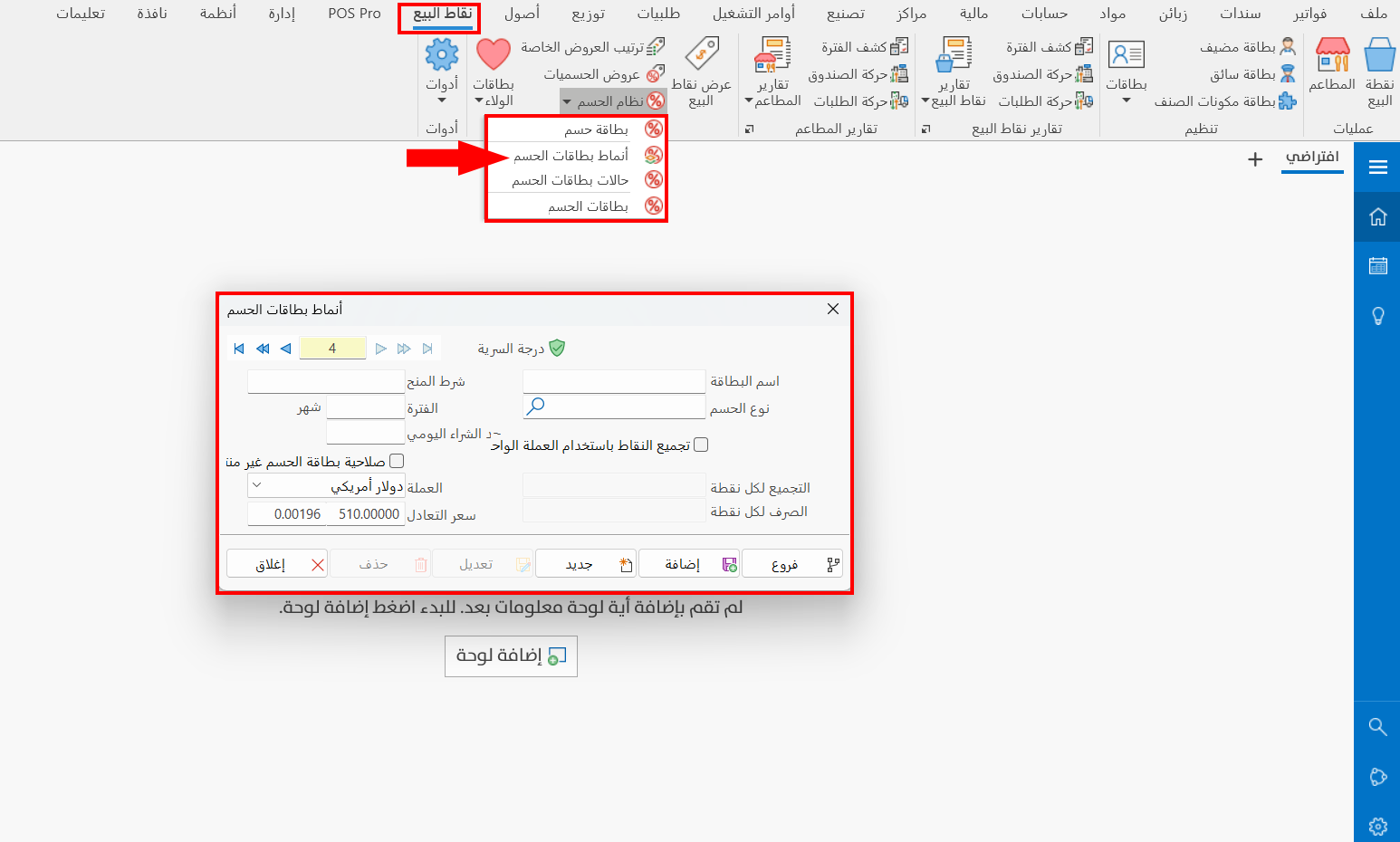
Make sure you define the discounts form you need, because you will need it when defining the discount card type card.
You can define the discounts form from the main ribbon - Management tab - Forms Management button - Discounts tab - the Edit button on the tab.
Card Contents
The card consists of a set of fields and options that help you set the discount criteria of the type you are defining:
Serial Number and Navigation Buttons
Please see Serial Number and Navigation Buttons.
Security Level
Please see Security Level.
Card Name
Enter the name of the type you are creating a card for (mandatory field).
Discount Type
Set the discount type you want to apply when the current discount type is used: enter one of the types you added in the Forms Management window - Discounts tab.
The "Discount Type" sets the percentage or value of the applied discount and the invoice value that qualifies for it, as well as the form the discount takes with particular materials or groups of materials.
Grant Condition
Enter the customer invoice value on which this discount is granted.
Period
Set the number of months during which this discount is in effect, starting from the issue date of each customer's discount card.
Daily Purchase Limit
Enter the maximum purchase value allowed per day for the holder of a card that uses the current type.
Discount Card Unexpired
Enable this option to keep the card active and the discount in effect permanently for the holder of a card that uses the current type.
When you choose an "Inactive" status in the "Status" field of the discount card, the card is deactivated even if this option is enabled.
Accumulate Points Using Basic Currency
You can enable this option to give the card holder a number of points for the total value of the invoice/order, which they can use when paying future invoices.
After you enable the option, the following fields are available:
Collect for Each Point
Enter the amount of the invoice/order value that equals one point; points are then calculated by it once the order meets the grant condition.
Exchange for Each Point
Set the redemption value of one point of the invoice/order value: when the customer has collected a number of points on their discount card and wants to pay the invoice with them, each point is counted at the value you set in this field.
To use point collection more extensively, you can use "Loyalty Cards".
Rate
The field shows the exchange rate of the currency you chose in the "Currency" field (the exchange rate of the chosen currency against the basic currency).
Standard Commands
Please see Standard Commands.
Example of a Discount Card Type Card
After adding a "Discount Type" named Gold Discount in the Forms Management window, the "Discount Card Type" card was requested. The card name was set to "Gold Discount" and the discount type added earlier with the same name was entered, then the grant condition was set to "10000", the period of the type to "12" months, and the daily purchase limit to "50000".
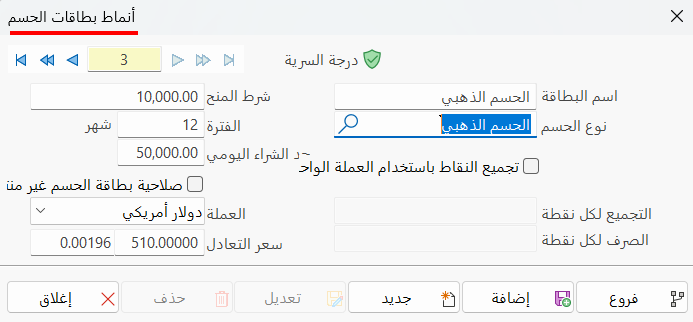
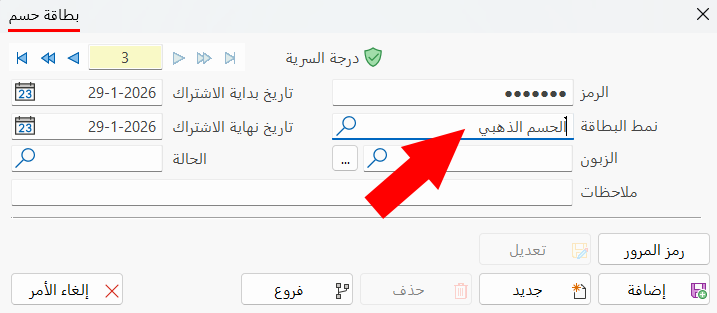
After the card is added, we can use it in the "Card Type" field of a discount card.