Discount Card Statuses
The "Discount Card Status" card defines the statuses you use in the "Status" field of the discount card, which helps you set whether discount cards are active and organize them.
You can reach the discount card status card from the main ribbon - POS tab - Offers and Discounts group - the drop-down list of the Discount System button.
Once requested, the window appears as follows:
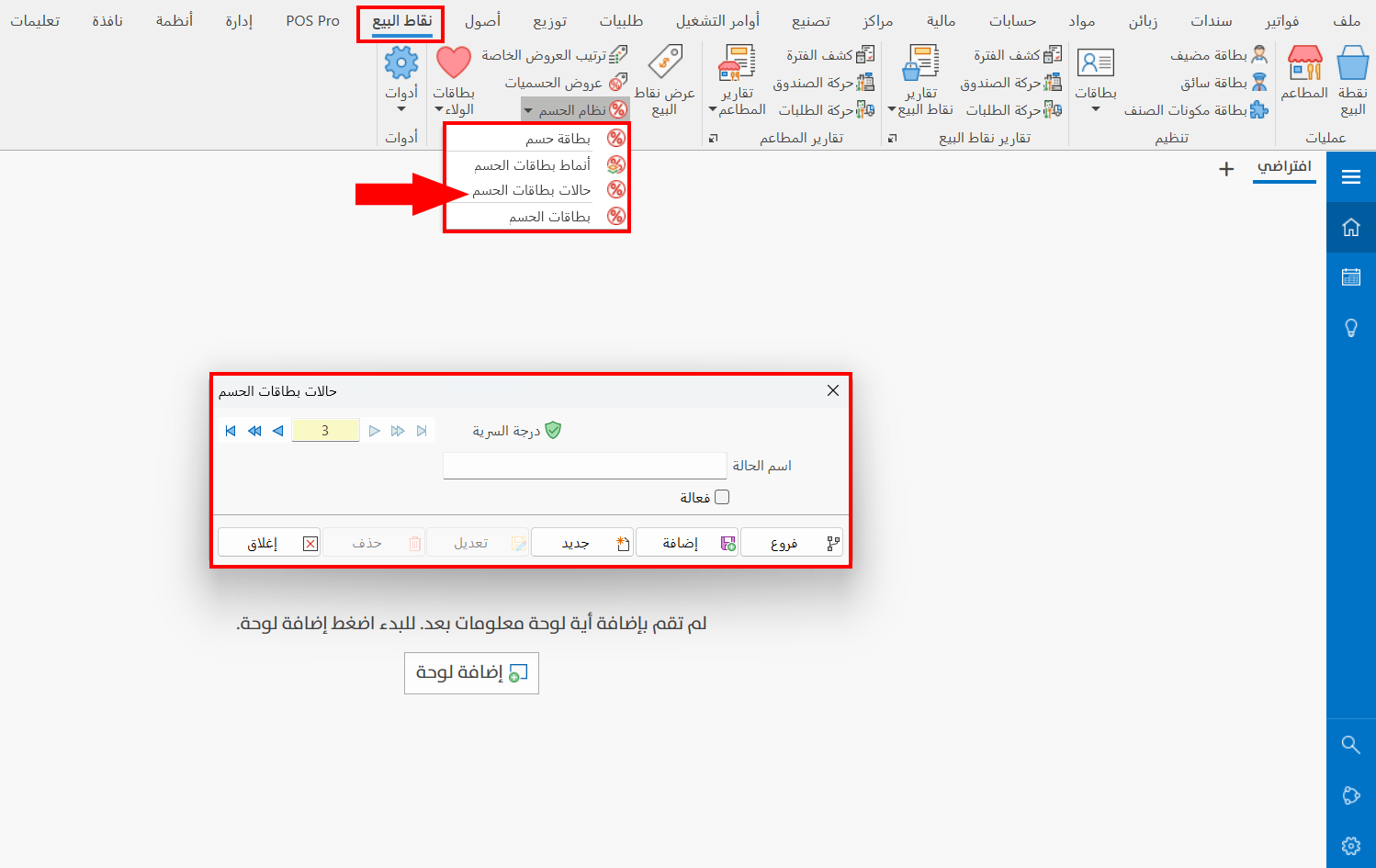
The card window consists of the following:
Serial Number and Navigation Buttons
Please see Serial Number and Navigation Buttons.
Security Level
Please see Security Level.
Status Name
Enter the name of the status you want to define a card for (mandatory field).
Active
Sets whether the card is active. When you define a discount card status card without enabling the "Active" option, and then try to read the discount from a card that uses this status (whose Active option is not enabled), the following message appears:

Click the check box next to the "Active" option so you can use the cards that will use this status.