Material Card - Weights and Dimensions
Enter the physical information of the material so that the packing list is completed accurately and efficiently, and the suitable packing types and parcel types are chosen.
You can set the dimensions and weights of the material if its material type is "Stock".
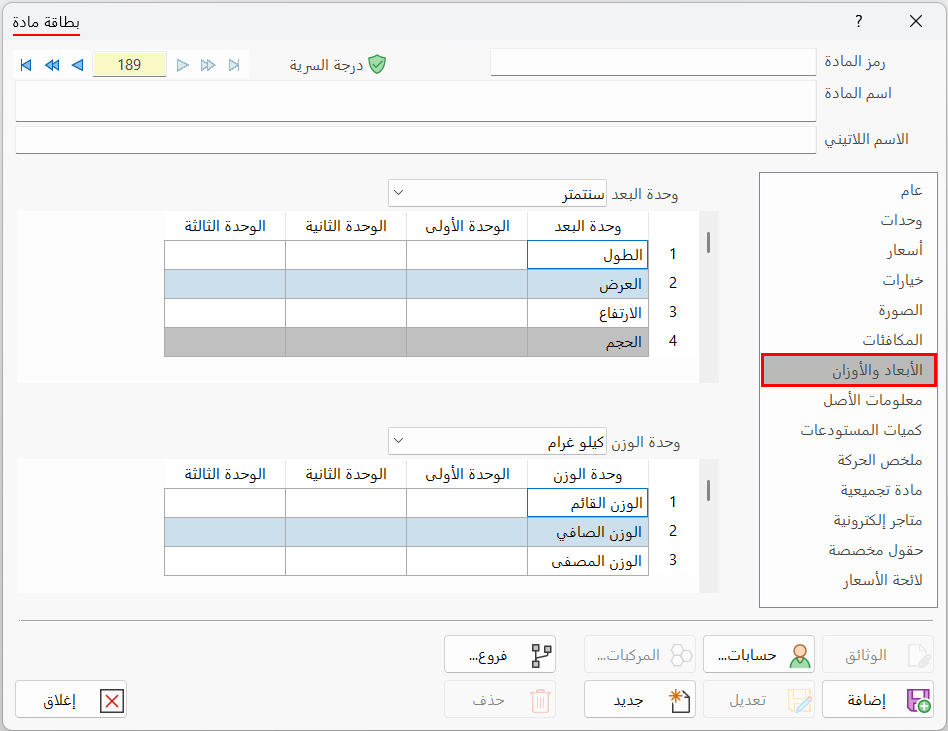
After you open a material card, move to the "Weights and Dimensions" tab; the contents of the card appear as follows:
Dimension Unit
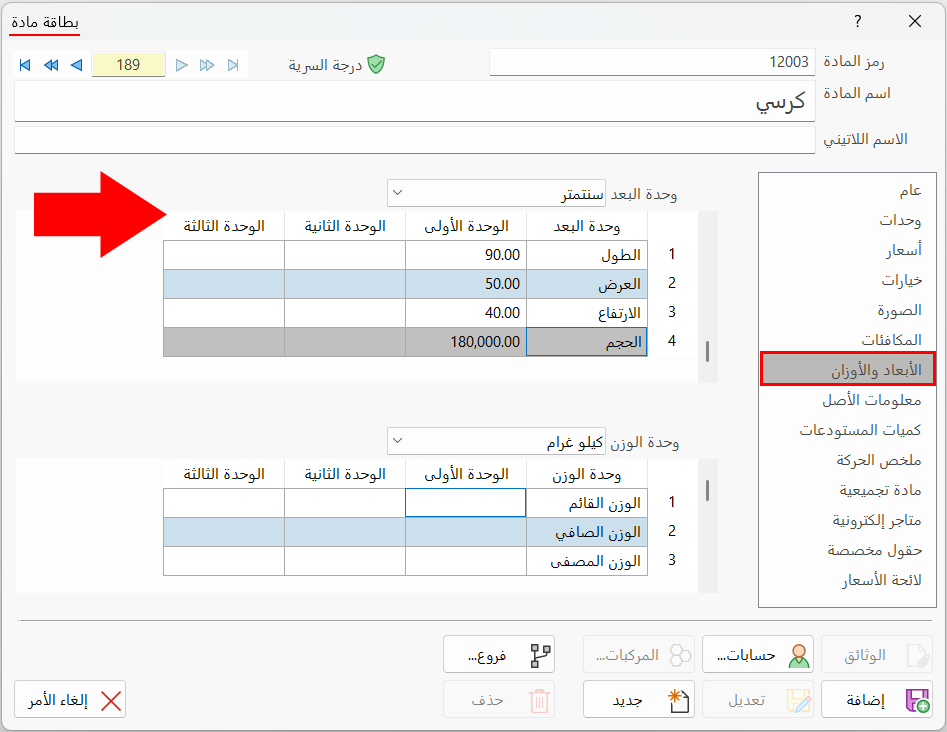
Choose, from the drop-down list of the field, the unit of measure for the material's dimensions that you will use in the dimensions table. It contains the following units:
centimeter, meter, inch, foot.
Click the suitable unit, then start entering the dimensions of the material in the table in this unit.
Dimensions Table
You can set the dimensions (length, width, height, volume) of the material's units (first, second, third) in the fields of the table, in the dimension unit chosen above.
Weight Unit
Choose, from the drop-down list of the field, the unit of measure for the material's weight that you will use in the weights table. It contains the following units:
kilogram, ounce, pound, ton.
Weights Table
You can enter the weights (gross weight, net weight, drained weight) of the material's units (first, second, third) in the fields of the table, in the weight unit chosen above.
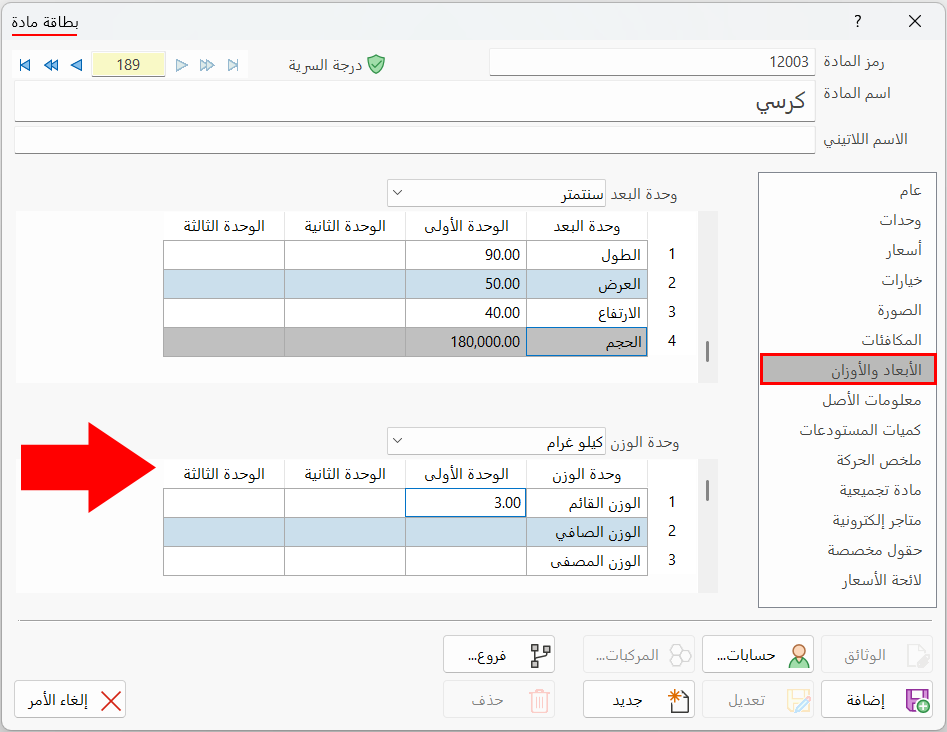
You can use the fields of the weights table as follows:
If the material is canned pineapple, its detailed components are (metal can, pineapple, water), and their weights are entered as follows:
- Gross Weight
The total weight of the material, that is, the total weight of the metal can, the pineapple, and the water.
- Net Weight
The weight of the contents of the metal can only, that is, the total weight of the pineapple and the water.
- Drained Weight
The weight of the main material only, that is, the weight of the pineapple.