Material Card - Equivalents
An equivalent is a material you can use instead of the current material, because it is similar in composition, indications, or use. This helps you consume the equivalent materials of the current material that have larger quantities or a near expiry date.
You can add the equivalents of a material after opening its material card and moving to the "Equivalents" tab. The card provides a table in which you add the equivalent materials of the current material, as follows:
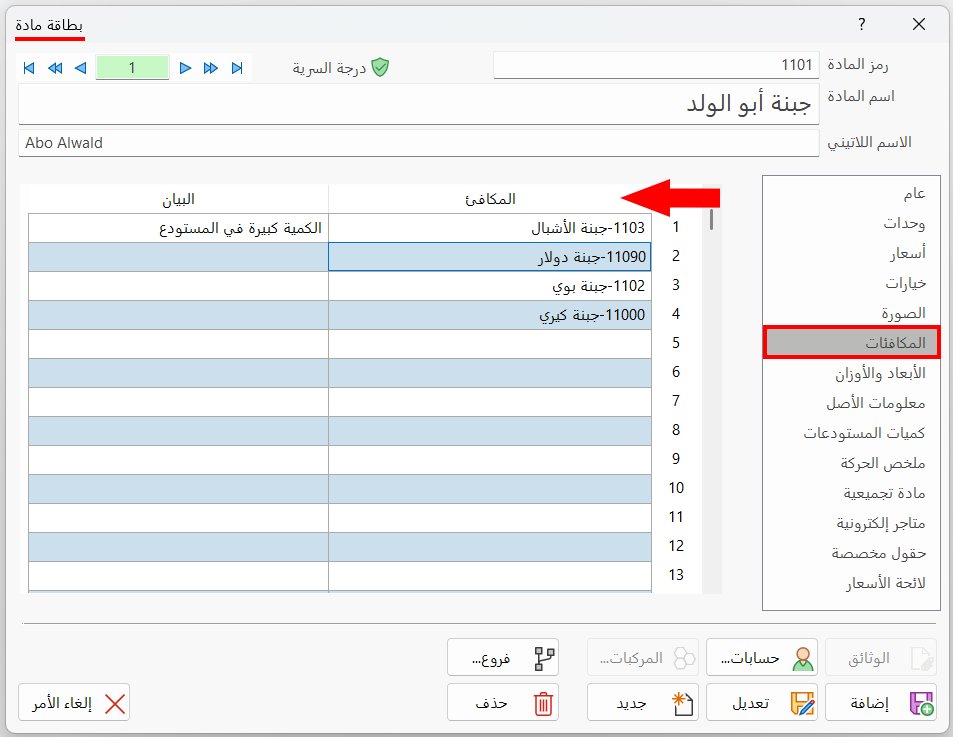
Equivalent column: enter the name/code of the material, or type the (*) symbol in a table row and press enter, then choose the material from the window that opens.
Notes column: you can add additional information or data related to the material you added in the Equivalent column.
You can view the equivalents of a material in an invoice by right-clicking the row number of the material and choosing "Material Equivalents" from the menu; its equivalents window opens.