Asset Details
The "Asset Details" window opens when you click the "Details" button in Material Card - Asset Information, and gives you access to the information of a material of the "Fixed Asset" type, showing its movements and its sub assets.
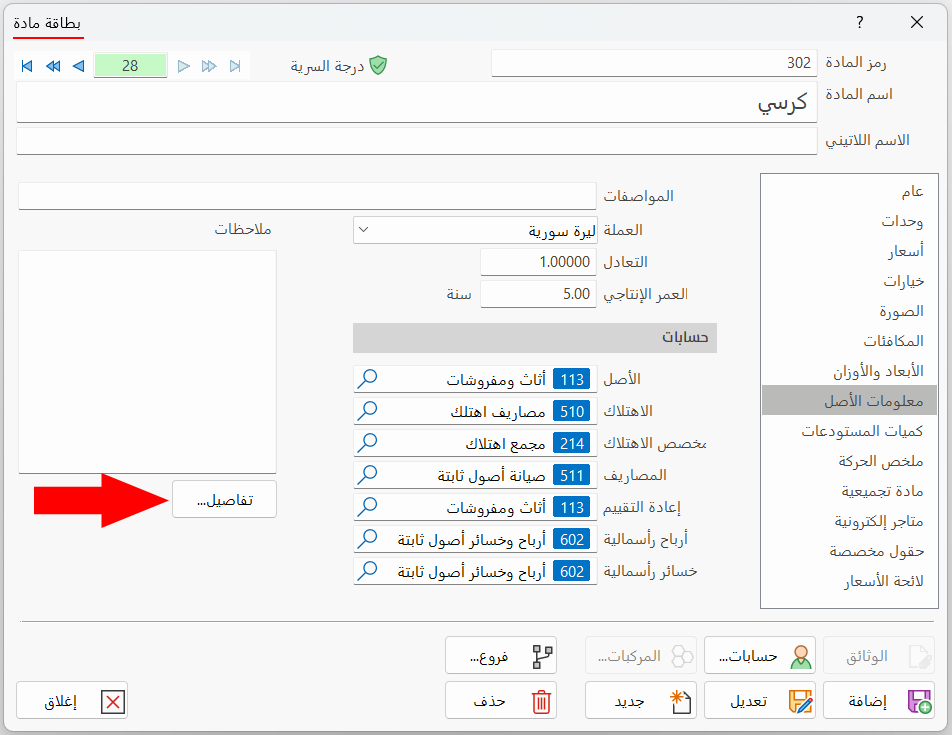
The "Details" button in the material card is enabled after the first purchase invoice or input of the asset is entered.
After you click "Details", the window opens as follows:
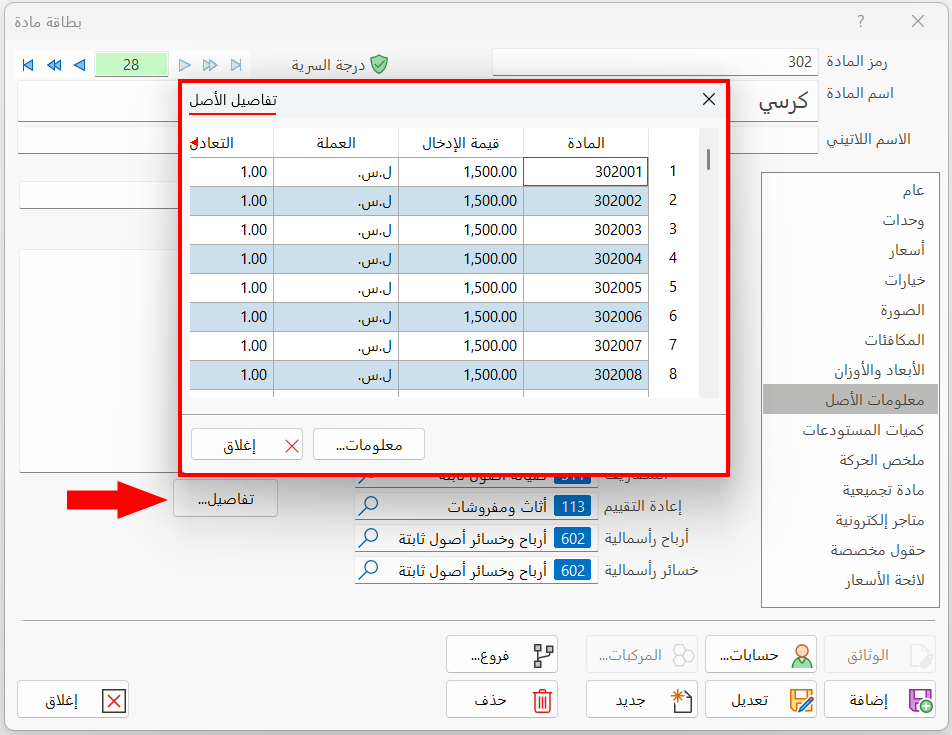
Asset Details Table
The details table consists of a set of columns that show the information of the sub assets belonging to this asset (the fixed asset material). They are for viewing only; you cannot modify them. The columns are:
- Material
The sub code of the material in the sub asset card.
- Input Value
The price of the material when it was entered.
- Currency
The code of the currency in which the material was entered.
- Parity
The parity, against the basic currency, of the currency in which the material was entered.
- Input Date
The date of the material's input bill.
- Output Value
The price of the material when it was taken out.
- Currency
The code of the currency in which the material was taken out.
- Parity
The parity, against the basic currency, of the currency in which the material was taken out.
- Output Bill Date
The date of the material's output bill.
- Notes
The data you add in the "Notes" field of the sub asset card.
- Salvage Value
The value you add in the "Salvage Value" field of the sub asset card.
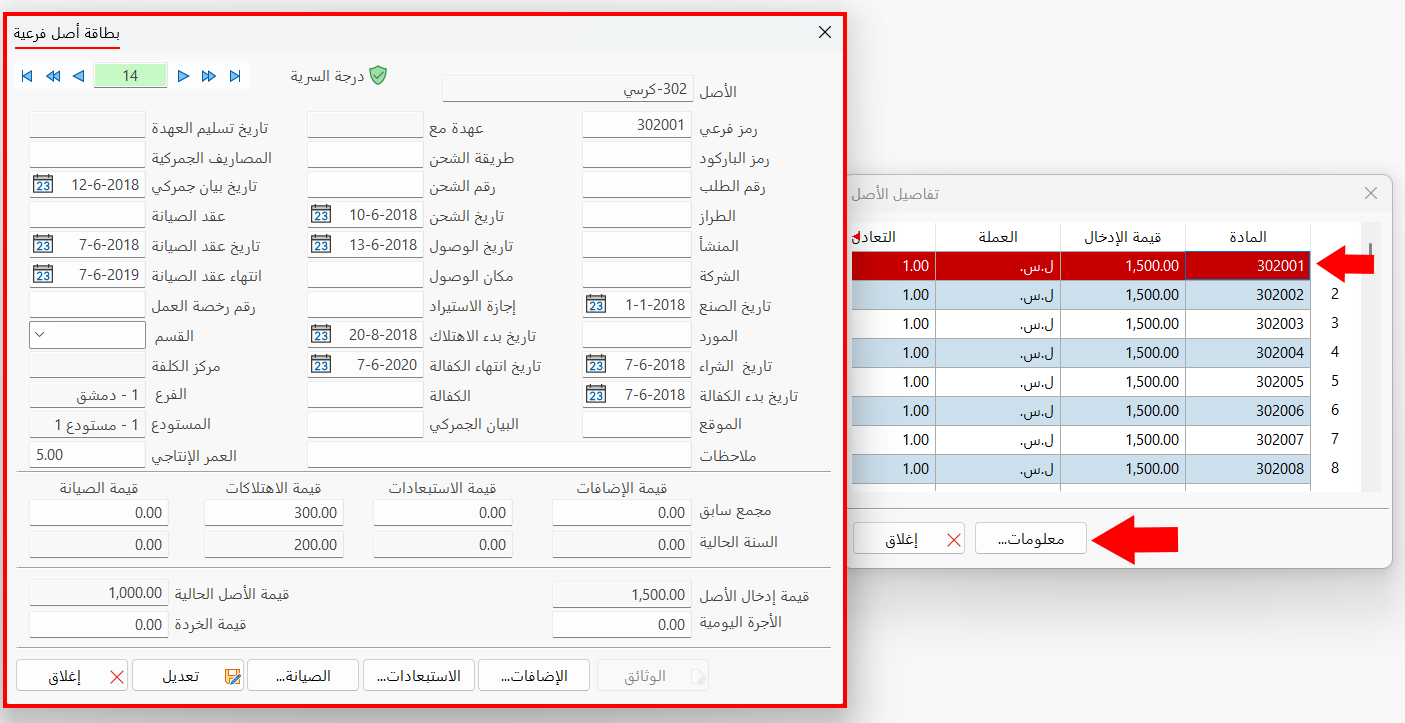
Info
Shows the "Sub Asset Card" of the material selected in the table: after you click "Info", the card opens directly.
Close
Closes the asset details window and returns to the material card.