Distributor Card
This card defines the distributors of your company or organization, and holds their commission account and commission contra account.
You can open the distributor card from the Invoices tab - Settings group; it appears as follows:
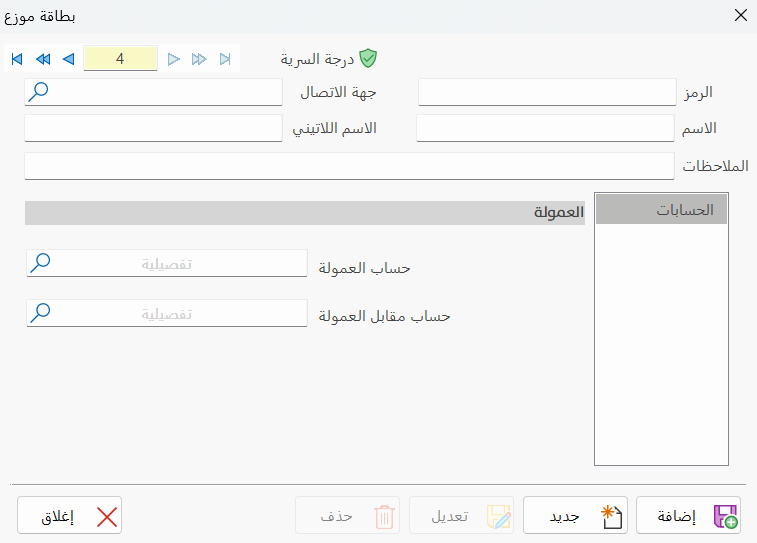
Main Fields
The distributor card consists of several fields for adding all the information needed to define the distributor as one of the distributors in alameen ERP 10:
Card Number and Navigation Buttons
Please see Serial Number and Navigation Buttons.
Security Level
Please see Security Level.
Code
Set in this field the code of the distributor you are defining a card for (this field is mandatory).
Name
Enter the name of the distributor you are defining (this field is mandatory), for example: Distributor Yamen.
Latin Name
You can enter the name of the distributor in another language.
Contact
Enter the distributor's contact, after defining it with a contact card.
Notes
Put in this field your notes about the distributor you are defining.
Tabs
The distributor card contains:
Accounts
With the fields of the tab, you can enter the following:
Commission Account
Type the account name or code in the field, or click the search icon to list all the accounts defined in the program and select the commission account you want.
Commission Contra Account
Type the account name or code in the field, or click the search icon to list all the accounts defined in the program and select the commission contra account you want.
Standard Commands
Please see Standard Commands.