Destination Card
In alameen ERP, the destination card defines the source a commercial paper (such as a check or a bill of exchange) belongs to, so you can use it to document and organize financial operations.
You open the destination card from the Accounts tab on the main ribbon - "Settings" group.
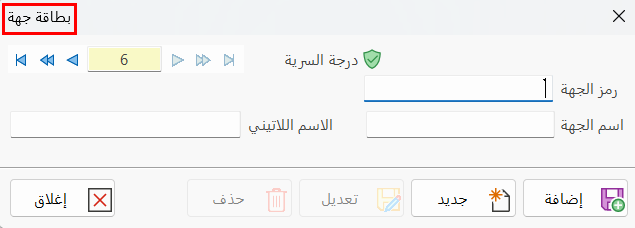
When you click the Destination Card button, the window opens as follows:
Main Fields
The destination card consists of several fields for adding all the information needed to define it as one of the destinations in alameen ERP 10:
Card Number and Navigation Buttons
Please see Serial Number and Navigation Buttons.
Security Level
Please see Security Level.
Dest. Code
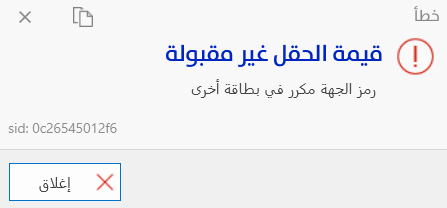
Each destination has a unique code; you can type the code according to standards you choose (this field is mandatory).
When you enter a code used in another destination card, an error message appears, as follows:
Dest. Name
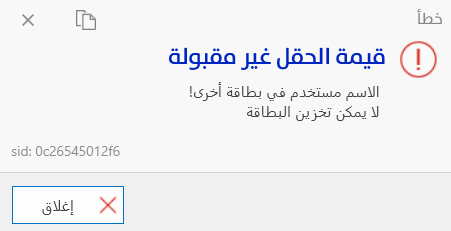
Type the name of the destination you are defining (this field is mandatory), for example, Commercial Bank.
When you enter a name used in another destination card, an error message appears, as follows:
Latin Name
You can enter a name for the destination in another language.
Standard Commands
Please see Standard Commands.
You cannot delete a destination card that has been used in commercial paper cards.