Rename a File
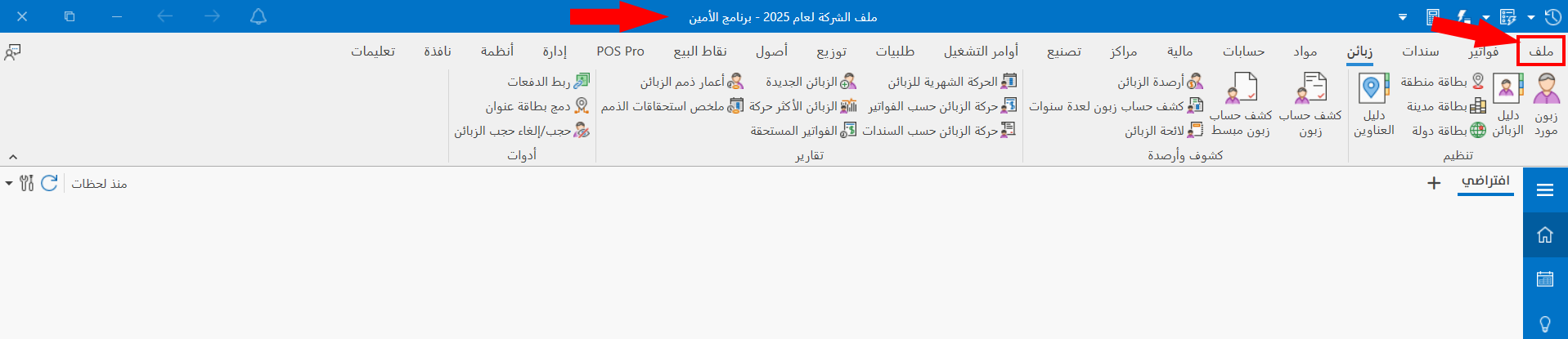
You can rename the current file and give it a new name (change the descriptive name of the database). After logging in to the file, click the "File" tab on the main ribbon.
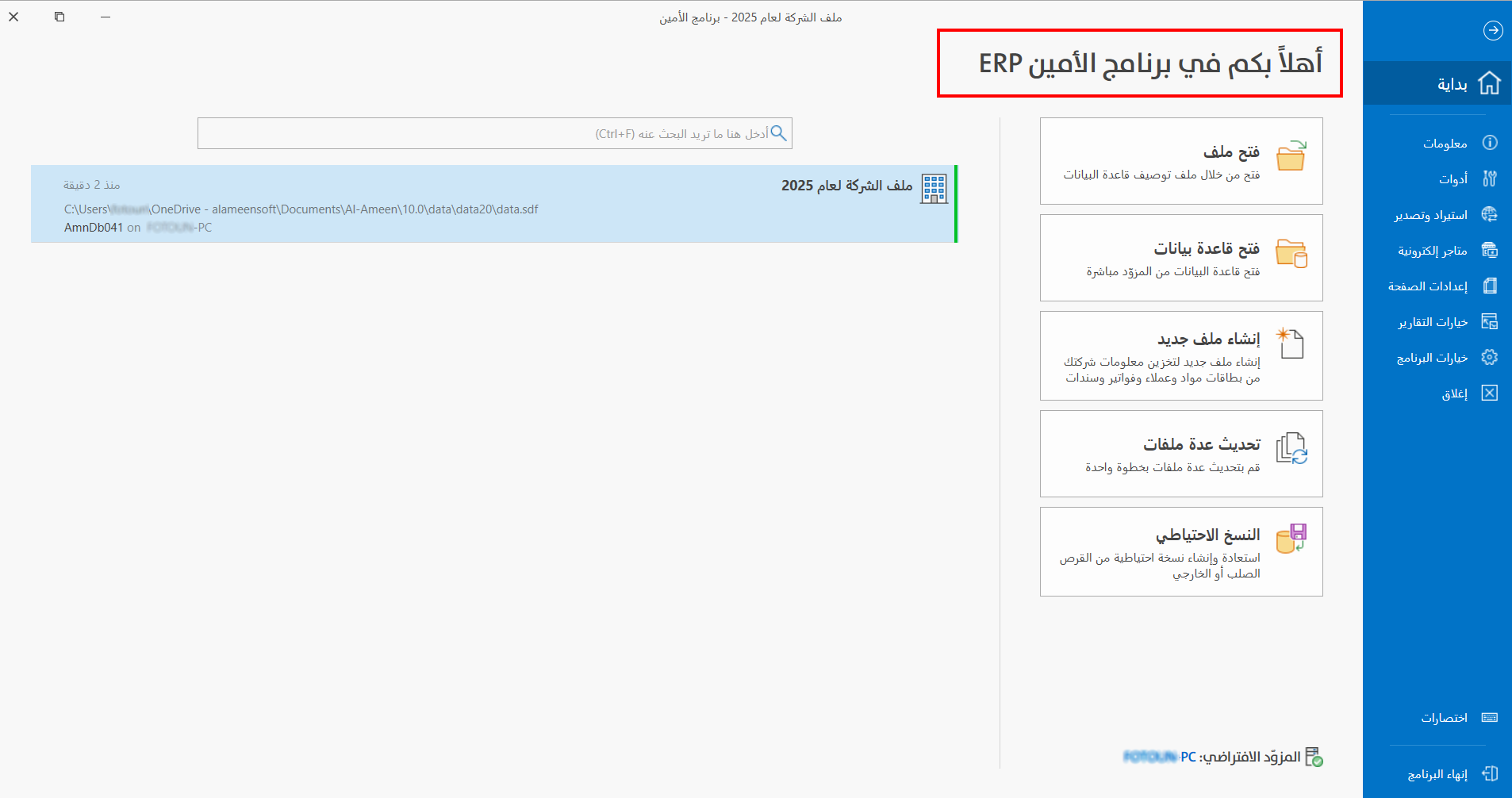
The program then moves to the following screen:
To rename the file, right-click it, and the following menu opens:
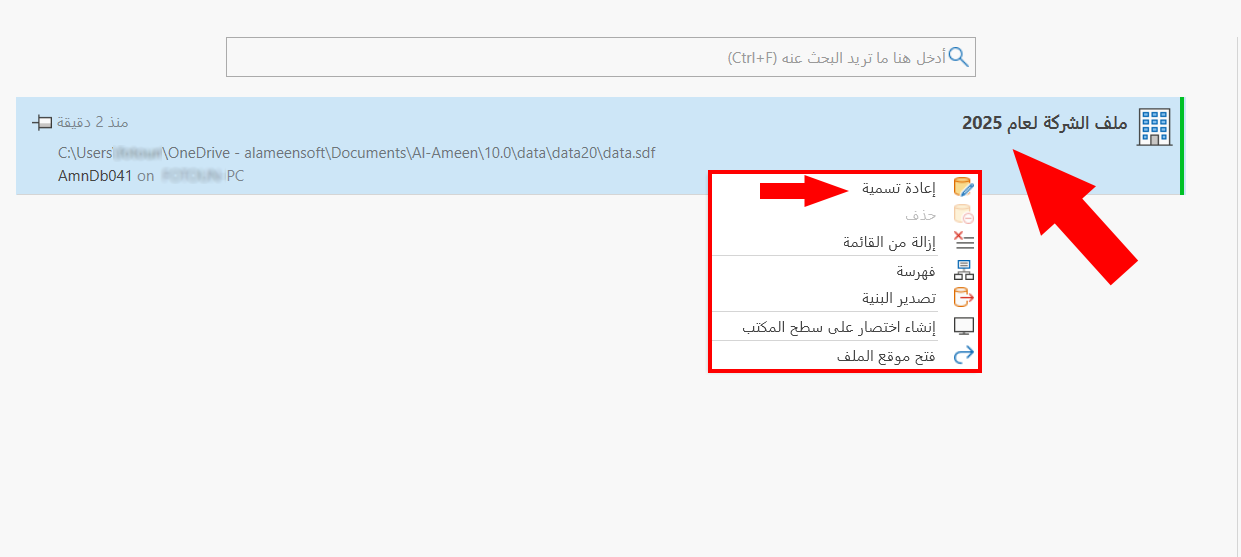
Choose "Rename", and a window appears for changing the descriptive name, which must not exceed 100 characters.
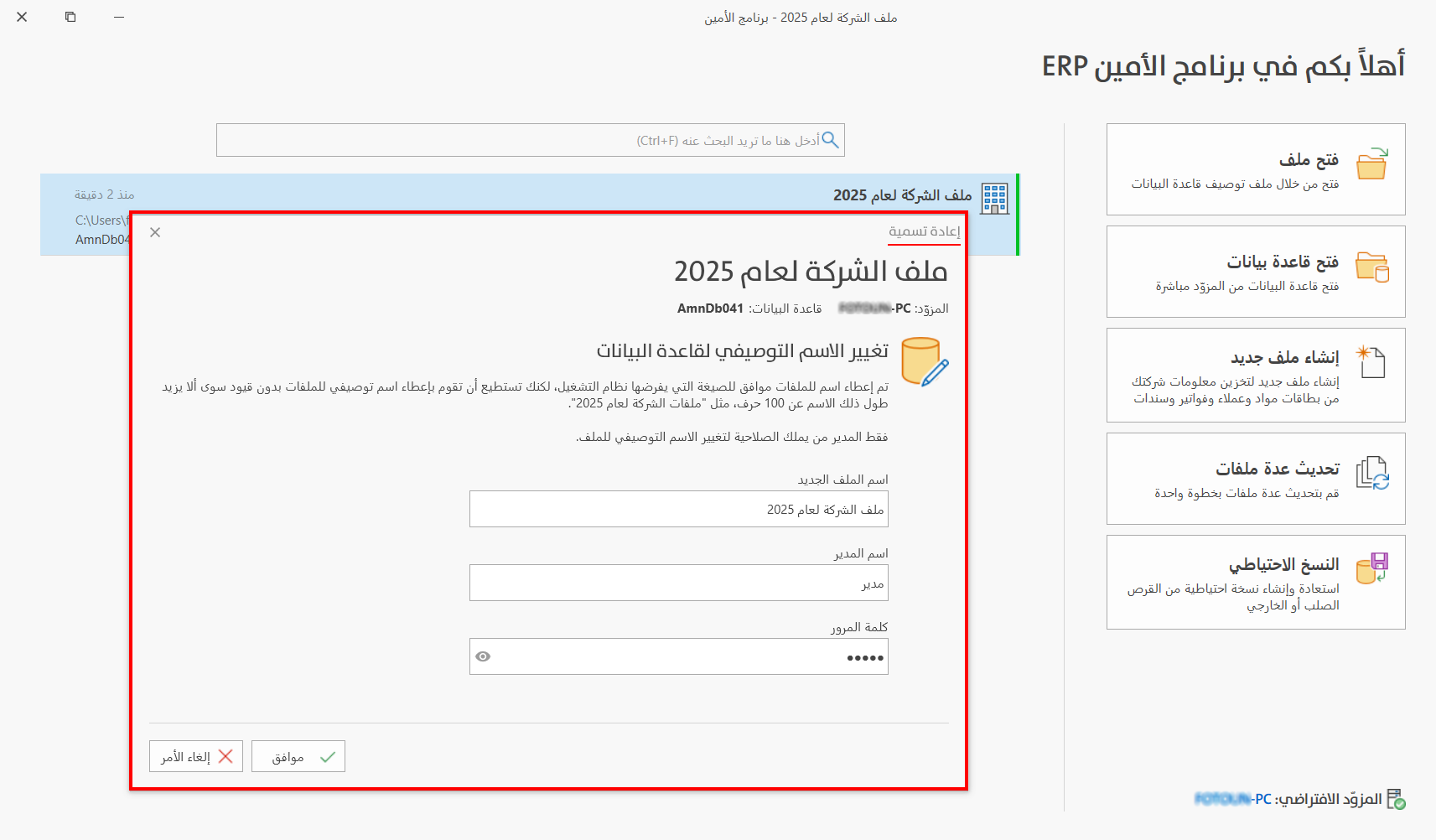
File New Name
The field shows the current name of the file; you can edit it or enter a completely new name.
Administrator Name
Enter the name of the user who has all permissions (the administrator).
Password
Enter the password of the user (the administrator).
Click "OK" in the rename window to save the changes to the file name. Click "Cancel" in the rename window to undo the changes to the file name.