Remove a File From the List
You can hide the current file from the files list shown in the program's welcome screen without deleting it.
Right-click the name of the file you want to hide, and the following menu appears:
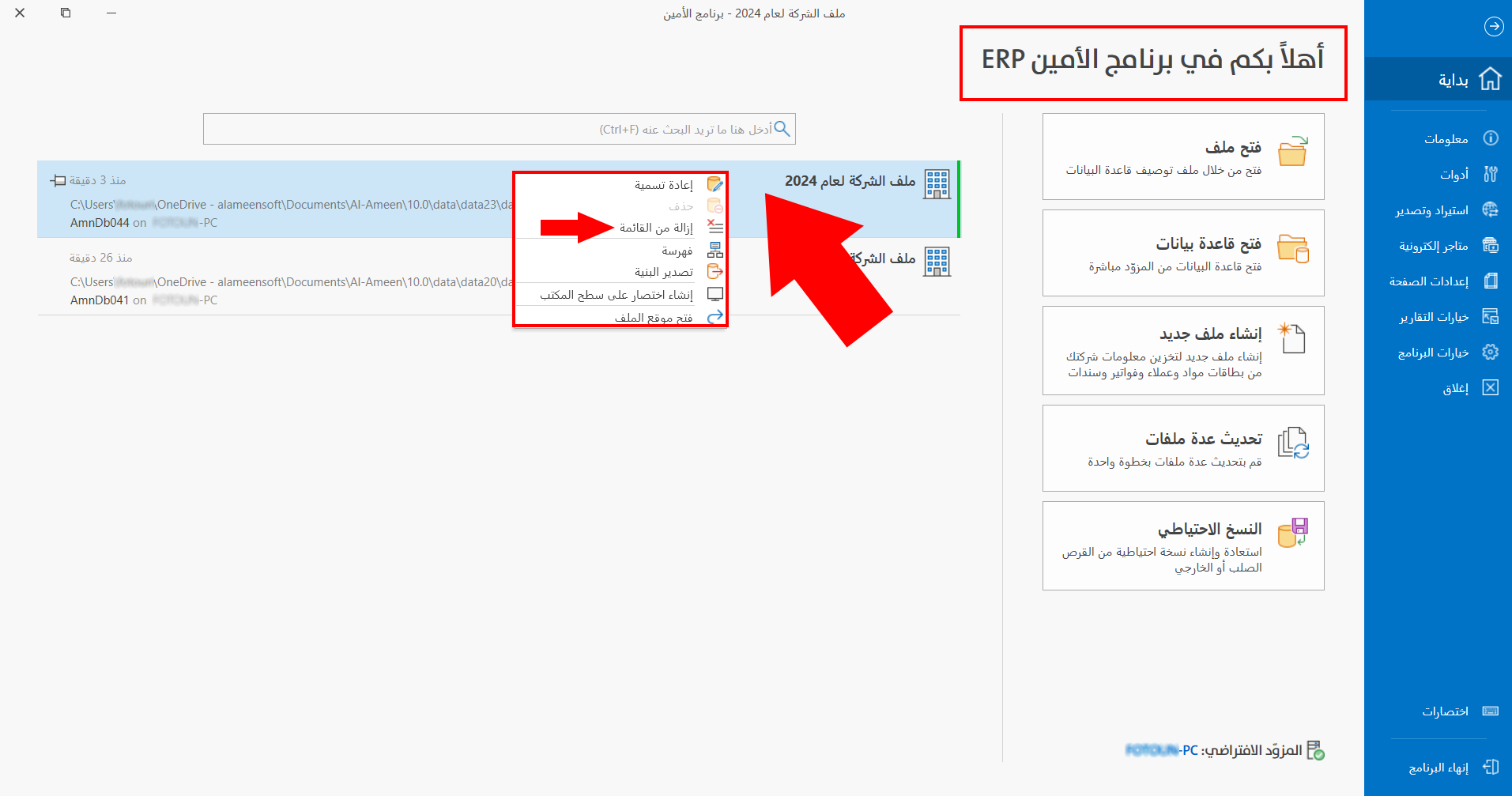
After you click "Remove From List", the file disappears immediately, without any warning message.
Tip
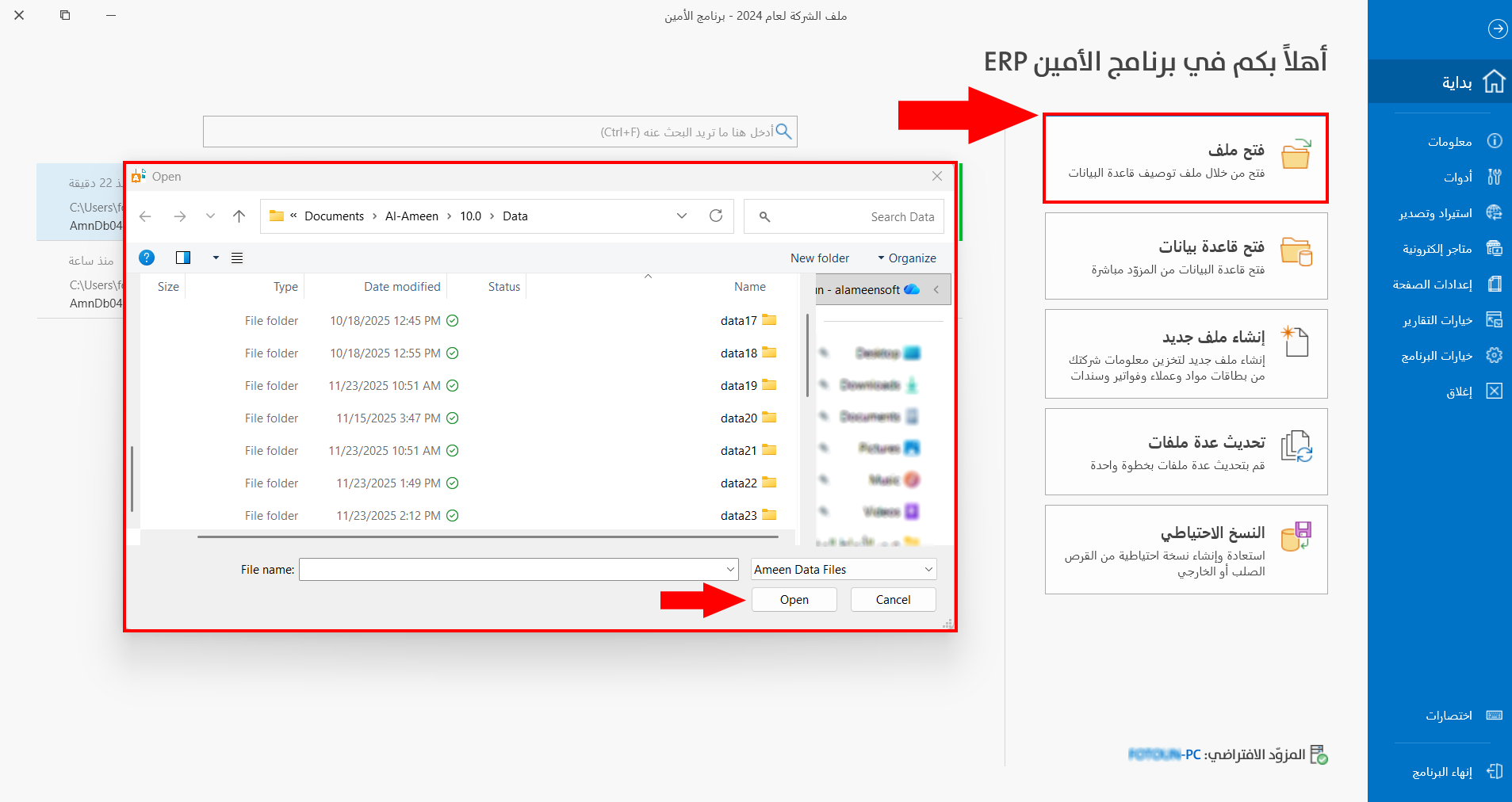
You can show the file in the files list again using "Open File": choose the location of the descriptive file and click "Open", and it is added straight to the files list.