Index a File
Indexing rebuilds the file indexes and organizes the file data stored in the database.
Indexing helps fix some slowness problems that may appear when working with the database, and greatly speeds up searching and reaching information.
You can reindex the file by going to the welcome window from the "File" tab on the main ribbon.
Right-click the file, and the following menu appears:
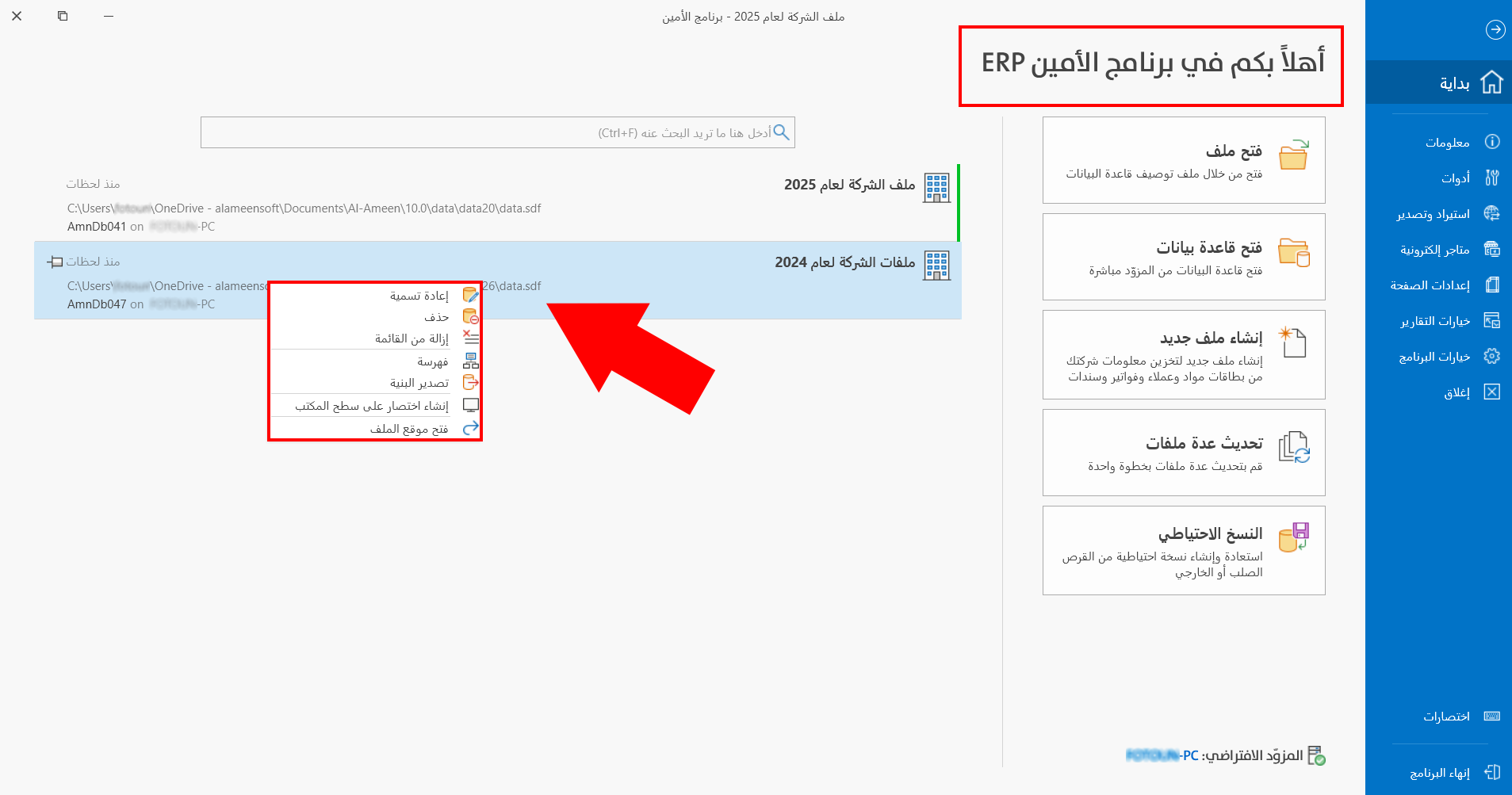
Click "Indexing", and the following window opens:
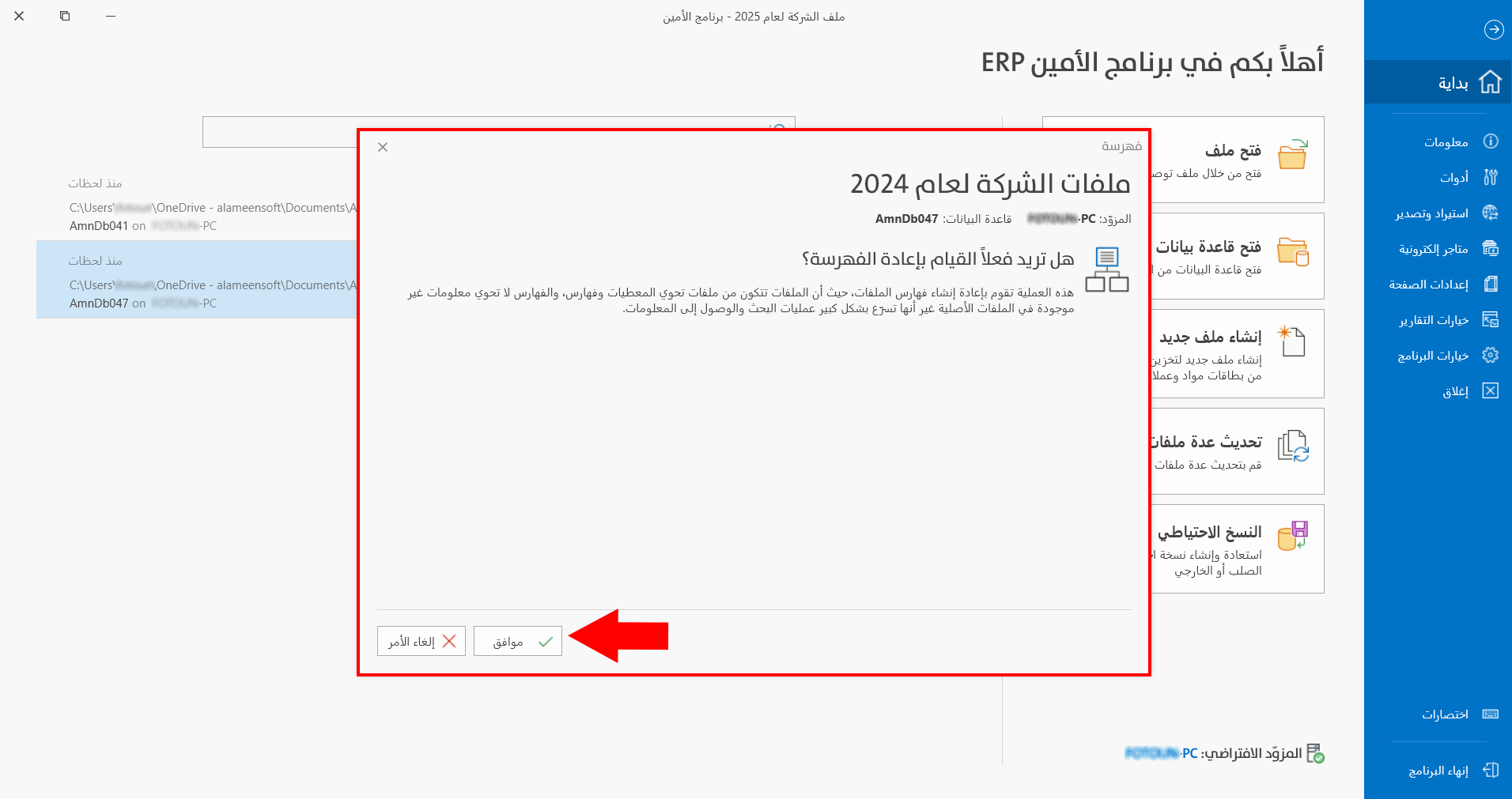
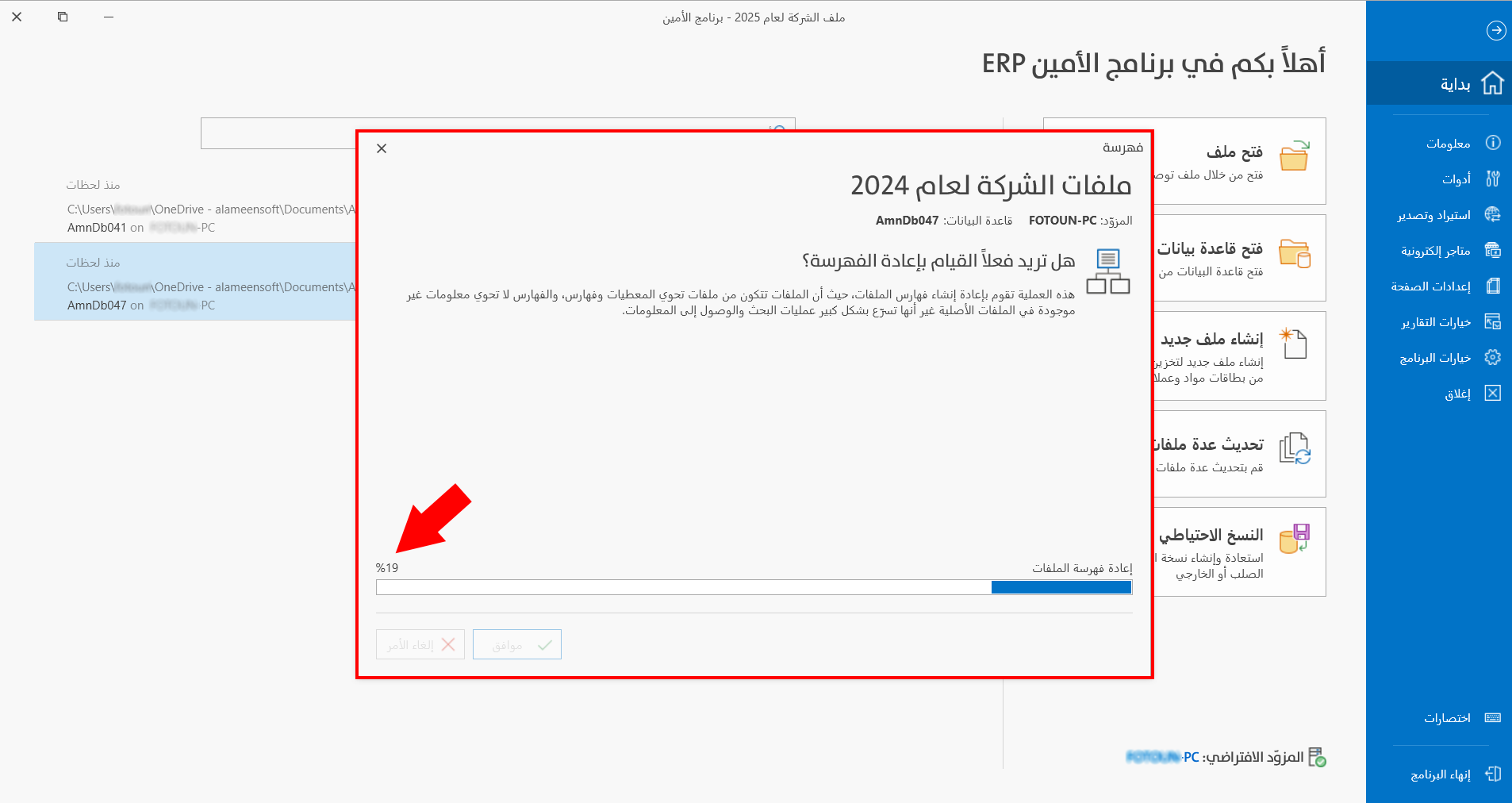
To start reindexing, click "OK" in the window; the operation progresses until it reaches 100%.
Tip
Indexing does not delete data, but it may take time depending on the size of the database; it is best to run it after taking a backup.