Export the Database Structure
You can extract the structure of the database (tables, indexes, procedures, and other objects), compress it into one file, and send it to the server using "Export Schema".
To do so, go to the welcome window from the "File" tab on the main ribbon.
Right-click the file whose database structure you want to export, and the following menu appears:
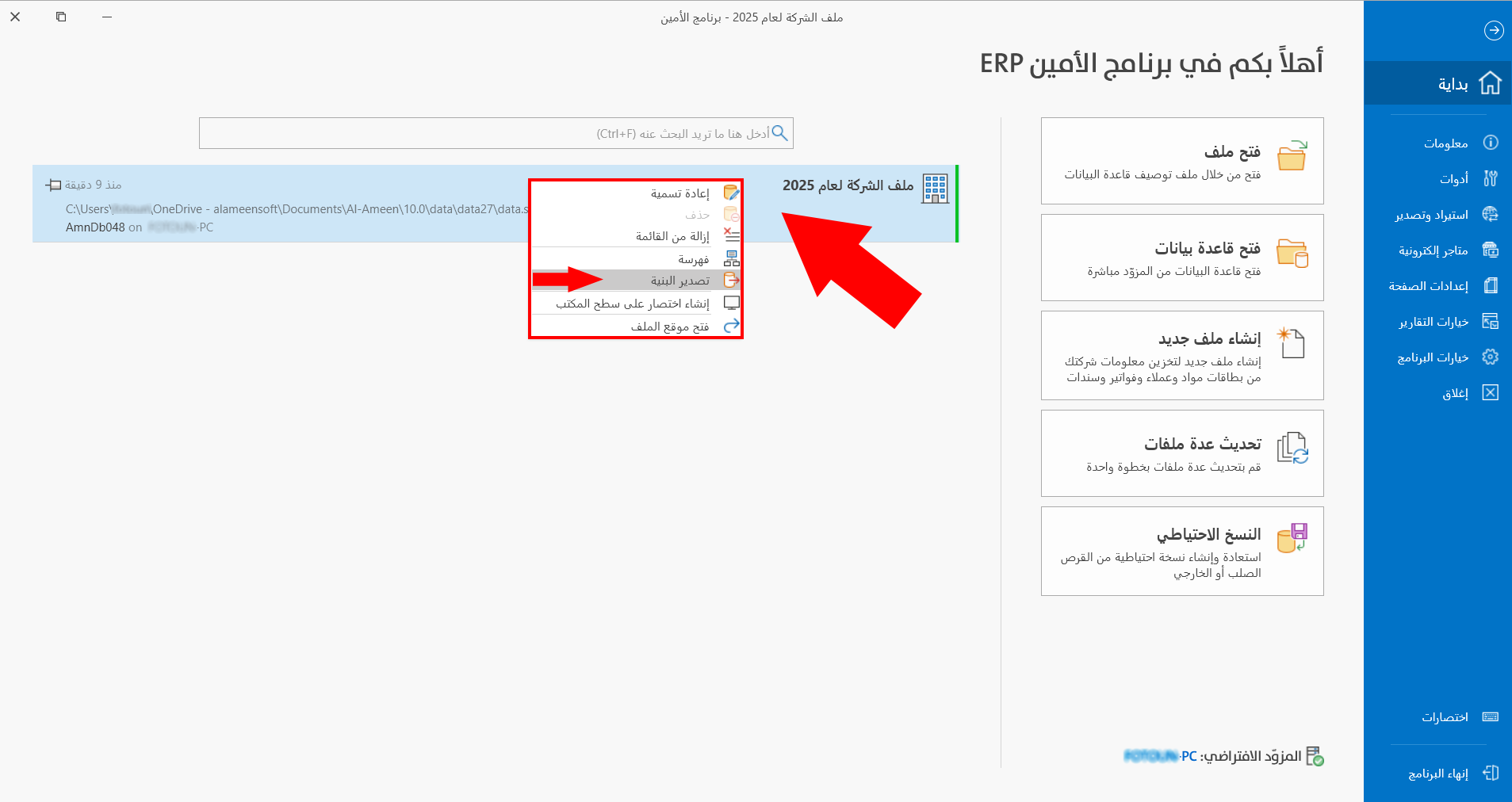
Click "Export Schema", and the following window opens:
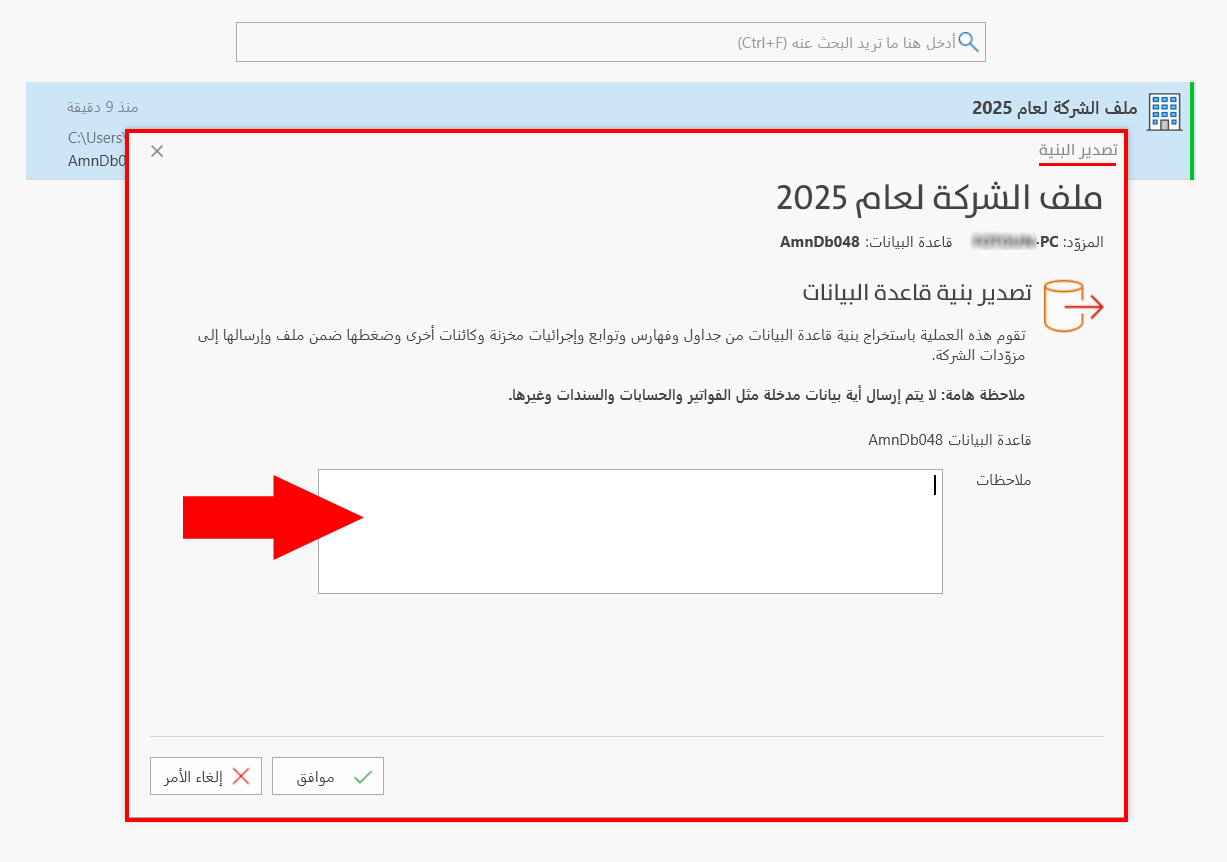
The window contains the information of the file whose database structure you want to export: the server name and the database name.
You can add more information about the file in the "Notes" field.
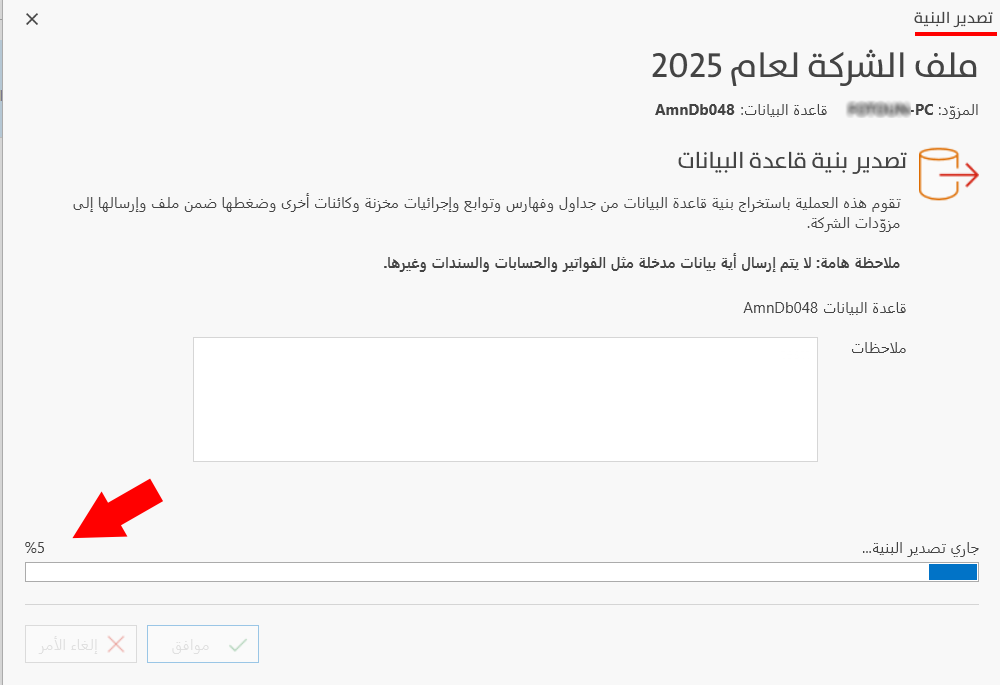
Exporting the database structure starts after you click "OK" in the window, and progresses until it reaches 100%.